10 Work Order Management Best Practices To Follow
Learn 10 work order management best practices—from templates to CMMS—to cut delays, protect margins, and win repeat government contracts.
If you run a construction or infrastructure business in India, you know a signed contract is only the beginning. What happens after the award, how work orders move from paper to execution, decides whether a project stays profitable or turns into a dispute. Good work order management best practices aren't just paperwork discipline, they protect your margins, your compliance record, and your reputation with the same government departments you'll bid against again.
This article answers a simple question: how do you build a work order process that doesn't collapse under the weight of multiple sites, subcontractors, and shifting government timelines? We'll walk through practical, field-tested steps that reduce delays, catch scope creep early, and keep your documentation audit-ready.
We've spent time watching how infrastructure and AEC firms handle everything from tender qualification to project closeout, and the same patterns show up again and again. Below are 10 actionable practices, covering everything from work order templates to tracking dashboards, that any bid manager, site engineer, or BD lead can start applying this week.
1. Standardize how you create every work order
Every work order that leaves your office should look and read the same way, whether it's for a bridge widening job in Bihar or a minor repair on an irrigation canal in Maharashtra. When formats change from site to site or engineer to engineer, you lose the ability to compare, audit, or hand off jobs quickly. Standardized work orders are the foundation that every other item on this list depends on, and they're one of the easiest wins in work order management best practices because they cost nothing but discipline to implement.
Why it matters
Government contracts already come with strict documentation requirements, so your internal paperwork shouldn't add another layer of confusion. A consistent template means any site engineer, subcontractor, or auditor can open a work order and instantly find the scope, location, materials, and approval chain without hunting through inconsistent formats. This matters most during disputes or audits, when a missing signature or unclear scope line can delay payment for weeks.
A standardized work order isn't bureaucracy, it's the fastest way to prove exactly what was agreed, done, and billed.
How to implement it
Build one master template and force every team to use it, no exceptions. At minimum, your template should capture:
- Work order number and linked contract or tender reference
- Site location and GPS coordinates where relevant
- Scope of work with BOQ line items
- Assigned technician or contractor
- Required approvals and signatures
- Priority level and target completion date
- Materials and equipment allocated
Store this template in a shared drive or, better, inside a centralized system so field teams pull the same version every time instead of emailing outdated copies back and forth.
Common mistakes to avoid
Teams often let each site office create its own version of a work order, which seems harmless until you're trying to reconcile fifteen different formats during a compliance review. Others skip fields they consider optional, like priority level or GPS location, only to regret it when a dispute arises over response time. Firms also forget to version-control their template, so someone keeps using a draft from eighteen months ago that's missing a mandatory safety clause. Fix this by assigning one person ownership of the template and requiring sign-off before any changes go live.
2. Make it simple to submit work orders from the field
Site engineers and supervisors on a road widening or irrigation project rarely sit near a desk. If submitting a work order means driving back to a site office or waiting to reach someone on WhatsApp, delays pile up fast. Field submission should take under two minutes from a phone, because that's the reality of how your teams actually work.
Why it matters
When submission is hard, people skip it or batch requests until end of day, which means urgent issues like a cracked culvert or a safety hazard sit unreported for hours. A mobile-friendly process closes that gap and gives you real-time visibility into what's happening across every site you're managing, not just the ones someone remembered to call about.
If a work order takes longer to submit than the problem takes to worsen, your process is working against you.
How to implement it
Give field staff a simple mobile form, whether through a dedicated app or even a structured WhatsApp bot, that captures location, photos, and a short description without requiring them to fill in technical BOQ codes. Let your office team enrich the request with priority and scope details later. Push notifications should confirm receipt so the field worker isn't left wondering if the request went through.
Common mistakes to avoid
Many firms build submission forms so detailed that field staff abandon them halfway, especially in areas with weak connectivity. Others rely entirely on verbal reports through site supervisors, which creates a bottleneck and loses details in translation. Test your form on a low-end phone with patchy signal before rolling it out company-wide.
3. Prioritize work orders using real-world criteria
Not every work order deserves the same urgency, yet plenty of firms treat a leaking roof and a broken streetlight as equally important simply because both arrived on the same day. Real-world prioritization means ranking work based on safety risk, contractual penalty exposure, and project criticality, not the order requests landed in your inbox. This is one of the work order management best practices that separates firms who hit deadlines from those constantly firefighting.
Why it matters
Government contracts often carry liquidated damages clauses, so a delayed structural repair on a bridge approach can cost you far more than a delayed fence repair at a site office. Safety-critical issues like exposed rebar or a collapsed drainage line need to jump the queue immediately, and your process should make that obvious to everyone, not just whoever happens to be reading requests that morning.
Prioritize by consequence, not by arrival time, or you'll fix the easy problems while the expensive ones wait.
How to implement it
Set a simple, documented scoring system your whole team understands:
- Critical: safety hazard or contract penalty risk, respond within hours
- High: affects active work progress, respond within a day
- Medium: scheduled maintenance or minor scope items, respond within a week
- Low: cosmetic or non-urgent fixes, batch with other site visits
Train dispatchers to apply this scale consistently across every site.
Common mistakes to avoid
Letting the loudest client or engineer dictate priority instead of the actual criteria undermines the whole system fast. Other teams create too many priority tiers, which confuses field staff more than it helps. Keep it to four levels and review the scoring rules quarterly.
4. Match work orders to the right technician
Sending a general laborer to diagnose a hydraulic issue on excavation equipment wastes half a day before anyone realizes the mismatch. Skill-based assignment means routing each work order to whoever actually has the certification, tools, or site history to close it fast, not just whoever's free. This is one of the work order management best practices that construction firms overlook because it requires knowing your workforce, not just your workload.

Why it matters
Infrastructure projects mix specialized trades, electricians, welders, surveyors, equipment operators, and assigning blind wastes time and creates rework. A qualified technician match also matters for compliance, since certain government contracts require documented proof that certified personnel handled specific tasks like structural welds or electrical work.
Assign the right person once instead of the wrong person twice.
How to implement it
Build a simple skills matrix covering:
- Certifications held (welding, electrical, heavy equipment)
- Current site assignment and travel distance
- Past performance on similar work orders
- Current workload and availability
Use this matrix every time you dispatch, and update it whenever someone completes new training or certification.
Common mistakes to avoid
Teams often default to whoever's geographically closest, ignoring whether that person can actually do the job, which leads to callbacks and wasted trips. Others let one senior technician get overloaded because dispatchers trust them by habit, burning out your best people while junior staff sit idle. Rotate assignments deliberately and keep your skills matrix current, not something updated once a year during appraisal season.
5. Schedule work proactively, not just reactively
Most firms only issue work orders after something breaks or an inspector flags a defect. Proactive scheduling flips that pattern by planning routine maintenance, equipment servicing, and structural checks before they become emergencies. On a multi-crore road or irrigation project, waiting for failure always costs more than preventing it, both in repair bills and in penalty clauses tied to downtime.
Why it matters
Reactive-only teams spend most of their time firefighting, which leaves no room to plan labor, materials, or equipment ahead of time. A preventive maintenance schedule for pumps, compactors, and site vehicles catches wear before it stops work entirely, and it gives you predictable data for budgeting the next quarter's spend.
Plan the maintenance you can control, so you have capacity left for the emergencies you can't.
How to implement it
Build a recurring schedule based on manufacturer intervals, usage hours, or site conditions, not guesswork:
- Equipment servicing every fixed number of operating hours
- Structural inspections tied to monsoon or seasonal risk periods
- Site safety walkthroughs on a fixed weekly or biweekly cadence
- Material and consumable checks before each major project milestone
Assign these as standing work orders that auto-generate on schedule, rather than relying on someone remembering to create them manually.
Common mistakes to avoid
Teams often build a preventive schedule once and never revisit it, so it stops matching actual equipment age or site conditions. Others let reactive work orders constantly bump scheduled maintenance, which defeats the purpose entirely. Protect a fixed block of time each week for planned work, and treat it with the same priority as urgent repairs.
6. Keep communication open throughout the job
A work order shouldn't go silent between assignment and completion. On a live infrastructure site, conditions change fast: a material delay, a design clarification from the consultant, or a safety stoppage can all shift the job midway. Ongoing communication keeps everyone from the site engineer to the BD manager aware of status without needing to chase updates by phone.

Why it matters
Without visible status updates, supervisors waste hours calling around to check progress, and clients or government engineers lose confidence in your team's control over the site. Real-time status visibility also protects you legally, since a documented trail of updates shows you flagged delays as they happened rather than after the fact.
Silence on a work order is never neutral, it just means someone finds out about the problem later than they should.
How to implement it
Require status updates at fixed checkpoints rather than leaving it open-ended:
- On assignment acceptance
- On arrival at site
- When a blocker or delay occurs
- On completion, before final sign-off
Use a shared status field visible to office and field staff alike, so nobody has to ask what's happening. Photos attached at each checkpoint add proof without requiring a written report.
Common mistakes to avoid
Teams often rely on informal WhatsApp threads that get buried under unrelated messages, losing the update trail entirely. Others require lengthy written updates that field staff skip under time pressure. Keep the update format short and structured, and tie it directly to the work order record instead of a separate chat app.
7. Close the loop with detailed completion notes
A work order isn't finished when the technician leaves the site, it's finished when the paperwork proves what actually happened. Detailed completion notes turn a closed job into a record you can defend during a payment dispute, a client audit, or a future tender evaluation. Too many firms mark work orders "done" with a single tick mark and nothing else, which leaves them exposed the moment someone questions what was actually delivered.
Why it matters
Government departments and consultants routinely revisit completed work, especially on structural or safety-related items, and a vague closure note gives you nothing to point to. Strong completion records also feed directly into future bids, since firms with documented project history qualify for larger tenders faster than those relying on memory and scattered site diaries.
A work order without a completion record is just an unproven claim.
How to implement it
Require every closed work order to include:
- Materials actually used, versus what was originally allocated
- Labor hours and personnel involved
- Before-and-after photos
- Any deviations from original scope, with reasons noted
- Client or site engineer sign-off
Make these fields mandatory in your system so a work order simply can't be closed without them.
Common mistakes to avoid
Supervisors often close jobs in bulk at the end of a shift, skipping detail to save time, which erases the value of the record entirely. Others document deviations verbally but never in writing, leaving no defense if a dispute surfaces months later. Build closure into the job itself, not an afterthought handled back at the office.
8. Track work order data to spot recurring issues
One closed work order tells you what happened on one job. A hundred closed work orders, analyzed together, tell you where your equipment keeps failing, which sites eat the most labor hours, and which subcontractors consistently miss deadlines. Historical work order data is one of the most underused assets on an infrastructure project, and treating it as an afterthought means you keep solving the same problems from scratch every quarter.
Why it matters
Recurring breakdowns on the same compactor or repeated drainage failures at the same chainage point aren't bad luck, they're patterns waiting to be spotted. Trend analysis turns scattered complaints into a clear signal that something structural needs fixing, whether that's a design flaw, a supplier issue, or a training gap on your crew.
If the same problem shows up three times, you don't have a maintenance issue, you have a root cause you haven't found yet.
How to implement it
Review closed work orders monthly against a short checklist:
- Which asset or location generated the most work orders?
- Which issue type repeats most often?
- Which technician or subcontractor has the longest average resolution time?
- Where are costs consistently exceeding original estimates?
Build a simple dashboard so this data review takes minutes, not a full afternoon pulling reports from paper files.
Common mistakes to avoid
Many firms collect data diligently but never schedule time to actually review it, so patterns sit buried in spreadsheets nobody opens. Others look at raw counts without normalizing for site size or crew count, which skews conclusions. Set a recurring calendar block for this review, and always compare like-for-like sites before drawing conclusions.
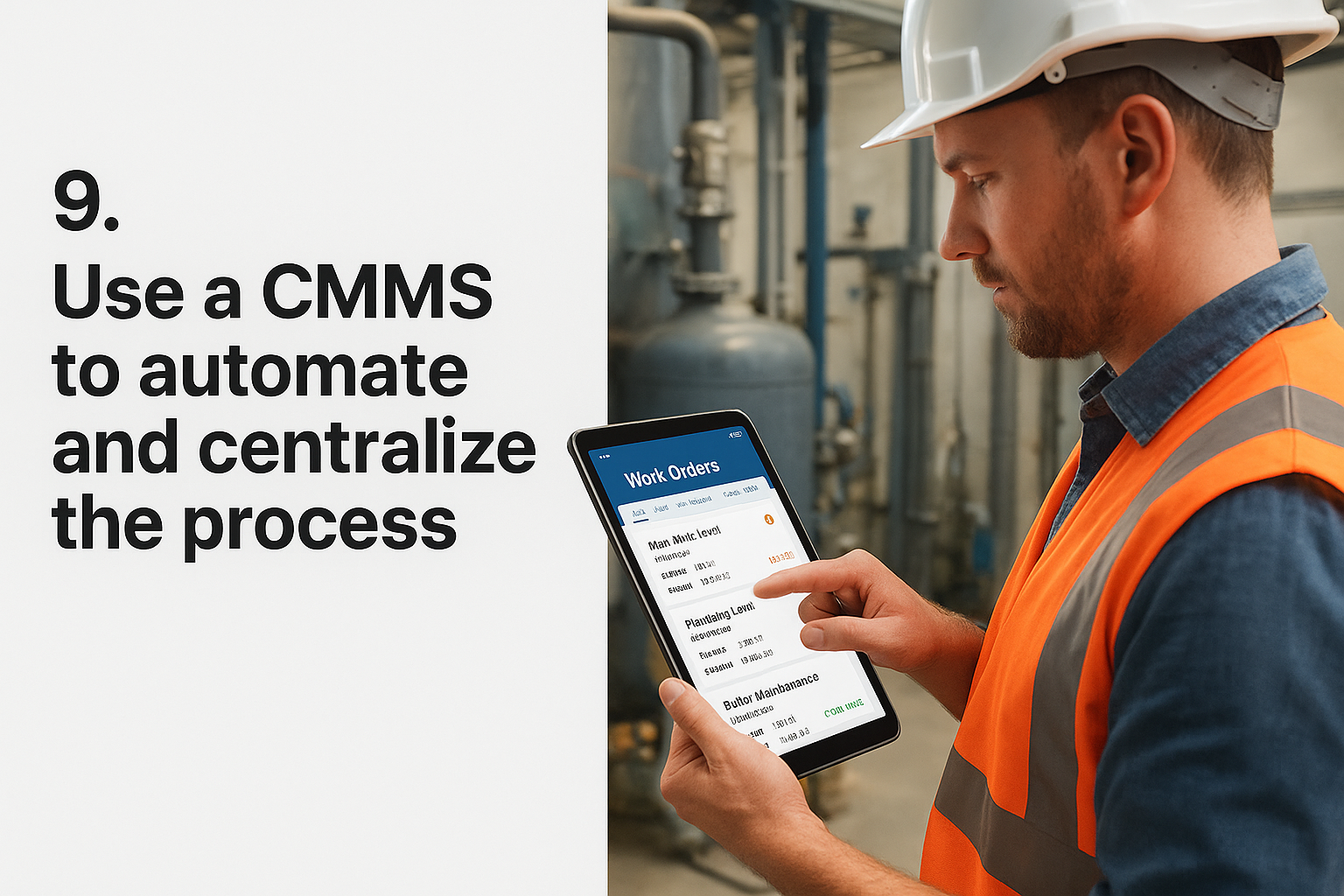
9. Use a CMMS to automate and centralize the process
Every practice above works better when it lives inside one system instead of scattered spreadsheets, WhatsApp threads, and paper registers. A computerized maintenance management system (CMMS) ties standardized templates, field submission, prioritization, scheduling, and completion records into a single record per work order. For firms juggling multiple sites under different government contracts, this is where work order management best practices stop being individual habits and become an enforced process.
Why it matters
Manual tracking breaks down the moment you run more than a handful of active sites, because nobody can hold every deadline, technician assignment, and pending approval in their head. A centralized dashboard gives BD managers and site engineers the same real-time view, so pipeline value, technician workload, and overdue jobs are visible without a status call. It also builds the audit trail government contracts demand, since every action gets timestamped automatically.
A CMMS doesn't replace good process, it just makes sure your good process actually happens every time.
How to implement it
Start small: digitize your existing template inside the CMMS, migrate active work orders, and train one site team before rolling out company-wide. Look for a platform that supports:
- Mobile submission and status updates
- Automated preventive maintenance triggers
- Skills-based dispatch
- Reporting on cost, technician performance, and recurring issues
Common mistakes to avoid
Firms often buy software but never retire the old paper process, so teams run both in parallel and trust neither. Others pick a system built for factories instead of field-heavy infrastructure work, forcing awkward workarounds. Choose a tool matched to how your crews actually operate on-site, not a generic template.
Putting these practices to work
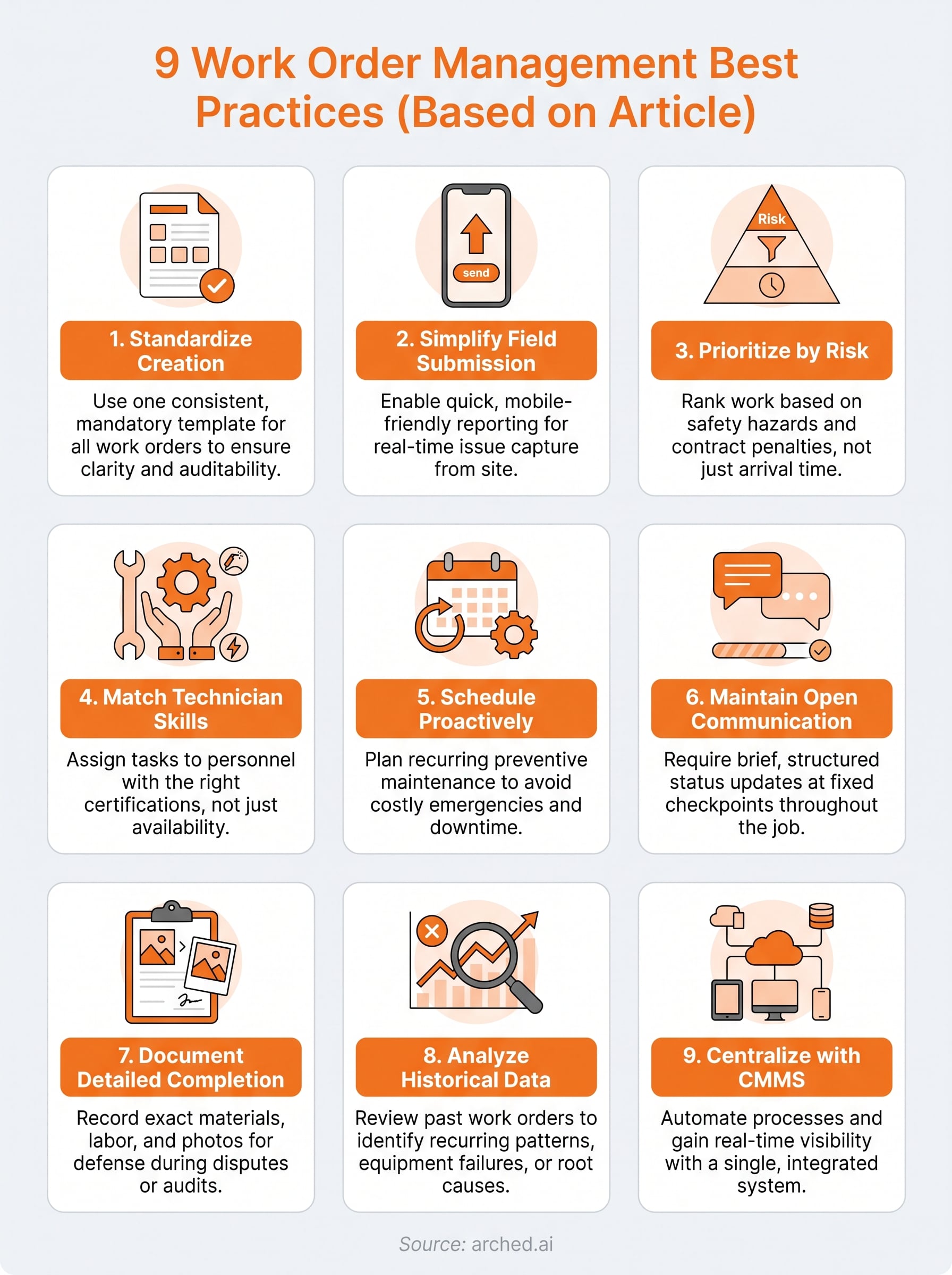
None of these nine practices work in isolation. Standardized templates mean nothing without field submission that actually captures useful data. Prioritization falls apart without a skills matrix to route the right person. Consistent execution, not any single tactic, is what separates firms that win repeat government contracts from those stuck explaining delays to auditors every quarter.
Start with whichever practice addresses your biggest current pain, whether that's a flood of unstructured field requests or a completion record nobody trusts. Fix that one first, then layer in the rest. Better documentation today becomes the project history that qualifies you for larger tenders tomorrow, which is the real payoff here.
If you're already managing multiple sites and want your team's history and credentials working for you at the bidding stage too, take a look at the Arched product suite built specifically for Indian infrastructure contractors.