GeM Portal Bidding Process: Steps, L1, BOQ, RA Explained
Master the gem portal bidding process. Learn about L1, BOQ, and Reverse Auctions, technical evaluation steps, and how to win more government contracts.
Every year, thousands of vendors register on GeM hoping to win government contracts, but a surprising number stumble when it comes to actually placing a bid. The GeM portal bidding process involves specific steps, evaluation methods, and rules that differ significantly from private-sector procurement. Miss one detail in your BOQ submission or misunderstand how L1 ranking works, and your bid gets rejected before anyone even reads it.
This guide breaks down the entire process from start to finish: how to find and participate in bids, the difference between bidding methods like L1, BOQ-based bidding, and Reverse Auctions (RA), and what happens during technical and financial evaluation. Whether you're placing your first bid or trying to figure out why previous ones didn't land, each section is built to give you a clear, actionable understanding of how GeM evaluates and awards contracts.
At Arched, we help infrastructure firms and government contractors cut through the noise of public procurement across 500+ portals, including GeM. Our AI platform parses tender documents, flags eligibility requirements, and matches you with opportunities you can actually win. Understanding the GeM bidding process is the foundation, what you do with that knowledge is where strategy begins.
What the GeM bidding process includes
GeM uses two procurement routes: direct purchase (for low-value items) and competitive bidding. Direct purchase applies when order values fall below defined thresholds, typically up to ₹25,000 for goods. Once a buyer's requirement crosses that threshold, they must float a bid through the portal. The gem portal bidding process then kicks in, pulling registered sellers through a structured evaluation sequence before any order gets placed.
Bidding on GeM is not optional at higher order values. Buyers are required by policy to run a competitive process before awarding a contract.
Key terms you'll see on every bid page
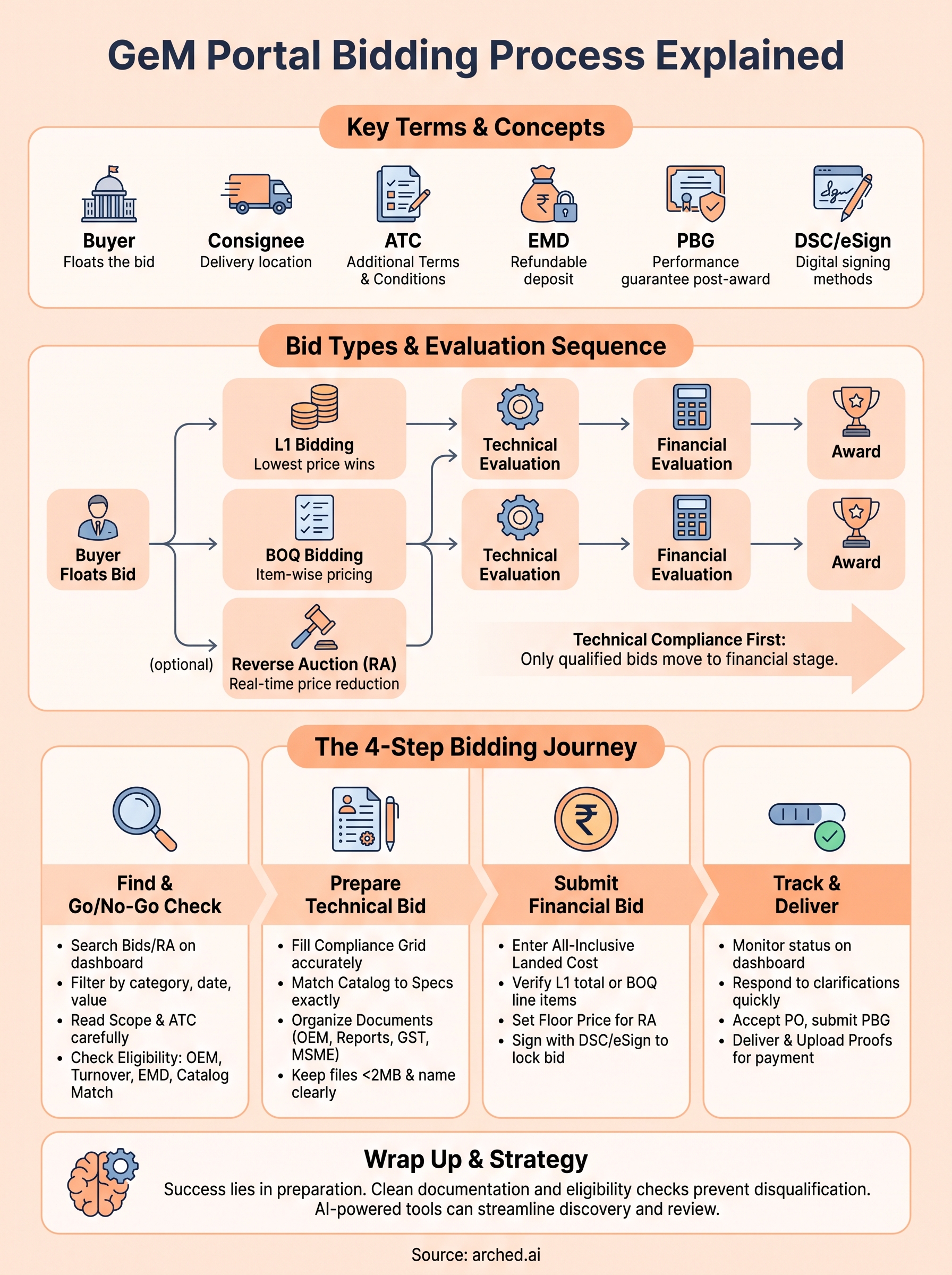
Before you engage with any bid, you need to recognize what the portal's terminology actually means. Buyer refers to the government entity placing the requirement, while consignee is the delivery location, often different from the buyer's office. ATC stands for Additional Terms and Conditions, which the buyer layers on top of GeM's standard rules. MSE means Micro and Small Enterprise, which affects price preference eligibility. EMD is Earnest Money Deposit, a security amount you pay to participate in higher-value bids. PBG is Performance Bank Guarantee, submitted after award. DSC is Digital Signature Certificate, and eSign is the Aadhaar-based alternative for signing documents electronically.
| Term | What it means |
|---|---|
| Buyer | Government entity floating the bid |
| Consignee | Delivery location |
| ATC | Buyer's additional terms on top of GeM rules |
| EMD | Refundable deposit to participate |
| PBG | Performance guarantee submitted post-award |
| DSC / eSign | Digital signing methods for submission |
Bid types and the evaluation sequence
GeM runs three main bid types. L1 bidding awards the contract to the lowest-priced technically qualified seller. BOQ-based bidding breaks the requirement into line items, and you price each separately. Reverse Auction (RA) can follow either method if the buyer activates it, letting sellers reduce their prices in real time over a defined window.
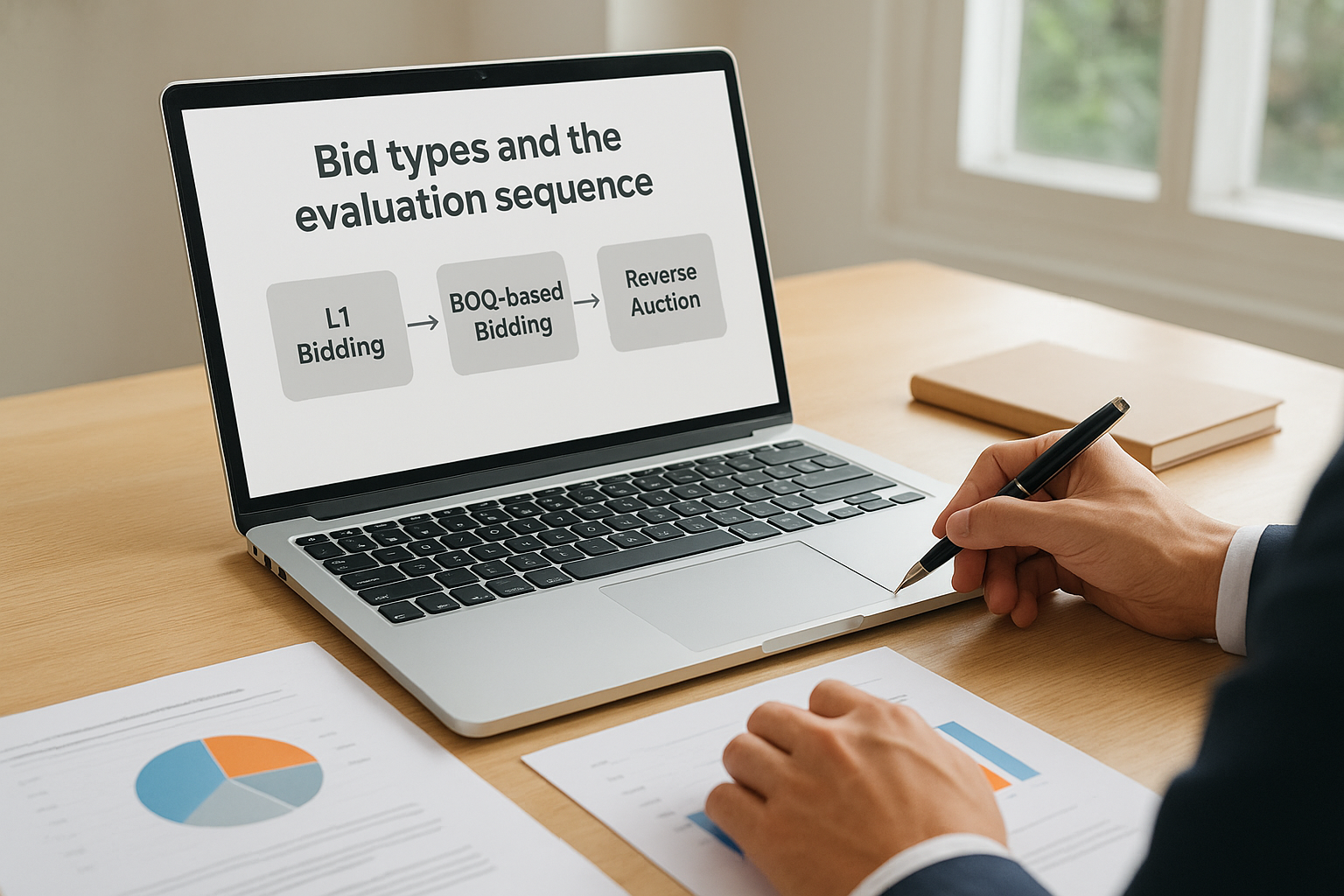
GeM evaluates technical compliance first, and only sellers who clear that stage move to financial evaluation. Once a bid closes, your submitted documents lock and cannot be edited, so every detail you enter before the deadline is final.
Step 1. Find the right bid and do a go no-go check
Before you can submit anything, you need to find bids that match your capabilities. The gem portal bidding process starts with discovery, so log into your seller dashboard and navigate to "Bids/RA" under the marketplace menu. Use the category filter to narrow by product or service code, then apply filters for bid end date, location, and minimum order value. This saves you from scrolling through hundreds of irrelevant listings.
Reading the bid page correctly
Once you open a bid, focus on four things immediately: scope of supply, consignee locations, bid end time, and estimated order value. Check whether the buyer requires delivery to a single location or multiple sites across states, since multi-consignee bids carry higher logistics costs. Also read the ATC section carefully, because buyers often embed hard eligibility conditions there that don't appear in the standard fields.
Missing an ATC clause is one of the most common reasons technically strong bids get disqualified at the buyer review stage.
Go no-go checklist
Run this checklist before investing time in any bid. If you answer no to any item, skip the bid and move on.
- Eligibility: Do you meet OEM authorization, turnover, and experience requirements?
- Certifications: Are your test reports and quality certificates current and matching the spec?
- Delivery timeline: Can you meet the delivery period stated in the bid?
- EMD: Do you have the funds or bank facility to cover the deposit amount?
- Catalog match: Does your listed product on GeM match the bid's technical specifications exactly?
Step 2. Prepare your technical bid and compliance file
The technical bid is where most sellers lose ground they never recover. GeM evaluates technical compliance before financial bids are even opened, so a single inconsistency between your catalog entry and what the bid specifies will disqualify you outright. Treat this stage as the most critical part of the gem portal bidding process.
Fill the technical compliance grid accurately
Every bid includes a compliance grid where you confirm whether your product meets each technical parameter. Mark each specification as "compliant" only when your product genuinely meets that value, not when it's close. If the spec says a pump must deliver 500 LPM at 30m head, your catalog must show exactly that or better. GeM buyers and technical evaluators cross-check your grid against your catalog listing and submitted documents.
If your catalog details conflict with what you enter in the compliance grid, the system or the evaluator will flag it as a mismatch and your bid will not advance.
Organize your documents before you upload
Prepare all supporting documents in one folder before you open the bid submission page, because the portal does not save partial uploads reliably. Use this checklist for most goods bids:
- OEM authorization letter (current, within validity period)
- Product test reports and quality certificates
- GST registration certificate
- MSME or Udyam certificate if claiming price preference
- Undertakings or declarations required under the buyer's ATC
Keep each file under 2MB and name them clearly so evaluators can locate them without confusion.
Step 3. Submit the financial bid for L1, BOQ, and RA
Once your technical bid clears, GeM opens the financial submission window. Every price you enter in the gem portal bidding process must reflect an all-inclusive landed cost: base price, GST, freight, installation if applicable, and any warranty or AMC obligation the buyer specified. Entering a price that excludes these components and adjusting later is not possible; what you submit is what the buyer sees.
L1 pricing and BOQ line-item entry
In L1 bidding, GeM ranks all technically qualified sellers from lowest to highest total price and flags the lowest as L1. Double-check your unit rate and quantity before you confirm, because the system calculates the total automatically and a rate-entry error compounds fast across large quantities. For BOQ bids, you price each line item separately. Validate that every line total adds up correctly before submission, since the portal does not always catch mismatches between unit rates and extended values.

Never enter a price you cannot honor. GeM buyers can cancel orders and restrict sellers who back out after award.
Reverse auction preparation and signing
If the buyer activates RA after technical evaluation, you will get a notification with the auction window and decrement rules. Set a firm floor price before the auction starts so you do not drop below your cost under pressure. When you are ready to submit, use your DSC or eSign to lock the bid. After signing, no field is editable, so run a final check on delivery period and price validity before you confirm.
Step 4. Track evaluation, respond, and deliver after award
After you submit, the gem portal bidding process moves into evaluation mode. Your seller dashboard shows real-time bid status through stages like "Under Technical Evaluation," "Under Financial Evaluation," and "RA Scheduled" if the buyer activated a reverse auction. Check your dashboard daily during this period rather than relying on email notifications, which sometimes arrive late.
Respond to clarifications without contradicting your bid
Buyers occasionally send clarification requests through GeM's messaging system before finalizing technical evaluation. Answer each query directly and concisely, and never introduce pricing details or specifications that conflict with what you already submitted. Keep a clean record of every message inside the portal.
A response that contradicts your original submission gives evaluators grounds to disqualify your bid immediately.
Keep a copy of every response you send through the portal messaging tool, since these become part of the official bid record. If a dispute arises later, your written responses during evaluation serve as the primary reference point.
Deliver on time and close the order correctly
When the portal issues a Purchase Order, accept it within the required window. Submit your Performance Bank Guarantee if the order value triggers that condition, then upload delivery proofs and inspection certificates as soon as goods reach the consignee. GeM releases payment only after the buyer confirms receipt and acceptance.
Resolve any disputes through GeM's built-in messaging system rather than phone calls, since only portal records count if a cancellation or grievance gets escalated.
Wrap it up and bid smarter next time
The gem portal bidding process follows a clear sequence: find eligible bids, clear technical evaluation, price your financial bid correctly, and close the order with clean documentation. Each step builds on the previous one, and skipping any part puts your bid at risk before it even reaches a buyer.
Your biggest wins come from preparation, not rushed submissions at the deadline. Checking eligibility before you invest time, reading the ATC thoroughly, and keeping your catalog details consistent with your compliance grid are habits that separate vendors who win consistently from those who submit and wonder why nothing lands.
Explore Arched's platform to see how AI-powered bid matching and document parsing can reduce your discovery and review time across GeM and 500+ other government portals, so you spend less time searching and more time bidding on contracts you can actually win.