How To Register on GeM Portal: Buyer/Seller Steps, Doc & Fees
Learn how to register on GeM portal with our step-by-step guide. Cover document lists, GST requirements, and buyer/seller steps to avoid account rejection.
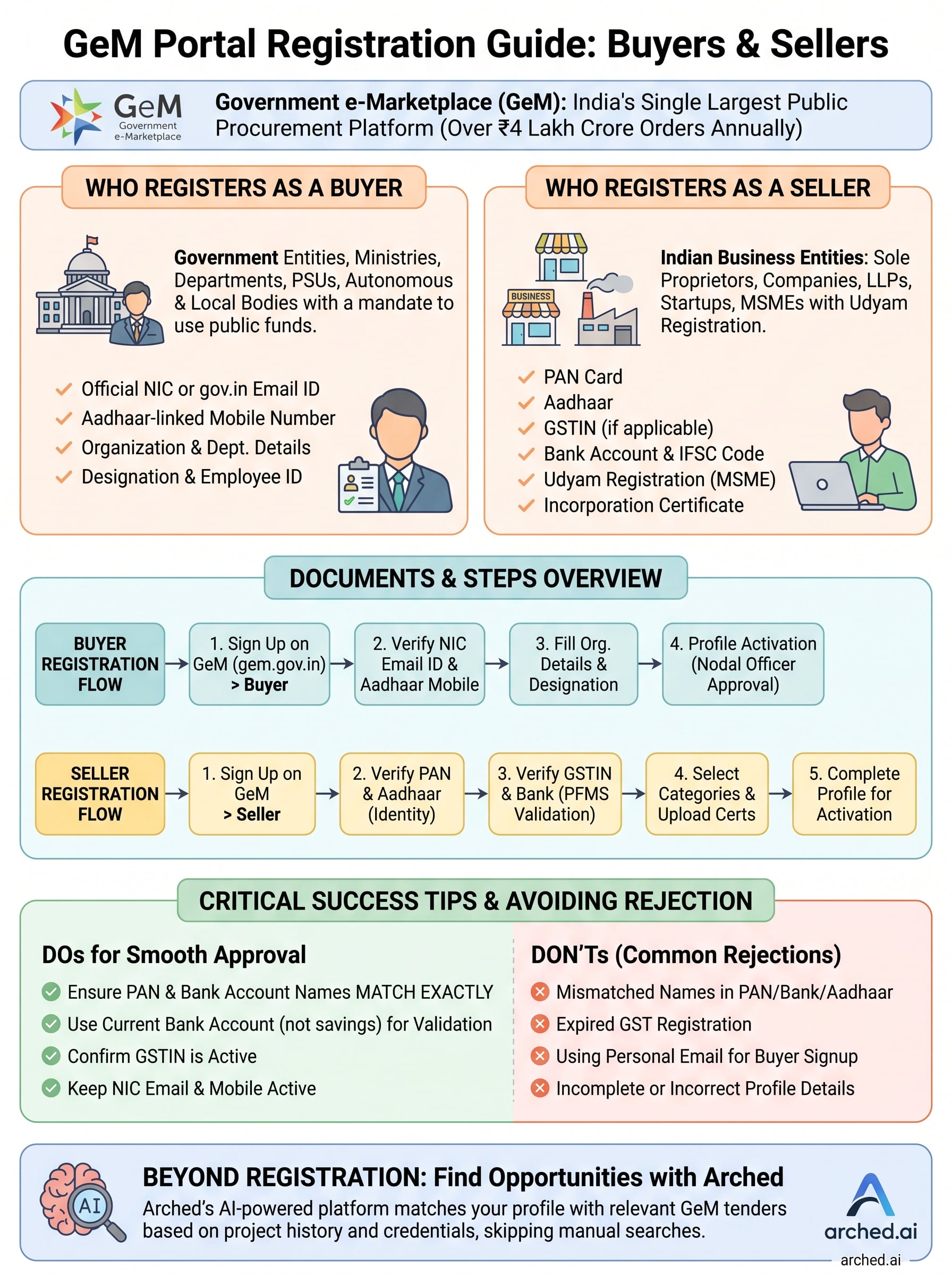
The Government e-Marketplace (GeM) is India's single largest public procurement platform, processing over ₹4 lakh crore in orders annually across central and state government buyers. If you're a business looking to sell products or services to the government, or a public official looking to procure them, knowing how to register on GeM portal is the mandatory first step. Without an active GeM profile, you're locked out of a massive chunk of government spending.
Getting registered isn't complicated, but it does require the right documents, the right entity type, and a clear understanding of the process. Missing a step or uploading incorrect details can delay your approval or force you to start over. This guide breaks down the exact registration process for both buyers and sellers, including required documentation, eligibility criteria, and applicable fees.
At Arched, we help infrastructure firms and government contractors find and win public tenders across 500+ portals, GeM included. Once you're registered, our AI-powered platform can match you with the most relevant GeM opportunities based on your credentials and past project history, so you're not manually sifting through thousands of listings. But first, let's get you set up.
What GeM is and who should register
GeM (Government e-Marketplace) is India's official online procurement platform, launched by the Ministry of Commerce and Industry in 2016. It allows government buyers to purchase goods and services directly from registered vendors through a transparent, end-to-end digital process. The platform covers everything from office supplies and IT hardware to consulting services, software, and construction-related procurement. Understanding how to register on GeM portal correctly is what separates firms that actively tap into this pipeline from those that miss contract opportunities entirely.
GeM is mandatory for government procurement above ₹25,000 under General Financial Rules (GFR) 2017, Rule 149, which means registered sellers have access to a guaranteed, captive buyer base backed by policy.
Who qualifies as a buyer on GeM
A buyer on GeM is any government entity authorized to procure goods and services using public funds. This includes central government ministries, state government departments, public sector undertakings (PSUs), autonomous bodies, and local bodies such as municipal corporations and Panchayati Raj institutions. If your organization holds a valid government mandate to make purchases on behalf of a public authority, you almost certainly qualify to register as a buyer.
Eligible buyer categories include:
- Central Ministries and Departments
- State Government Departments
- Central and State Public Sector Undertakings (CPSUs and SPSUs)
- Autonomous and Statutory Bodies
- Urban Local Bodies and Panchayati Raj Institutions
Who qualifies as a seller on GeM
Any legally registered Indian business entity or individual that supplies goods or offers services can register as a seller. This covers sole proprietors, partnership firms, private limited companies, LLPs, DPIIT-recognized startups, and MSMEs with a valid Udyam Registration. Foreign companies cannot register directly, but Indian-incorporated subsidiaries of foreign companies are fully eligible under Indian law.
Eligible seller categories include:
- Individual entrepreneurs and sole proprietors
- Partnership firms and LLPs
- Private and public limited companies
- DPIIT-recognized startups
- MSMEs registered under Udyam
What you need before signup
Gathering your documents before you start is the fastest way to complete how to register on gem portal without interruptions. The portal runs real-time verification through linked government databases, including Aadhaar, PAN, and MCA21, so every document must be current and identical to your official records. A name mismatch between your PAN and your bank account will flag your application immediately.
Documents for buyer registration
Buyer registration relies on your official government credentials, specifically an NIC email ID ending in gov.in or nic.in. You also need your Aadhaar-linked mobile number and your organization's official details, including department name and ministry or state affiliation.
- Official NIC or government-issued email ID
- Aadhaar-linked mobile number
- Organization name, ministry, and department details
- Designation and employee ID
Documents for seller registration
Sellers need a broader set of documents ready before starting. Unlike buyer registration, you must verify your business identity, tax compliance, and bank details within a single flow, so a missing document will pause the process.
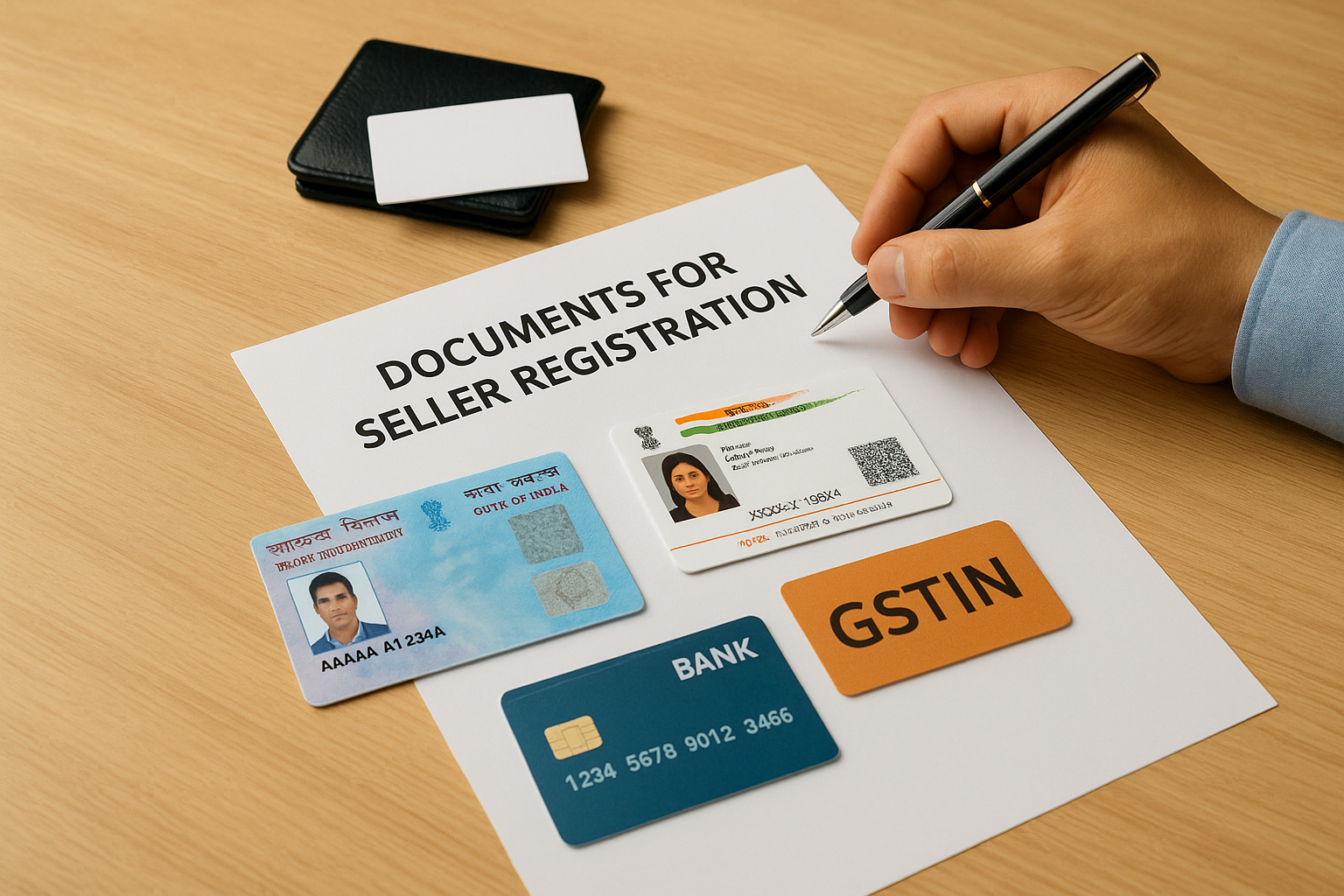
| Document | Purpose |
|---|---|
| PAN Card | Primary identity and tax verification |
| Aadhaar (individual or proprietor) | Identity verification via OTP |
| GSTIN | Tax compliance and invoicing |
| Bank account and IFSC code | Payment setup |
| Udyam Registration (MSMEs) | MSME benefits and preferences |
| Business incorporation certificate | Legal entity proof for companies |
Confirm that your PAN and GSTIN are linked and active before you begin, as GeM verifies both in real time against government databases.
Step 1. Register on GeM as a buyer
Buyer registration on GeM is straightforward once you have your NIC email ID and Aadhaar-linked mobile number ready. The entire process runs through the GeM portal at gem.gov.in, and the system auto-verifies your credentials against government databases in real time, so you cannot use a personal Gmail or Outlook address to sign up.
Create your buyer account
Start by navigating to the GeM homepage and selecting "Sign Up" followed by "Buyer." The portal will prompt you to enter your government email ID, after which it sends an OTP to your registered mobile number. Once verified, fill in your organization details, designation, and department affiliation exactly as they appear in official records. Any deviation will delay verification.
Follow these steps in order:
- Go to gem.gov.in and click Sign Up > Buyer
- Enter your NIC or gov.in email ID
- Complete OTP verification on your Aadhaar-linked mobile
- Fill in department name, ministry, and your designation
- Set a strong password and submit
Verify and activate your profile
After submission, your nodal officer at your organization must approve your account before it becomes active. This internal approval step is separate from GeM's own verification. Once approved, you gain full access to raise bids, issue direct purchase orders, and run reverse auctions, which is where understanding how to register on gem portal pays off immediately.
Keep your NIC email active throughout the process, as GeM sends all approval notifications and bid alerts to that address only.
Step 2. Register on GeM as a seller or provider
Seller registration is more document-intensive than buyer registration, but the process follows a clear, linear flow once you know the sequence. Go to gem.gov.in, click Sign Up > Seller, and have every document from the checklist in the previous section open and ready before you begin.
Create your seller account
Your registration starts with mobile and email verification tied to your PAN. The system auto-pulls your name from the Income Tax database, so the name on your PAN must exactly match your bank account and business registration records. Any mismatch at this stage causes immediate rejection.
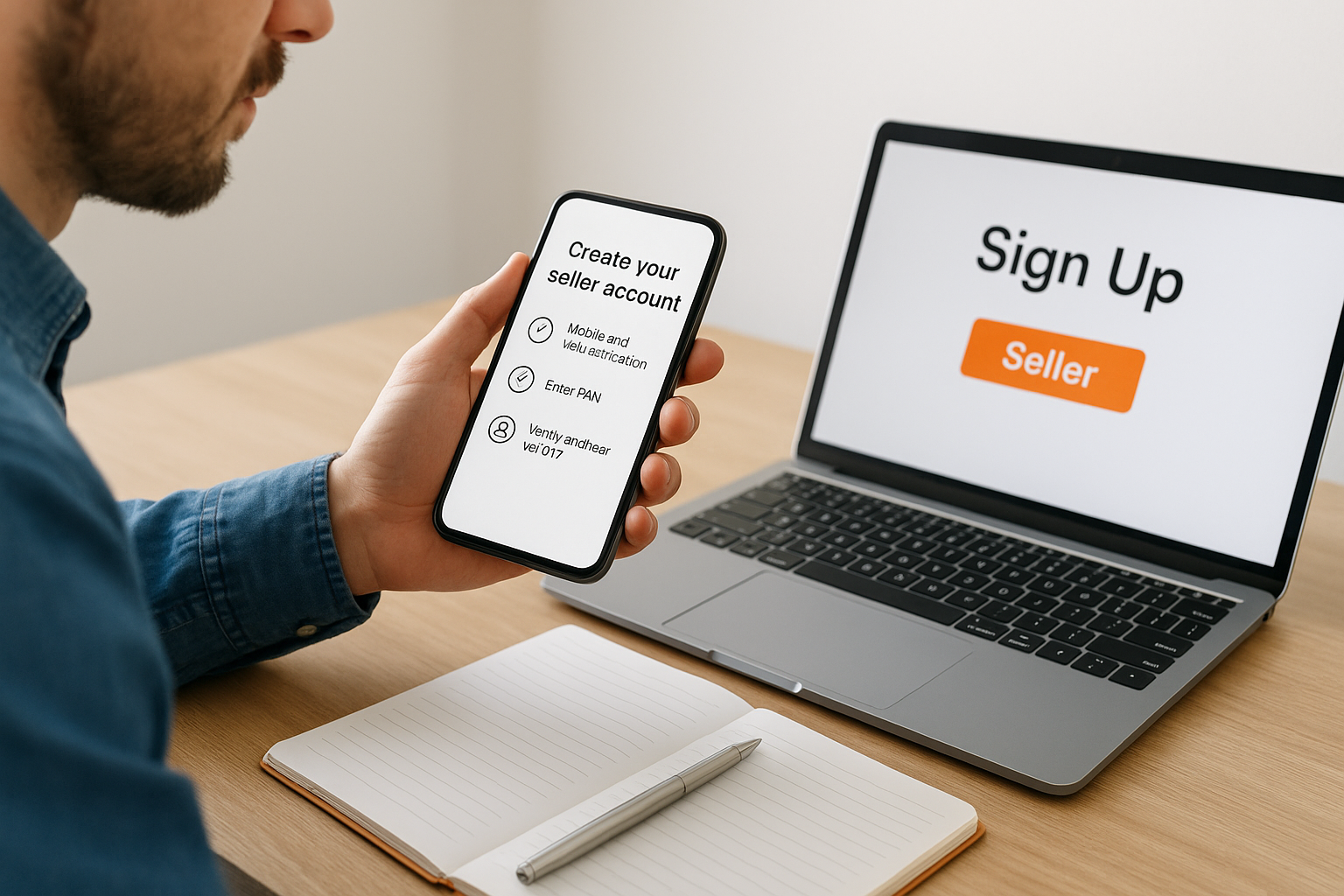
Follow these steps in order:
- Go to gem.gov.in and click Sign Up > Seller
- Enter your PAN and complete the tax database verification
- Verify your Aadhaar via OTP on your registered mobile number
- Enter your GSTIN and confirm the auto-populated business details
- Submit your bank account number and IFSC code for payment setup
Complete business and bank verification
Once your core identity is verified, GeM runs a PFMS bank account validation to confirm your account is active and matches your registered entity name. This step is where sellers learning how to register on gem portal most often stall, because personal accounts linked under a business PAN will fail verification.
Use your firm's current account, not a savings account, to pass PFMS validation without delays.
Step 3. Finish setup and avoid rejections
After your identity and bank details are verified, you still need to complete your profile setup before you can actively bid or list products. This final step is where many firms learning how to register on gem portal lose time because they submit profiles that are incomplete or contain mismatched details. GeM flags such profiles during the quality check stage, which delays your first transaction by days or even weeks.
Add your categories and complete your profile
Sellers must select the product or service categories they intend to offer before their profile goes live. Choose categories that match your existing credentials and past project history precisely. Listing categories beyond your current capacity invites scrutiny during order fulfillment.
- Select relevant product or service categories under "My Profile > Products & Services"
- Upload supporting certifications if the category requires pre-qualification
- Add at least one authorized signatory with Aadhaar-verified details
Common rejection reasons to check before submitting
GeM rejects applications most often due to PAN and bank account name mismatches, expired GST registrations, or unverified Aadhaar numbers. Run through this checklist before you hit submit:
- Confirm your GSTIN is active on the GST portal
- Verify your bank account name matches your PAN exactly
- Ensure your Aadhaar-linked mobile number is currently active
Check every field against your official government records before submitting, since corrections after rejection require restarting parts of the process.
Wrap up and plan your first bid
Completing how to register on gem portal is a one-time process that unlocks ongoing access to India's largest government procurement pipeline. You now have a clear sequence for both buyer and seller registration, a complete document checklist, and a list of the most common rejection points to avoid. The registration itself takes under an hour when your documents are current and your PAN, GSTIN, and bank details all match.
Registration is only the starting point. Finding the right tenders to bid on is where most firms lose time, manually checking listings across hundreds of categories that don't match their actual credentials. Arched cuts that process down significantly by analyzing your firm's project history, certifications, and capacity to surface only the opportunities you can realistically win. If you want to move from registration to your first viable bid faster, explore what Arched can do for your pipeline.