What Is PTC Creo Generative Design? GDX Workflow & Benefits
What Is PTC Creo Generative Design? GDX Workflow & Benefits
PTC Creo generative design lets engineers define functional requirements, loads, constraints, materials, manufacturing methods, and then hands the exploration work to an algorithm that produces optimized geometry humans wouldn't typically conceive. Instead of modeling one shape and iterating manually, the software's Generative Design Extension (GDX) runs through thousands of candidates and surfaces the best-performing options for review.
We pay close attention to how generative design tools across disciplines are evolving, and PTC Creo's approach to mechanical and product design is one of the most mature implementations available right now.
This article breaks down how GDX actually works, what the workflow looks like from setup to final geometry, and where the real productivity gains show up. Whether you're evaluating the extension for your team or just trying to understand the technology, you'll walk away with a clear, technical picture of what Creo's generative design can and can't do.
What PTC Creo Generative Design does
PTC Creo generative design takes a fundamentally different approach to geometry creation than traditional CAD modeling. Instead of you building shapes directly, you specify the problem: where the part must connect, what loads it carries, which regions are off-limits for material, and which manufacturing process will produce it. The GDX engine then generates candidate geometries that satisfy those inputs, scored against your objectives.
Design space exploration
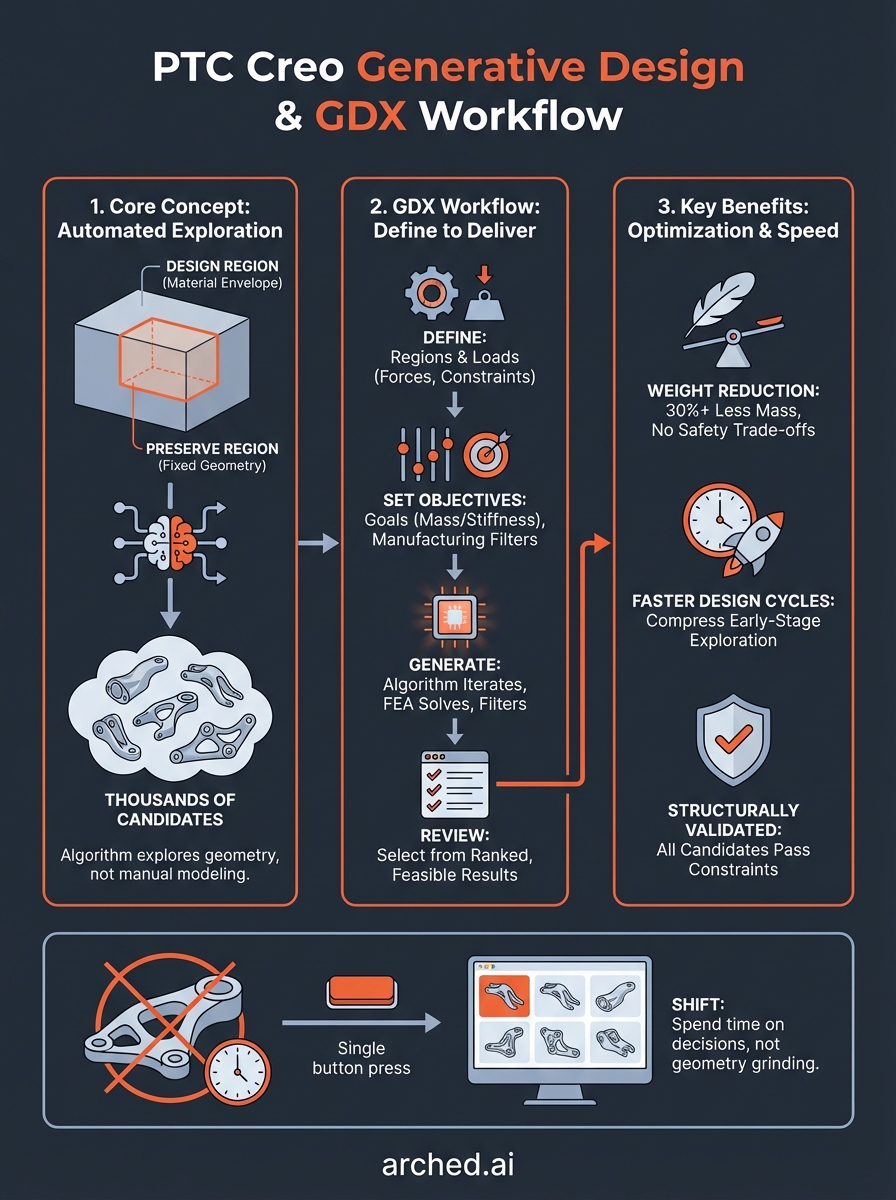
The core job of GDX is to map every viable combination of structural topology, material distribution, and manufacturing constraint within your defined boundaries. You set a design region (the maximum envelope of material the algorithm can use) and a preserve region (geometry that must stay intact, like bolt holes or mating surfaces). The engine treats everything in between as fair game and runs optimization loops that progressively remove or redistribute material until it converges on high-performing shapes.
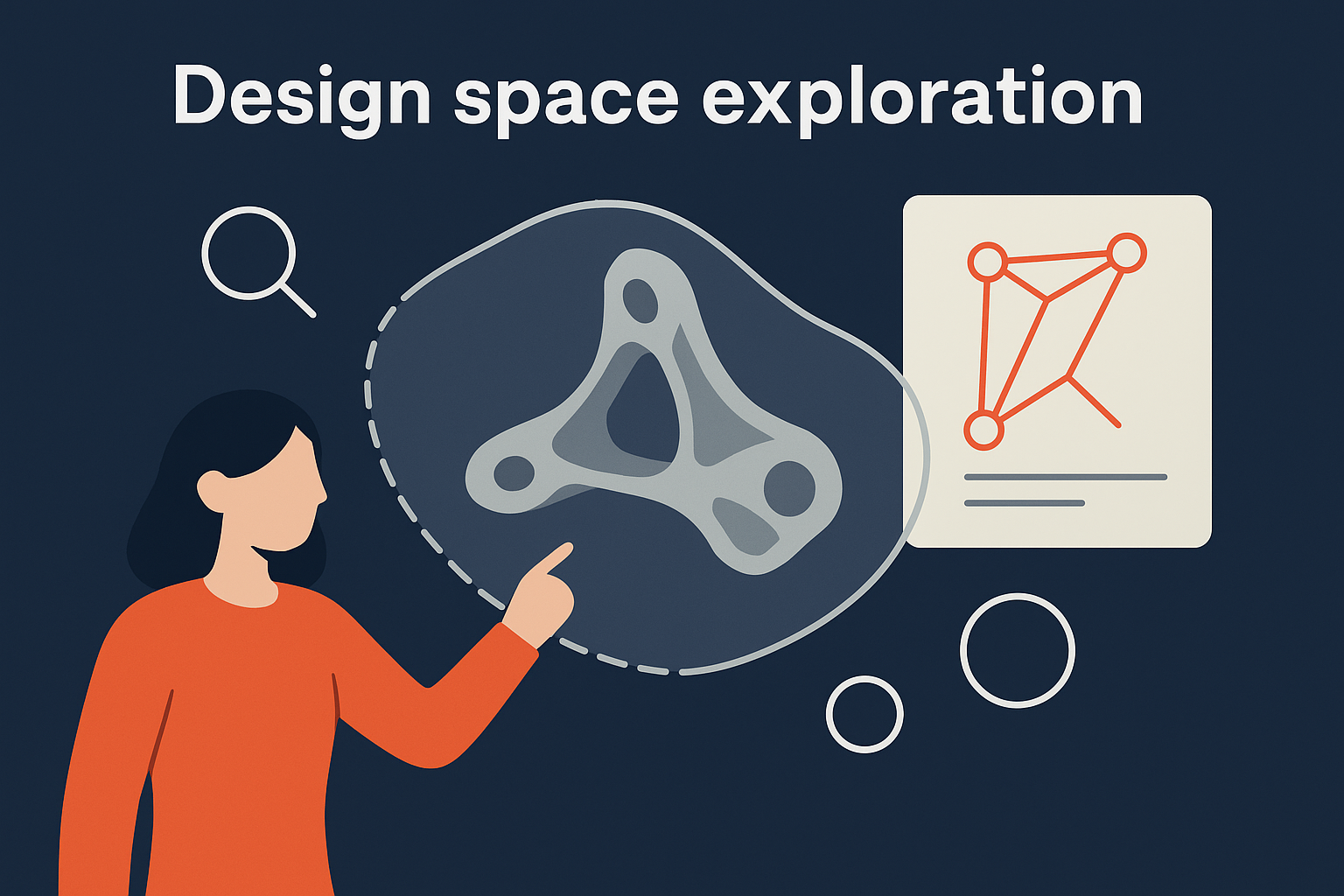
The algorithm doesn't just find a good solution; it explores thousands of geometry configurations simultaneously, surfacing options you wouldn't reach through manual iteration.
How objectives and constraints guide the output
GDX isn't a black box that returns one answer. You tell the system what to optimize for (minimize mass, maximize stiffness, or balance both) and what hard limits must hold (maximum deflection, minimum safety factor, specific manufacturing methods like milling or additive). Every candidate geometry the engine produces is checked against those constraints before it reaches your screen. This means you only see feasible, code-compliant results, not theoretical shapes that can't actually be built. You can also specify multiple manufacturing filters at once, so the same study returns separate geometry families for machined parts versus printed parts, letting you compare production paths directly inside Creo.
Why teams use generative design in Creo
The most direct reason engineering teams adopt PTC Creo generative design is competitive pressure on part performance. When a component needs to carry the same load at 30% less mass, manual topology work takes days of iteration with uncertain outcomes. GDX compresses that process into a single study run, letting your team spend time on decisions rather than geometry grinding.
The shift isn't just about speed; it's about reaching design territory that manual methods can't access within a normal project timeline.
Weight reduction without safety trade-offs
Weight reduction is the headline benefit, but what matters is that GDX achieves it without relaxing your structural requirements. The engine filters out any geometry that violates your hard limits before surfacing results, so every candidate you review already clears all of your defined constraints. The checks it runs before returning results typically include:
- Safety factor thresholds
- Maximum deflection limits
- Manufacturing process feasibility
Faster design cycles
Teams also use GDX to compress early-stage exploration. Instead of reviewing three or four manually modeled concepts in a design review, you walk in with dozens of structurally validated candidates already scored against your objectives. That front-loaded exploration reduces expensive late-stage design changes and shortens the path from initial concept to production-ready geometry considerably.
How Creo GDX works under the hood
Under the hood, PTC Creo generative design runs on a topology optimization engine that uses finite element analysis (FEA) as its core solver. Every candidate geometry the system evaluates gets meshed, loaded, and solved before the algorithm decides whether to keep, discard, or reshape it. That loop repeats thousands of times across the design space until the engine identifies the configurations that best satisfy your objectives.
Topology optimization and material distribution
The engine starts with your full design region filled with material and iteratively removes elements that contribute little to structural performance. It redistributes material density across the mesh at each iteration, guided by strain energy calculations that tell the solver where load paths are actually running. Regions that carry almost no stress get thinned out; regions under high load retain material. The result is geometry that follows the physics of your load case rather than your geometric intuitions.
This approach means the algorithm finds load paths you'd never draw manually, which is where the real mass reduction comes from.
Your manufacturing filters also get applied during each iteration, not just at the end, so the geometry the engine grows stays constrained to what your chosen production method can physically produce.
How to run a GDX workflow in Creo
Running a GDX workflow in PTC Creo generative design follows a structured sequence from problem definition to geometry output. You open the Generative Design Extension module and work through a clear set of steps before you see any candidate results on screen.
Step 1: Define your regions and loads
Your first task is to set the design region (the full material envelope the algorithm can modify) and the preserve regions (geometry that must stay fixed, such as bolt holes, connectors, or mating faces). Then you apply your load cases and boundary conditions directly in the Creo model tree, the same way you would configure a standard FEA study.
- Set design region geometry
- Add preserve regions for all fixed interfaces
- Apply forces, moments, and fixture constraints
Step 2: Set objectives and launch the study
Once your setup is complete, you define your optimization objective (minimum mass, maximum stiffness, or a weighted combination of both), select your manufacturing filter, and launch the study. The solver works through its iterations and returns a ranked set of candidate geometries inside the GDX results panel for your review.

Every result you see at this stage has already passed your hard structural constraints, so you are choosing between genuinely viable options, not theoretical shapes.
Your final step is to compare candidates by score, select the geometry that best fits your project requirements, and export it into detailed modeling and documentation.
Limits, costs, and best practices
PTC Creo generative design through the GDX extension requires a separate license on top of your base Creo subscription. PTC sells GDX as an add-on, and pricing scales with your organization's existing seat structure, so contact your PTC reseller for current figures. That cost makes sense when the time savings on a single complex component justify the investment, but smaller teams running few generative studies per year should evaluate the math before committing.
What GDX doesn't handle well
GDX performs best on single-component optimization with well-defined load cases. It struggles when your problem involves dynamic or impact loads that change significantly over time, highly coupled assemblies where adjacent parts shift geometry simultaneously, or scenarios where your load cases are poorly defined. Before you launch a study, make sure your boundary conditions are realistic, because garbage-in, garbage-out applies anywhere else in FEA.
Getting the most from each study
Your preserve regions are where most studies go wrong. Define them too loosely and the algorithm erodes geometry you need; define them too tightly and you constrain the design space so heavily that the output barely differs from your starting shape. Start with conservative preserve regions, review the first results, then loosen boundaries incrementally to let the engine find more aggressive solutions.
Treat your first GDX study as a calibration run rather than a final answer.
Where to go from here
PTC Creo generative design gives mechanical and product engineering teams a structured way to explore thousands of geometry candidates while staying within hard structural and manufacturing constraints. The GDX workflow handles the heavy exploration, and your job shifts to reviewing scored, feasible results rather than building shapes manually from scratch.
Have a package your team can’t get to? Send it to us. Our engineers check and sign off everything we deliver.