Bridge Design Software: Best Tools For Engineers In 2026
Explore the best bridge design software for 2026. Compare top tools to automate AASHTO compliance, reduce material costs, and win more engineering bids.
Bridge Design Software: Best Tools For Engineers In 2026
Choosing the right bridge design software can make or break a project's timeline, budget, and structural integrity. Whether you're a seasoned structural engineer evaluating new tools or a student learning the fundamentals, the software you use directly shapes how efficiently you can model, analyze, and optimize bridge structures.
The market has evolved significantly. Traditional tools for finite element analysis and load calculations remain essential, but generative design platforms are pushing the boundaries, automating thousands of design iterations to find optimal configurations that balance cost, safety, and sustainability. At Arched, we've built our platform around this principle: replacing exhaustive manual trade-offs with simulation-driven optimization that explores the full design space.
This guide covers the best bridge design software available in 2026, from industry-standard commercial packages to free options for students and smaller firms. You'll find tools for every stage of the design process, whether you need basic modeling capabilities or advanced engines that handle AASHTO compliance checks automatically.
What bridge design software includes in 2026
Modern bridge design software combines traditional structural analysis with automation features that streamline your workflow from initial modeling through final approval. You'll find these platforms handle everything from basic geometry creation to complex load calculations, delivering results that meet regulatory standards without requiring you to manually verify thousands of calculations.
Core modeling and analysis features
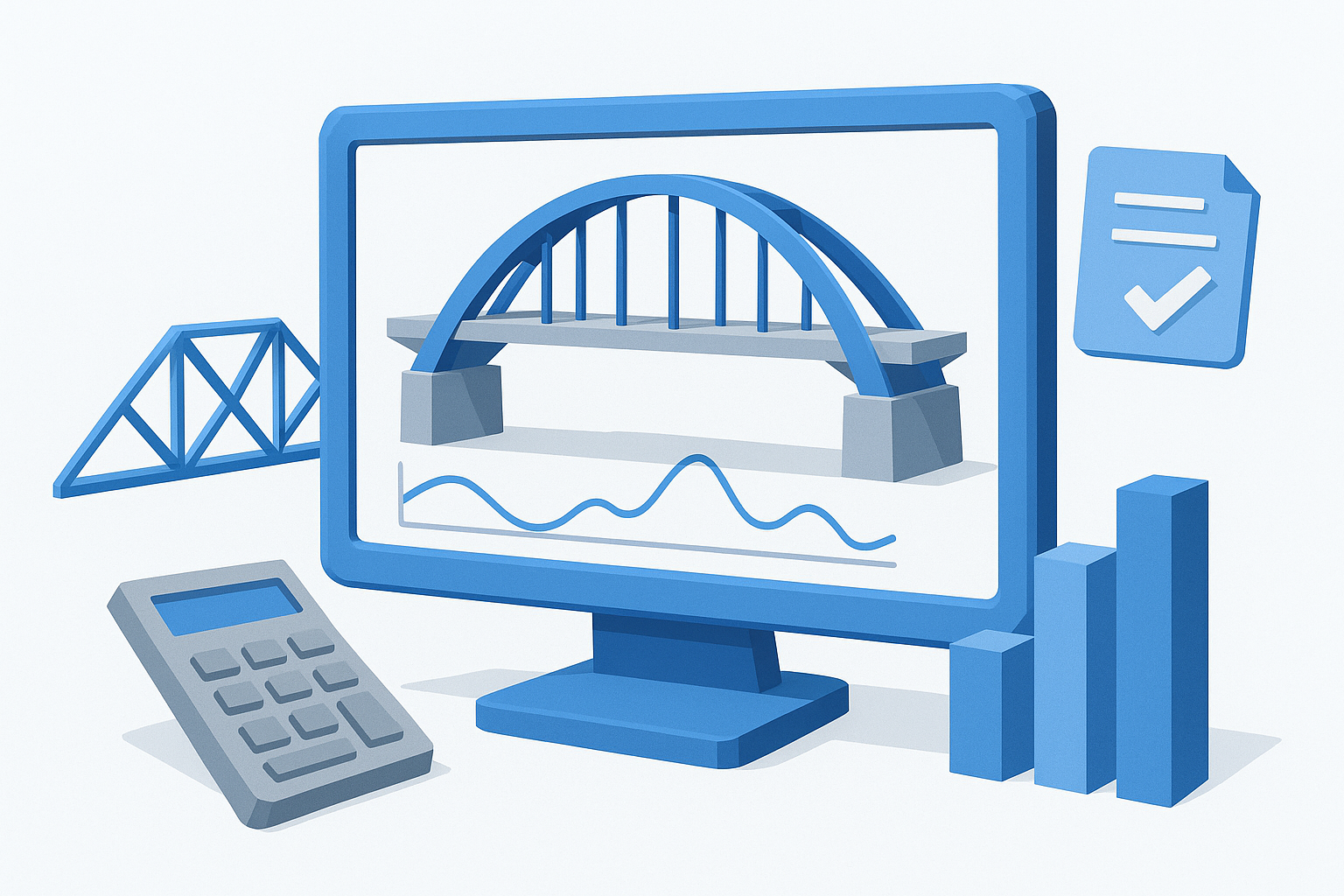
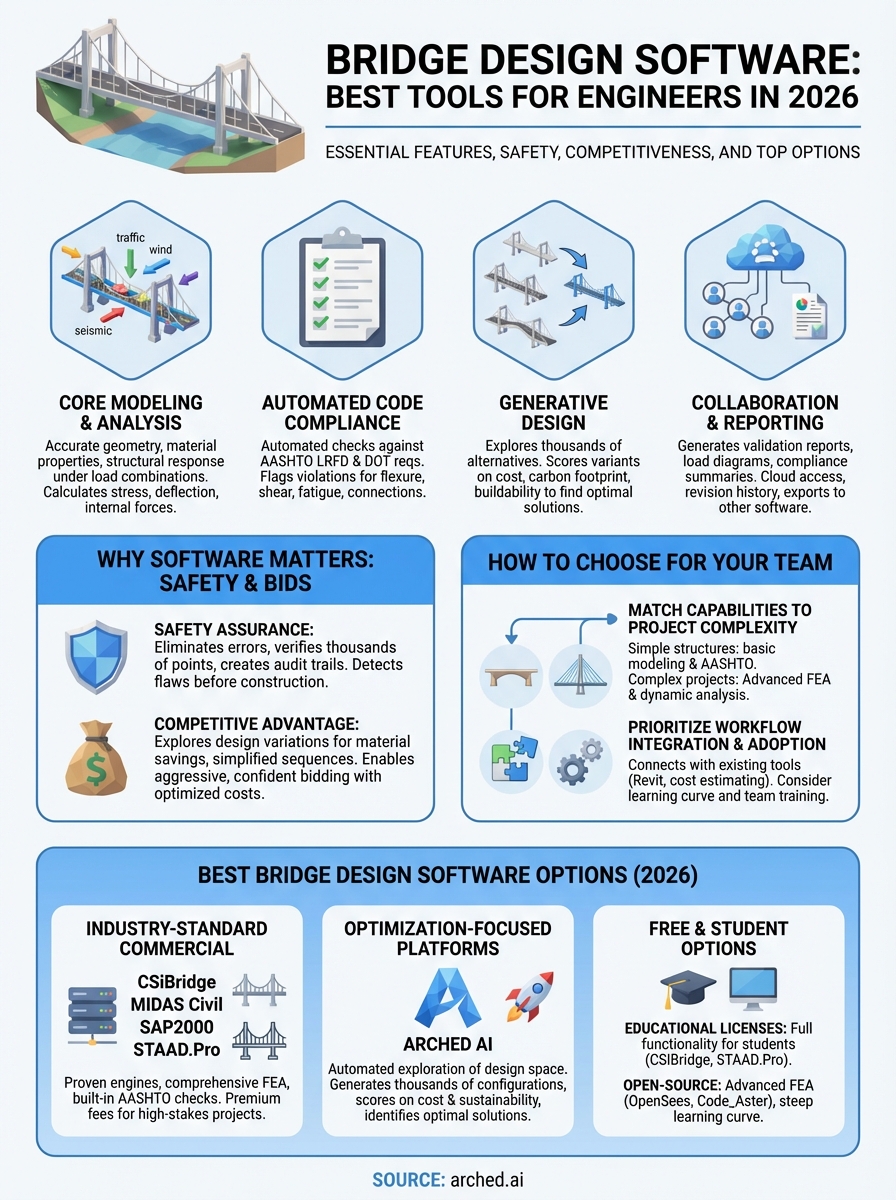
Your software needs to accurately represent bridge geometry including spans, beams, piers, abutments, and deck configurations. Most platforms let you build 3D models directly or import geometry from CAD files, then apply material properties like concrete strength, steel grades, and composite behavior. The analysis engines calculate structural responses under various load combinations: dead loads, live traffic loads, wind, seismic forces, temperature effects, and impact scenarios. You get detailed outputs for stress distributions, deflections, and internal forces at every critical point in the structure.
Automated code compliance checks
Instead of manually verifying design against AASHTO LRFD or state DOT requirements, leading tools now perform automated compliance checks for flexure capacity, shear resistance, deflection limits, fatigue life, and connection design. The software flags violations immediately and generates documentation showing how your design meets or exceeds code requirements. This feature alone saves weeks of engineering time on complex projects.
Generative design capabilities
The newest generation of platforms explores thousands of design alternatives automatically, testing different beam sizes, spacing configurations, and material combinations to find optimal solutions. These systems score each variant based on criteria you define: construction cost, carbon footprint, buildability constraints, or maintenance requirements. You review the top candidates instead of manually iterating through dozens of possibilities.
Software that generates and evaluates thousands of designs can identify cost savings and performance improvements that manual processes typically miss.
Collaboration and reporting tools
You need to share results with contractors, owners, and regulatory reviewers. Modern platforms generate validation reports with calculation sheets, load diagrams, and compliance summaries formatted for permitting submissions. Cloud-based systems let your team access models simultaneously, track revision history, and export data to estimating or construction management software.
Why bridge design software matters for safety and bids
Your choice of bridge design software directly impacts two critical outcomes: structural safety and your firm's competitiveness during procurement. These tools do more than calculate loads and stresses. They serve as your quality control layer, catching design flaws before construction begins, and they reveal cost optimization opportunities that can determine whether you win or lose a contract.
Safety assurance through computational validation
Software eliminates calculation errors that manual methods introduce. When you run automated compliance checks against AASHTO LRFD requirements, the system verifies thousands of design points simultaneously, flagging potential failures in flexure capacity, shear resistance, or connection details. Your team catches problems during design rather than discovering them during construction or worse, after the bridge opens to traffic. The software also documents every calculation step, creating an audit trail that satisfies regulatory reviewers and protects your professional liability.
Automated verification systems detect structural deficiencies that manual review processes frequently miss, especially in complex geometries with unusual load distributions.
Competitive advantage in the bidding process
Contractors who optimize designs before bidding consistently submit lower prices while maintaining profit margins. Advanced platforms explore thousands of design variations to find configurations that reduce material costs, simplify construction sequences, or eliminate specialty equipment requirements. You can quantify savings from switching beam sizes, adjusting span lengths, or selecting alternative materials. This precision gives you confidence to bid aggressively on projects where competitors rely on conservative, unoptimized approaches.
How to choose bridge design software for your team
Selecting the right bridge design software requires you to balance your team's technical capabilities against project requirements and budget constraints. You can't simply buy the most expensive package and expect productivity gains if your engineers lack the training to use advanced features effectively.
Match software capabilities to project complexity
Start by evaluating the bridge types you design most frequently. Simple span structures need basic modeling tools and standard AASHTO checks, while complex cable-stayed or segmental bridges demand advanced finite element capabilities and dynamic analysis features. Your software should handle the load combinations specific to your region, whether that includes high seismic activity, extreme wind conditions, or specialized live load patterns. Consider whether you need automated optimization features that explore thousands of design alternatives or if manual iteration suffices for your typical projects.
Choose platforms that grow with your firm rather than forcing you to switch tools as project complexity increases.
Prioritize workflow integration and team adoption
Your new platform must connect with tools your team already uses. Check whether it exports to cost estimating systems, imports geometry from AutoCAD or Revit, and generates reports your clients expect. Test the learning curve by having several team members complete sample projects during trial periods. Software that delivers powerful results but requires six months of training may cost more in lost productivity than the license fees themselves.
Best bridge design software for engineers in 2026
The commercial bridge design software market offers several established platforms that handle everything from basic span analysis to complex cable-stayed structures. Your choice depends on the bridge types you design, your team's technical expertise, and the regulatory standards you must meet.
Industry-standard commercial platforms
Programs like CSiBridge and MIDAS Civil dominate structural engineering firms because they provide comprehensive finite element analysis with built-in AASHTO code checks. These tools let you model complex geometries, apply sophisticated load cases, and generate detailed compliance reports that satisfy DOT reviewers. You'll pay premium license fees, but you get proven calculation engines that thousands of engineers trust for high-stakes projects. SAP2000 and STAAD.Pro offer broader structural analysis capabilities that extend beyond bridges if your firm handles diverse project types.
Optimization-focused platforms
Newer platforms including Arched AI shift the focus from manual iteration to automated exploration of the design space. These systems generate thousands of bridge configurations, score each variant against your criteria for cost and sustainability, and identify optimal solutions that traditional software requires weeks to discover through trial and error.
Generative design platforms can evaluate more alternatives in hours than your team could manually analyze in months, revealing cost savings that improve bid competitiveness.
Free and student bridge design software options
Students and smaller firms can access capable bridge design software without enterprise budgets through educational programs and open-source platforms. These options provide solid foundations for learning structural analysis principles or handling smaller projects, though they typically impose limitations on commercial use or feature sets compared to paid versions.
Educational licenses from commercial vendors
Major software companies offer free academic licenses to students and faculty at accredited institutions. Programs like CSiBridge, STAAD.Pro, and SAP2000 provide full functionality for coursework and research projects, letting you master the same tools used by professional firms. You'll need to verify your student status annually and accept restrictions that prevent using these licenses for paid consulting work. These educational programs create a natural pipeline where graduates already know the software their future employers use.
Open-source alternatives
Platforms like OpenSees and Code_Aster give you access to advanced finite element capabilities without licensing costs. You get complete source code access and active user communities that share analysis scripts and validation examples. The tradeoff involves steeper learning curves since these tools lack polished interfaces and require programming knowledge for complex modeling tasks.
Open-source platforms suit users comfortable with command-line interfaces and scripting, while educational licenses better serve those learning industry-standard graphical tools.
What to do next
Your choice of bridge design software shapes every aspect of your projects, from initial modeling through final approval. Start by evaluating the tools that match your team's current skill level and the complexity of bridges you design most frequently. Download trial versions of platforms that interest you and test them on past projects to compare results, workflow efficiency, and how well they integrate with your existing tools.
Consider how automation features can improve your competitive position during the bidding process. Traditional software gives you accurate calculations, but newer platforms that explore thousands of design alternatives often reveal cost savings and material optimizations your competitors miss. The difference between winning and losing a contract frequently comes down to value engineering opportunities you identify before submitting your bid.
If you're ready to explore how generative design transforms bridge engineering, see how Arched accelerates your workflow with automated optimization that balances cost, safety, and sustainability across thousands of design iterations.