Autodesk Generative Design: What It Is How Fusion 360 Uses It
Autodesk Generative Design: What It Is How Fusion 360 Uses It
Generative design flips traditional CAD workflows on their head. Instead of manually iterating on a single model, you define constraints and performance goals, then let algorithms explore thousands of possibilities. Autodesk generative design brings this capability to mainstream manufacturing and product development through Fusion 360, making AI-driven design exploration accessible to engineers and designers across industries.
Understanding how Autodesk approaches generative design provides useful context for where this technology is headed, particularly as domain-specific applications become critical for complex infrastructure challenges.
This guide breaks down what Autodesk generative design actually is, how it functions within Fusion 360, and where to find training resources to start implementing it in your workflows.
What Autodesk generative design actually does
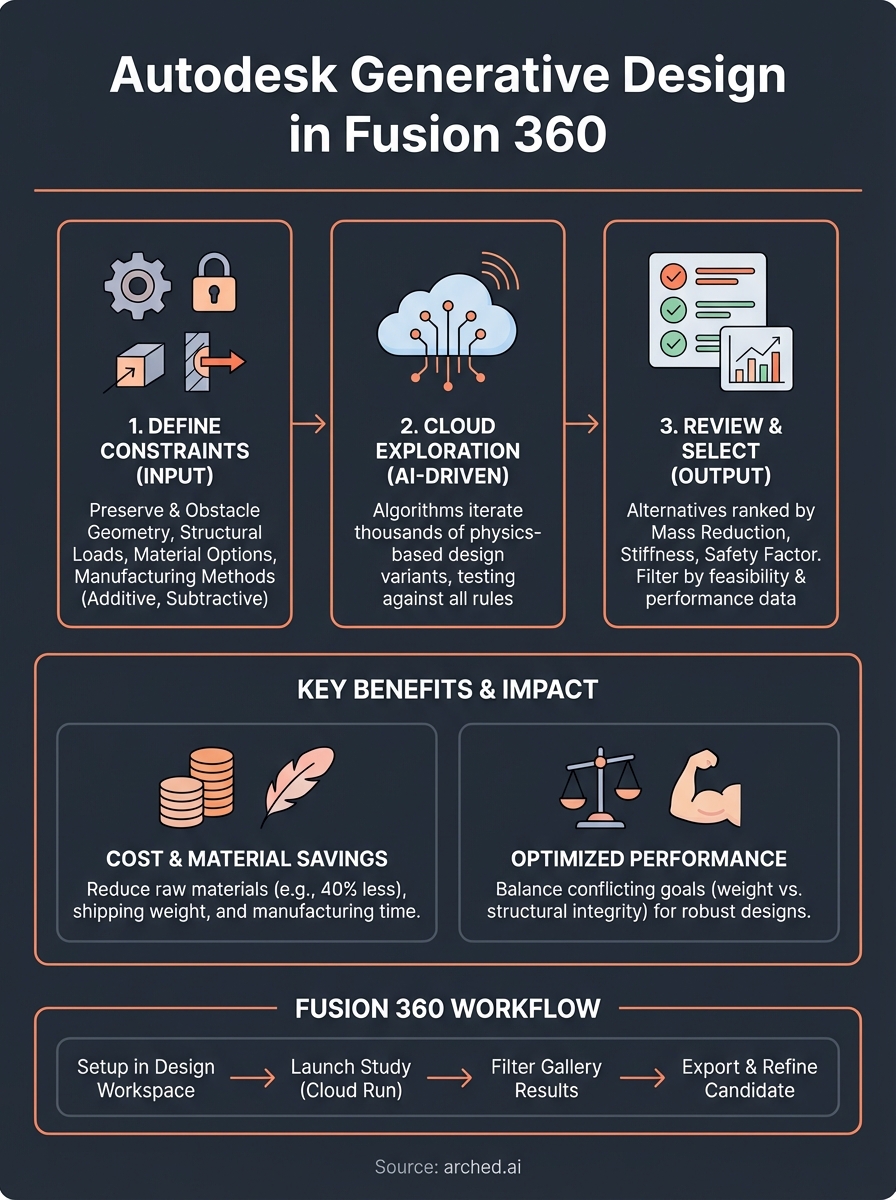
Autodesk generative design takes your engineering requirements and runs them through cloud-based algorithms that test hundreds or thousands of design variants. You provide the starting geometry, material options, load conditions, and manufacturing constraints like minimum wall thickness or tooling access. The system then explores the solution space by iterating on shape, topology, and internal structure while respecting every constraint you've set.
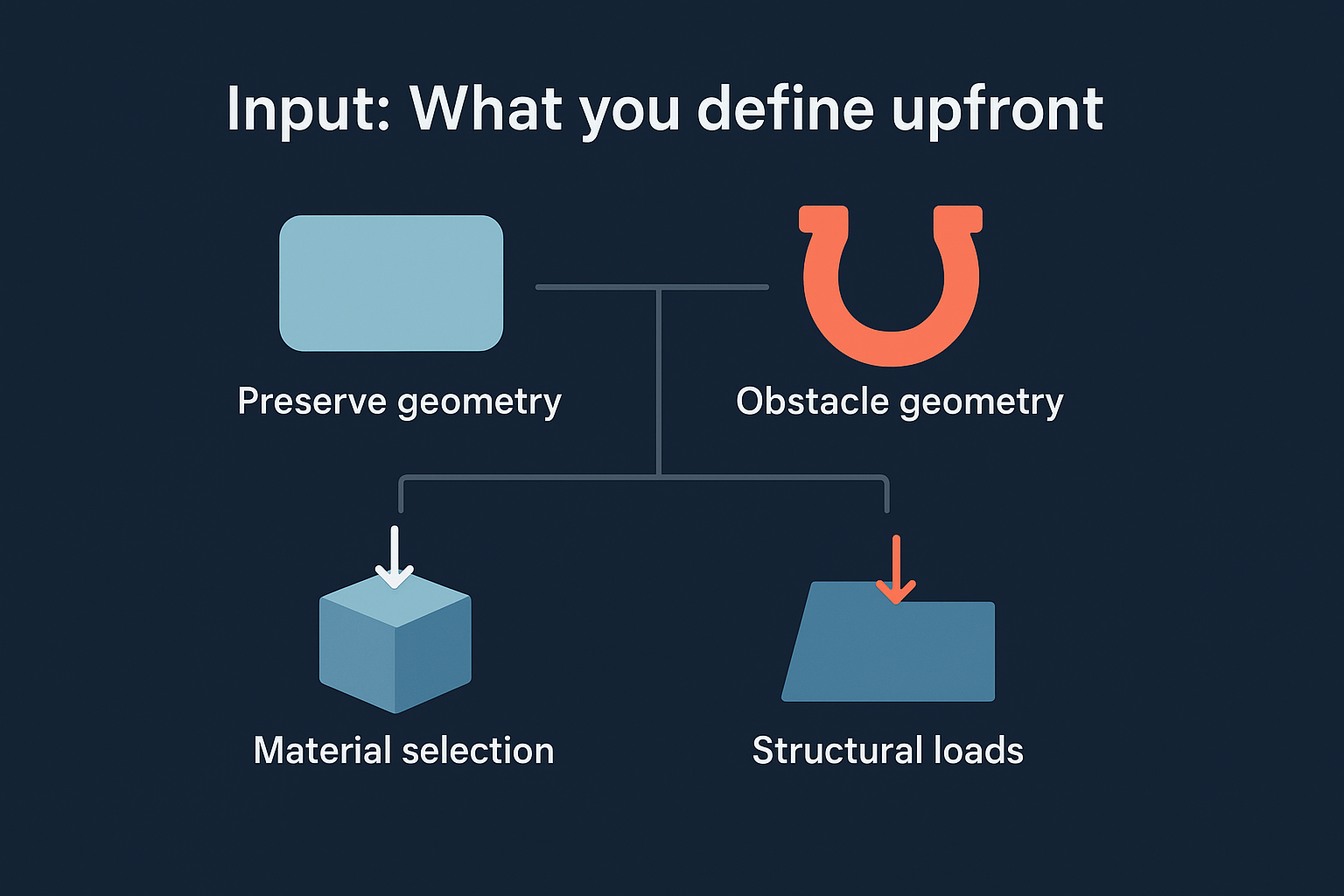
Input: What you define upfront
Your job is to frame the problem, not solve it manually. You specify preserve geometry (areas that must remain unchanged), obstacle geometry (spaces the part cannot occupy), and structural loads applied to specific faces or edges. Material selection happens early, whether you're working with aluminum, steel, composites, or lattice structures. Manufacturing methods also factor in: you can restrict designs to subtractive machining, additive manufacturing, or casting processes that determine what shapes are actually producible.
"The tighter your constraints, the more realistic your outcomes become."
Output: What the algorithm generates
Fusion 360 returns multiple design alternatives ranked by objectives like mass reduction, stiffness, or safety factor. Each variant includes performance data showing stress distribution, displacement under load, and weight compared to your baseline. You review these options visually, filter by feasibility, and select candidates for further refinement. The system doesn't make final decisions, but it surfaces solutions you wouldn't discover through manual iteration, particularly organic shapes that minimize material while maintaining structural integrity.
Why generative design matters in real projects
Traditional design workflows force you to pick one direction early and optimize within narrow boundaries. Autodesk generative design removes that constraint by simultaneously testing design paths you wouldn't manually explore, particularly when conflicting requirements like weight reduction and structural performance create complex trade-offs. Projects with aggressive timelines benefit most, as the cloud-based computation runs while your team focuses on other deliverables.
Cost and performance gains you can measure
Material savings translate directly to budget impact. A bracket redesigned through generative methods might use 40% less aluminum while maintaining the same load capacity, cutting both raw material costs and shipping weight across production runs. Manufacturing time also drops when designs eliminate secondary operations like welding or complex assembly steps. Your team can quantify these improvements before committing to tooling, using performance data and manufacturability scores generated alongside each design variant.
"The value shows up in procurement and production, not just the CAD file."
Competitive bidding scenarios shift when you present optimized alternatives backed by simulation data. Clients see concrete numbers around lifecycle cost, durability under real-world conditions, and environmental impact from reduced material use.
How Fusion 360 uses AI and constraints
Fusion 360 runs cloud-based algorithms that iterate through design possibilities while respecting the boundaries you set. The system doesn't generate random shapes. It applies physics-based rules to evaluate each variant against structural requirements, manufacturing constraints, and material properties. Every iteration must satisfy load conditions, avoid obstacle geometry, and stay within the manufacturing methods you've specified. The AI component learns which geometric patterns consistently deliver better performance metrics, accelerating convergence toward optimal solutions.
Constraint types that control outcomes
You define preserve regions that remain untouched regardless of optimization goals, like mounting holes or interface surfaces that mate with existing assemblies. Obstacle geometry marks spaces the part cannot occupy, such as clearance zones for moving components or tooling access requirements. Manufacturing constraints restrict the algorithm to producible shapes: subtractive methods limit undercuts and internal cavities, while additive processes allow complex lattice structures that traditional machining cannot create. Material selection directly impacts how the algorithm balances stiffness against weight, as composites behave differently than metals under identical loads.
"Your constraint definition determines whether results are theoretical exercises or production-ready designs."
Autodesk generative design ranks outputs by objectives you prioritize, whether minimizing mass, maximizing stiffness, or achieving specific safety factors under defined loading scenarios.
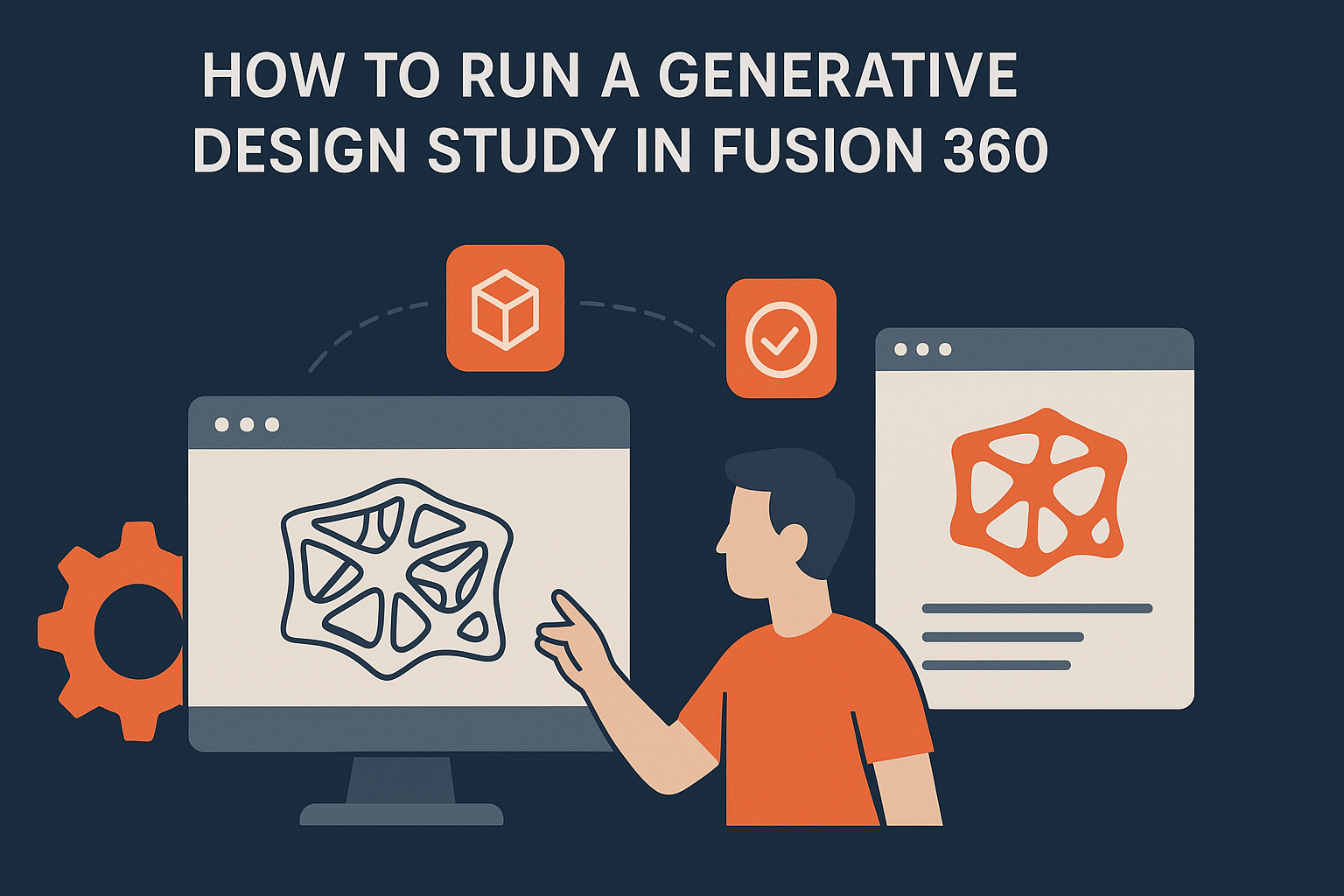
How to run a generative design study in Fusion 360
You start by accessing the Generative Design environment from Fusion 360's Design workspace. Your first task involves defining the design space by selecting bodies you want to optimize, then specifying preserve regions that must remain unchanged and obstacle zones the part cannot occupy. Load cases come next: you apply forces, torques, or pressure to specific surfaces, defining magnitude and direction for each condition the part will experience in service.
Setting up constraints and objectives
Material selection happens before you generate outcomes. You choose from metals, composites, or lattice structures based on production requirements and performance targets. Manufacturing methods constrain what shapes the algorithm can explore: subtractive machining prevents internal voids, while additive processes allow complex geometries. Your objective function determines what the system optimizes for, whether minimizing mass, maximizing stiffness, or achieving specific safety factors under defined loads.
"The quality of your inputs directly controls the usefulness of generated alternatives."
Launching and reviewing outcomes
Autodesk generative design runs in the cloud, typically completing studies within hours depending on complexity. You review results through a gallery interface showing ranked alternatives with performance metrics. Filter options let you sort by weight, cost, or manufacturability scores, then export selected variants for detailed analysis or production planning.
Training paths and common questions
Autodesk offers structured learning paths through Fusion 360 tutorials that walk you through setting up your first generative study. You access these resources through the Autodesk Design Academy, which provides project-based courses covering constraint definition, material selection, and outcome interpretation. Hands-on exercises focus on real manufacturing scenarios rather than abstract examples, helping you apply techniques to your actual design challenges.
Official learning resources
Fusion 360's built-in tutorials guide you from basic constraint setup through advanced multi-objective optimization studies. These lessons demonstrate how to balance conflicting requirements like weight reduction against structural performance. You also find certification programs that validate your proficiency with autodesk generative design workflows, useful for teams implementing this technology across multiple projects.
Frequently asked questions
Most users initially struggle with constraint definition, particularly understanding which regions to preserve versus optimize. Your preserve geometry should include mounting interfaces and surfaces that mate with existing assemblies, while design space encompasses areas free to change. Cloud processing times vary based on study complexity, typically ranging from two to eight hours for standard mechanical components.
"Start with simpler studies to understand how constraints affect outcomes before tackling complex assemblies."
Where to go from here
Autodesk generative design provides a foundation for understanding how algorithms can expand your design possibilities beyond manual iteration. You now have the framework to set up studies in Fusion 360, define meaningful constraints, and interpret results that balance performance against manufacturing reality. Your next step involves applying these principles to actual project requirements, starting with simpler components before tackling complex assemblies.
Infrastructure projects face different challenges than product design, particularly when optimizing for durability, cost, and environmental impact across decades of service life. Bridge engineering requires specialized constraints around code compliance, material longevity, and construction sequencing that general-purpose tools don't address.
Have a package your team can’t get to? Send it to us. Our engineers check and sign off everything we deliver.