eMudhra DSC: Apply, Renew & Class 3 Setup for Tenders
Apply for, install, and renew an eMudhra Class 3 DSC for GeM and CPPP bidding, including the Signature and Encryption combination those portals require.
If you bid on government contracts in India, you already know that no eMudhra digital signature certificate means no participation on portals like GeM, CPPP, or any state e-procurement site. A DSC isn't optional, it's your entry ticket to every online tender submission.
eMudhra is one of India's most widely used Certifying Authorities, and for good reason. The process to apply, use, and renew their certificates is straightforward once you know the exact steps. But miss a detail, wrong class, expired validity, incorrect token setup, and you could find yourself locked out of a bid at the worst possible moment.
At Arched, we help infrastructure firms and government contractors discover and win tenders across 500+ procurement portals. We've seen firsthand how something as basic as a DSC issue can derail an otherwise strong bid. This guide walks you through the complete process: applying for your eMudhra DSC, installing it correctly, using it across major e-tendering platforms, and renewing it before it becomes a problem. Every step, no fluff.
What an eMudhra DSC is and when you need it
A digital signature certificate is a government-recognized electronic credential that proves your identity online the same way a physical signature and stamp do on paper. eMudhra, licensed by the Controller of Certifying Authorities (CCA) under India's IT Act 2000, issues these certificates with legal validity across all Indian government platforms. When you sign a bid document with your certificate, the system confirms who you are and guarantees the document has not been altered after signing.
How a DSC works technically
Your eMudhra digital signature certificate stores a private cryptographic key on a USB token, commonly called a dongle. When you sign a document, the software uses that private key to generate a unique signature tied to that specific file. Government portals then verify the signature using your corresponding public key, which is embedded in the certificate. This process confirms two things at once: your identity and the document's integrity.
A DSC-signed document is tamper-evident. Any change made after signing immediately invalidates the signature on every portal that checks it.
When you actually need one
You need a DSC for nearly every formal interaction with India's digital government infrastructure. The requirement spans tax filings, corporate registrations, and most critically for contractors, online bid submissions across all major procurement platforms. Here are the most common scenarios:
- e-Tendering portals: GeM, CPPP, IREPS, MSTC, and all state e-procurement systems require a valid DSC to submit bids
- MCA filings: Filing company forms on the Ministry of Corporate Affairs portal requires a Class 3 DSC
- Income tax e-filing: Certain audit reports and returns require DSC-based authentication
- EPFO and ESI submissions: Some employer-level filings require a signed DSC
- IP India filings: Trademark and patent submissions accept DSC-authenticated uploads
If your firm bids on government infrastructure contracts, a Class 3 DSC is not optional.
Step 1. Choose the right DSC and get ready
Before you apply for an eMudhra digital signature certificate, you need to make two decisions: the certificate class and the signature type. Getting these wrong wastes both time and money, since you cannot change the class after issuance.
Pick the right class and type
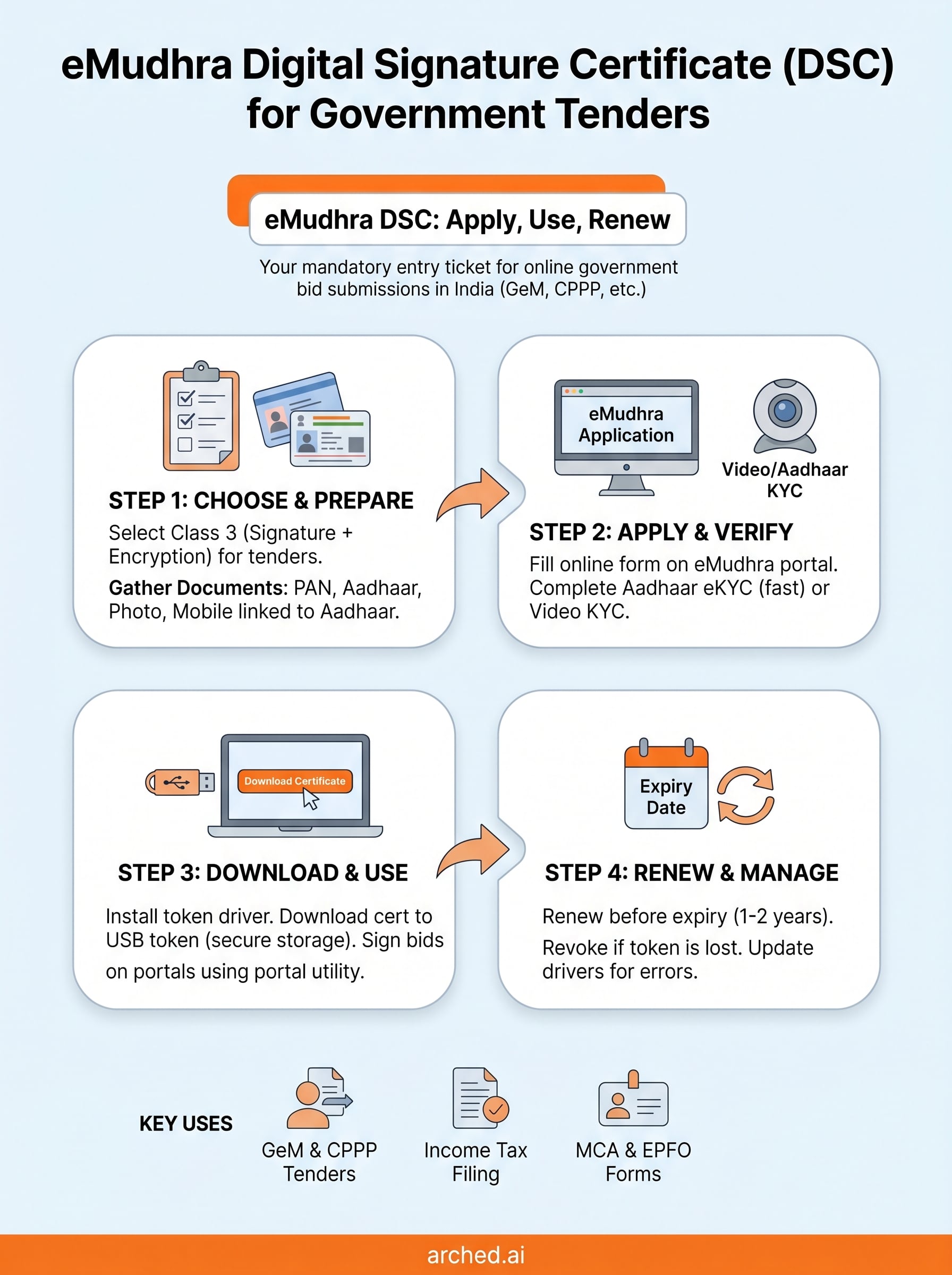
For government tendering, Class 3 is the only valid option. Class 1 and Class 2 are no longer issued to new applicants as of 2021, following updated CCA guidelines. Within Class 3, you choose between Signature-only or Signature and Encryption. Bid submissions on portals like GeM and CPPP require the Signature and Encryption combination.
If you are unsure which type your target portal requires, check the portal's vendor registration page before purchasing.
| Use Case | Class | Type |
|---|---|---|
| GeM, CPPP, state tenders | Class 3 | Signature + Encryption |
| MCA filings | Class 3 | Signature only |
| Income tax returns | Class 3 | Signature only |
Documents to prepare before you apply
Gather your documents before starting the online form. PAN card and Aadhaar card are mandatory for individual applicants. For company-authorized signatories, you also need an authorization letter on company letterhead signed by a director.
- PAN card (self-attested copy)
- Aadhaar card (for Aadhaar-based eKYC)
- Passport-size photograph
- Authorization letter (for company or organization applicants)
- Mobile number linked to Aadhaar (for OTP verification)
Step 2. Apply and complete eMudhra verification
With your documents ready, go to the eMudhra website (emudhra.com) and navigate to the DSC section. Select Class 3 DSC, choose your validity period (1 or 2 years), and add it to the cart. Payment options include credit card, debit card, and net banking.
Fill out the online application form
After payment, you receive a reference number and a link to the application form. Fill in your name exactly as it appears on your PAN card, your organization details if applicable, and your Aadhaar-linked mobile number for OTP verification. Any mismatch between your form entries and your identity documents will delay issuance.
Double-check your name spelling against your PAN card before submitting the form. Even a minor discrepancy can trigger a rejection and require you to restart.
Complete video or Aadhaar-based KYC
eMudhra offers two verification methods for your emudhra digital signature certificate: Aadhaar-based eKYC using an OTP sent to your registered mobile number, or a video KYC call with an eMudhra agent. Choose Aadhaar eKYC if your mobile number is linked to Aadhaar, as it completes in under five minutes. Video KYC is the fallback option if Aadhaar verification fails due to a mobile number mismatch.

Step 3. Download, install, and use your DSC
After eMudhra processes your KYC verification, you receive an email with a download link for your certificate within 30 minutes to 4 hours. You also need the USB token included in your order ready before you start the download process.
Install the certificate on your USB token
Plug your token into your computer and install the token driver software first. eMudhra includes the driver installer directly on the USB token itself. Once the driver is active, open the eMudhra download portal using the link in your email and enter your reference number and date of birth to authenticate and pull the certificate onto the token.
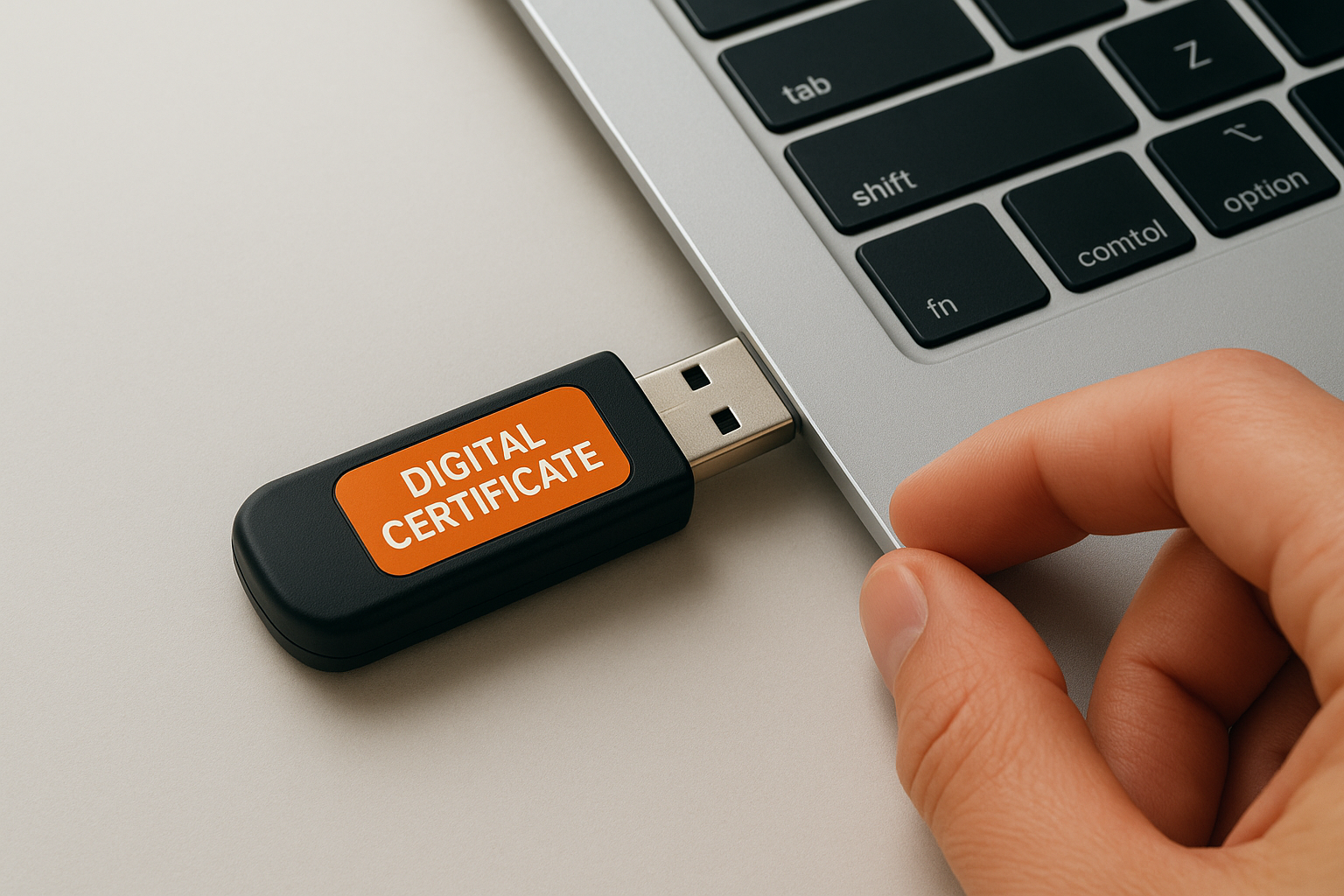
Never copy your DSC private key to your computer's hard drive. The USB token is the only secure and legally valid storage location for your certificate.
Submit bids using your DSC
To sign a tender on GeM or CPPP, plug in your token and select the DSC signing option during the bid submission step. Your browser needs the portal's signing utility or Java plugin installed for the signature process to complete.
Common portals that require your emudhra digital signature certificate during bid submission:
- GeM (Government e-Marketplace)
- CPPP (Central Public Procurement Portal)
- IREPS, MSTC, and state e-procurement systems
Step 4. Renew, revoke, and fix common issues
Your eMudhra digital signature certificate expires after 1 or 2 years based on the validity you chose. Missing the renewal window locks you out of active bids, so mark the expiry date on your calendar the day you receive the certificate.
Renew before expiry, not after
eMudhra sends email reminders 60 and 30 days before expiry. Log into the eMudhra portal, select renewal, complete KYC verification again, and the new certificate downloads to your existing token within hours. Renewing early does not shorten your remaining validity; the new period starts from the expiry date of your current certificate.
Start the renewal process at least 15 days before expiry to avoid KYC delays blocking an active bid.
To revoke your certificate if your USB token is lost or stolen, contact eMudhra support immediately with your reference number and identity proof.
Fix common token and portal errors
Most signing failures come from an outdated token driver or a missing browser plugin. Work through this checklist before calling support:
- Reinstall the token driver from the eMudhra support page
- Clear your browser cache and relaunch the portal's signing utility
- Test the token on a different USB port or a second computer to isolate hardware issues
Wrap up and move forward
Your eMudhra digital signature certificate is the foundation of every online bid you submit in India's government procurement ecosystem. This guide covered every stage: selecting the right Class 3 DSC, completing Aadhaar or video KYC, downloading your certificate to the USB token, signing bids across major portals, and renewing before expiry. Follow each step in sequence and you will not hit surprises at submission time.
Getting your DSC in order is just the first step. Finding the right tenders to use it on is where most contractors lose time, checking hundreds of portals manually and still missing opportunities that match their credentials. Arched eliminates that problem by scanning 500+ procurement portals in real time and matching tenders to your firm's actual eligibility, not just keywords. If you want to spend less time searching and more time winning, explore what Arched can do for your firm.