Buy Digital Signature Certificate Online India: How To Get
Get your Class 3 DSC for e-tendering. Learn how to buy digital signature certificate online india, complete KYC, and use your token on GeM or CPPP portals.
If you bid on government contracts in India, you already know that a Digital Signature Certificate isn't optional, it's the key that unlocks every e-tender portal. Whether you're submitting bids on GeM, CPPP, or state e-procurement sites, no valid DSC means no submission. So when you need to buy digital signature certificate online India, getting it right the first time matters.
The process is straightforward, but the number of providers, certificate classes, and pricing tiers can make it feel more complicated than it needs to be. Class 3 certificates, the type required for e-tendering and MCA filings, vary in cost and validity period depending on where you buy them. Picking the wrong provider or certificate type wastes time you could spend on actually winning contracts.
At Arched, we help infrastructure firms and government contractors find their highest-probability tender opportunities across 500+ portals. But before our users can act on those matches, they need a working DSC in place. This guide walks you through exactly how to get one: authorized certifying authorities, documentation requirements, pricing comparisons, and the step-by-step application process so you can go from purchase to portal-ready as fast as possible.
What you need before you apply
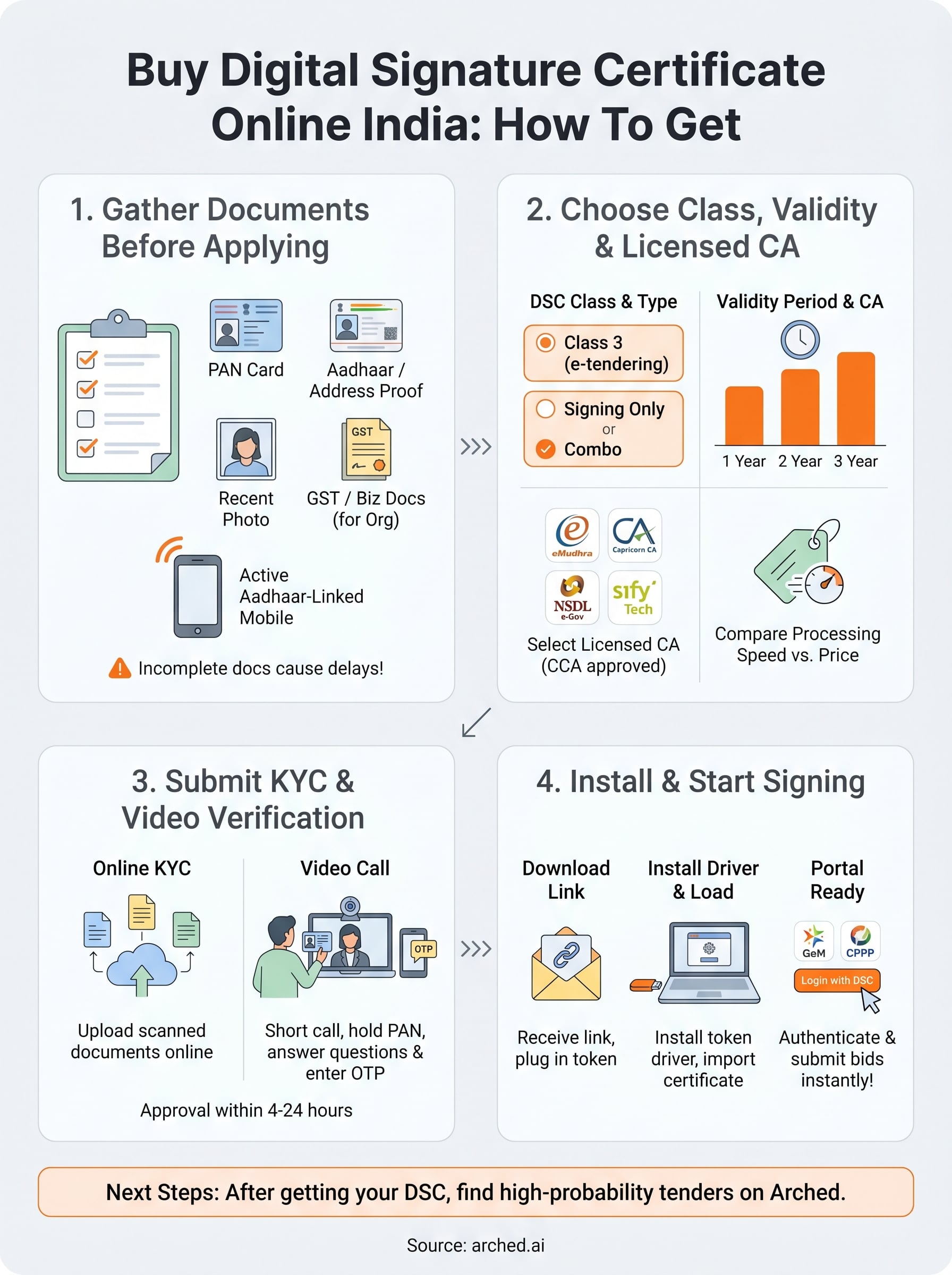
Gathering your documents before you start the application saves you from getting stuck mid-process. Most certifying authorities (CAs) in India require the same core set of KYC documents, and having them scanned and ready cuts the total turnaround time from days to hours. When you buy digital signature certificate online India, the application itself is fast but only if your paperwork is in order.
Incomplete documentation is the single most common reason DSC applications get delayed or rejected.
Identity and address documents
You need to submit proof of identity and proof of address as part of the KYC process. PAN card is the standard identity document accepted by all licensed CAs in India. For address proof, you can use Aadhaar, a passport, a voter ID, or a recent utility bill. If you're applying for a Class 3 Organization DSC (the type required for e-tendering), you'll also need business registration documents such as your GST certificate, incorporation certificate, or partnership deed.
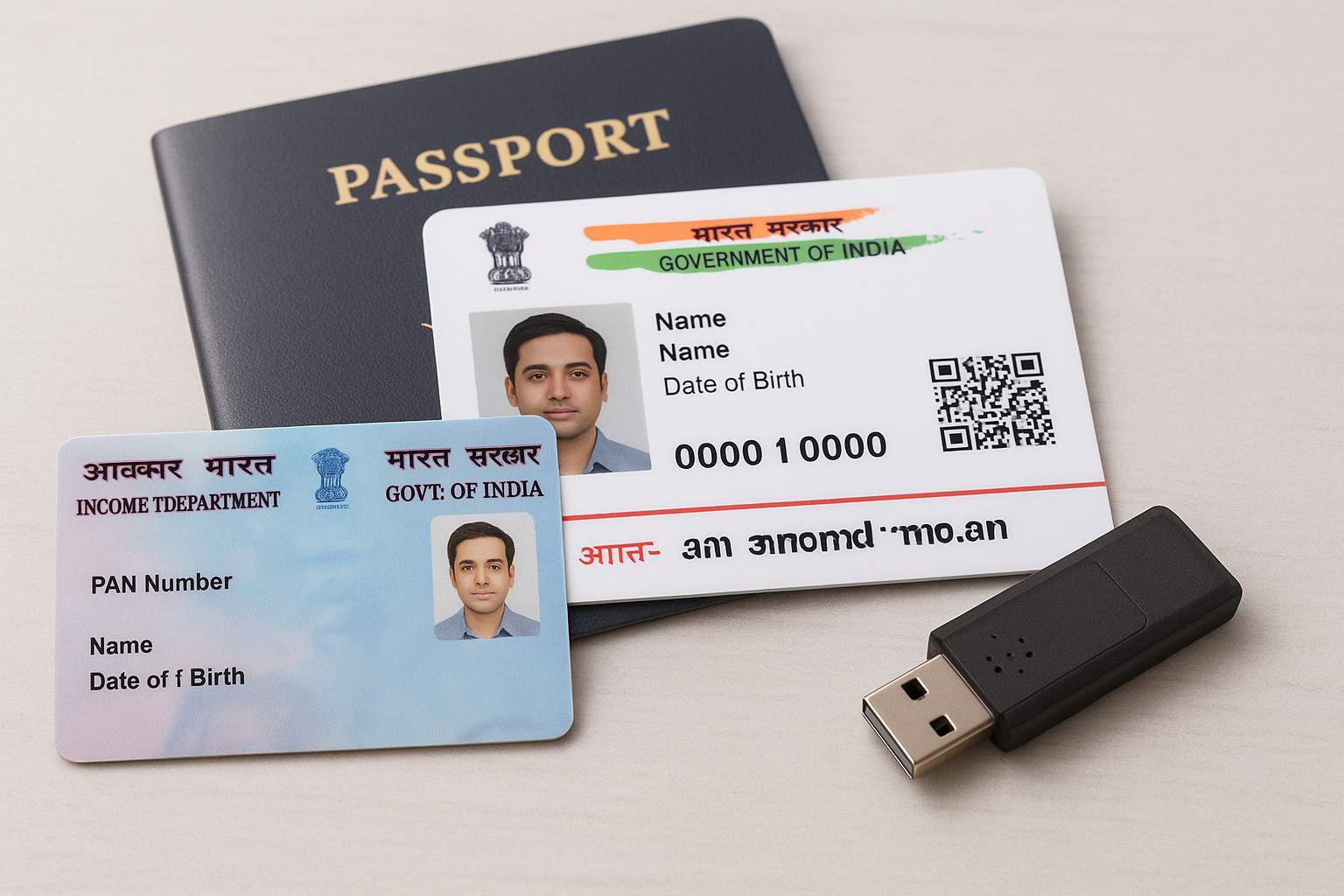
Keep these ready before you open any CA portal:
- PAN card (individual or organization)
- Aadhaar card or passport (identity and address verification)
- Passport-size photograph (recent, plain background)
- GST registration certificate or incorporation document (for organization DSCs)
- Active mobile number linked to Aadhaar (required for OTP-based eKYC)
Device and software requirements
Your computer needs to meet a few basic requirements before you can install and use the DSC token. A USB Type-A port is required to plug in the physical crypto token that stores your certificate, and most CAs ship a compatible token driver (ePass 2003 or similar) along with the USB device.
Beyond the hardware, a Windows-based machine is strongly recommended since most token management software and e-tender portals have limited support for macOS or Linux. Also confirm you have administrator rights on the machine so the driver installation completes without permission errors.
Step 1. Choose DSC class, type, and validity
Before you buy digital signature certificate online India, you need to pick the right certificate configuration. Getting this wrong means paying for a certificate that doesn't work on the portals you actually use.
Class 3 is the only DSC class accepted for e-tendering on government portals like GeM, CPPP, and most state e-procurement systems.
DSC class and signing type
Class 3 certificates are mandatory for government e-tendering, MCA filings, and GST-related submissions. Within Class 3, you choose between signing-only or signing-and-encryption (combo). For most e-tender portals, a combo certificate is the standard requirement since it covers both document signing and bid encryption in a single token.
Validity period
CAs typically offer one-year, two-year, or three-year validity options. A three-year certificate costs more upfront but works out cheaper per year and reduces the administrative work of renewal. If you bid regularly, the two- or three-year option is almost always the better choice.
| Validity | Best for |
|---|---|
| 1 year | First-time applicants testing the process |
| 2 years | Regular bidders on multiple portals |
| 3 years | Active BD teams with consistent tender pipelines |
Step 2. Compare pricing and pick a licensed CA
Only the Controller of Certifying Authorities (CCA) under India's Ministry of Electronics and IT can license CAs to issue valid DSCs. When you buy digital signature certificate online India, purchasing from a licensed CA ensures your certificate is legally accepted on all government portals. Unlicensed resellers sometimes advertise lower prices, but the certificate still comes from a licensed CA underneath, so you pay a markup with no added benefit.
Always verify a CA's license status on the CCA India website before submitting any payment.
Licensed CAs and typical pricing
The main licensed CAs operating in India are eMudhra, Capricorn CA, NSDL e-Gov, Sify Technologies, and (n)Code Solutions. Prices for a Class 3 combo DSC vary by provider and validity period. The figures below are approximate retail prices and may shift with promotions or reseller discounts.
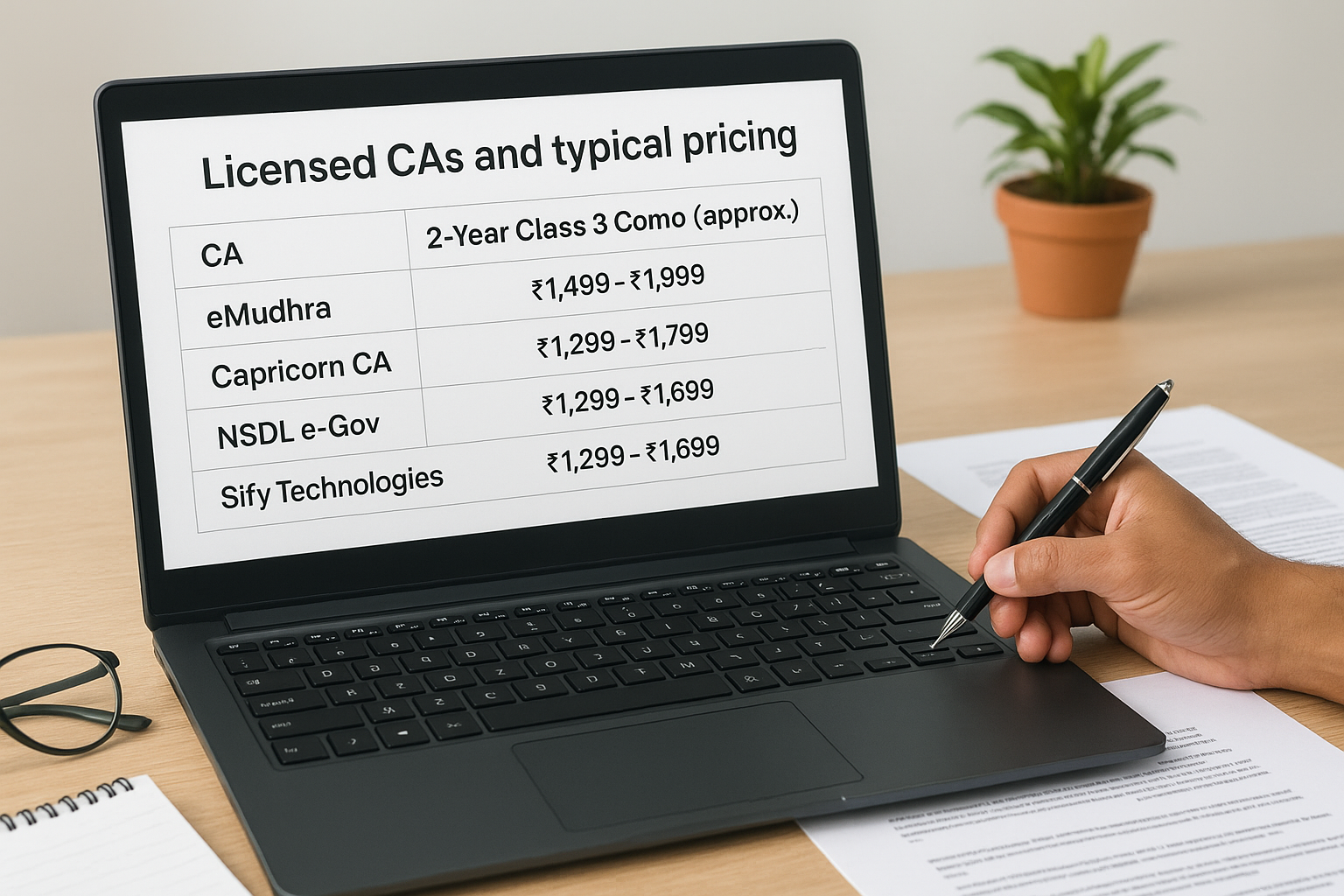
| CA | 2-Year Class 3 Combo (approx.) |
|---|---|
| eMudhra | ₹1,499 - ₹1,999 |
| Capricorn CA | ₹1,299 - ₹1,799 |
| NSDL e-Gov | ₹1,499 - ₹1,999 |
| Sify Technologies | ₹1,299 - ₹1,699 |
Choose your CA based on processing speed and support responsiveness, not just the lowest price. A CA that delivers your certificate within 24 hours is worth more than one that saves you ₹200 but delays your bid submission by several days.
Step 3. Submit KYC and video verification
Once you've paid and your order is confirmed, the CA will send you a link to the online KYC form. This is where you upload your documents and complete identity verification. Most licensed CAs now handle the entire process digitally, so you don't need to courier any physical paperwork.
Fill out the online application form
Open the KYC link and fill in your personal or organization details exactly as they appear on your PAN card. Upload clear, color scans of each required document. Blurry or cropped images are the most common reason for rejection, so check each file before you submit.
Upload checklist:
- PAN card (front side)
- Aadhaar card (front and back)
- Passport-size photograph
- Organization documents (if applying for a business DSC)
Complete the video verification call
After form submission, the CA will schedule a short video verification call, typically 5 to 10 minutes. An agent will ask you to hold your PAN card to the camera and answer basic identity questions.
Keep your Aadhaar-linked mobile number nearby since the agent will trigger an OTP confirmation during the call to finalize your KYC.
When you buy digital signature certificate online india through any licensed CA, approval usually arrives within 4 to 24 hours after a successful video call.
Step 4. Download, install, and start signing
Once your CA approves your KYC, you'll receive an email or SMS with a download link to retrieve your certificate onto your USB token. Plug the token into your computer before you open the link. Most CAs give you a 24 to 72-hour window to complete the download, so act on the notification as soon as it arrives.
Install the token driver and load your certificate
Your USB token needs a driver to communicate with Windows. If your CA shipped an ePass 2003 or similar token, download the matching driver from your CA's official support page and run the installer with administrator rights. After the driver installs, open the token management utility, enter the default PIN (usually printed on the token packaging), and follow the on-screen steps to import your certificate file.
After loading the certificate, open the token utility and confirm your name and PAN appear correctly before you attempt any portal login.
Sign a document or submit a tender bid
To buy digital signature certificate online india and actually put it to work, navigate to your target portal, such as GeM or CPPP, select the DSC-based login option, and choose your certificate from the dropdown. Enter your token PIN when prompted, and the portal will authenticate your identity instantly. Your DSC is now active and ready for every future bid submission.
Next steps
You now have everything you need to buy digital signature certificate online India and start submitting bids without delay. Pick a licensed CA, collect your documents, complete the video KYC, and load the certificate onto your token. The entire process takes one to two business days if you move through each step without gaps.
Having an active DSC is only the first piece. Once your certificate works on portals like GeM, CPPP, and state e-procurement systems, the next challenge is knowing which tenders are actually worth your time. Most BD teams miss high-probability opportunities because they rely on manual portal checks and keyword searches that return hundreds of irrelevant results.
Arched solves that problem by matching tenders to your firm's specific credentials and past project history across 500+ government portals. If you want to see how it works for your pipeline, explore the Arched platform and request a walkthrough.