GeM Helpdesk: Toll-Free Numbers, Email, And Ticket Steps
Resolve GeM portal and bidding errors. Get official gem helpdesk toll-free numbers, email IDs, and a guide to raising and escalating support tickets.
GeM processes lakhs of transactions every month, and things break, failed logins, payment holds, catalog upload errors, OTP issues. When that happens, the GeM helpdesk is your first line of resolution. But finding the right contact channel and knowing how to raise a ticket properly can save you hours of back-and-forth.
This guide covers every way to reach GeM support: toll-free numbers, email IDs, the built-in ticket system, and the steps to use each one effectively. Whether you're a buyer stuck on a bid or a seller dealing with a rejected catalog listing, you'll know exactly where to go.
At Arched, we help contractors and infrastructure firms navigate government procurement portals like GeM through AI-driven tender intelligence. A big part of working these platforms smoothly is knowing how to get support when something stalls, so we put this resource together from direct experience on the portal.
What the GeM helpdesk can solve and when to use it
The GeM helpdesk handles a wide range of issues across both buyer and seller accounts. Not every problem requires a support ticket, but knowing which ones do will save you from waiting on a resolution that you could fix yourself in two minutes through your account settings.
Issues the helpdesk handles directly
Support agents on GeM can resolve issues that fall outside your direct control on the portal. These include system-side errors, account verification failures, payment processing holds, and catalog rejections triggered by backend validation rules. If the portal throws an error that repeats after you refresh, or your account status shows a flag you didn't trigger, those are helpdesk-level problems.
Contacting support is the right call when the error persists after clearing your browser cache, logging out and back in, or trying a different device.
Common issues the GeM helpdesk resolves:
- OTP not received during login or registration
- Payment deducted but order not confirmed
- Catalog upload rejected without a clear rejection reason
- PAN or Aadhaar verification stuck in pending
- Bid participation blocked despite eligibility
- Seller profile marked inactive after a system update
- Refund not credited within the stated timeline
When to handle it yourself first
Before you raise a ticket, check whether the issue sits on your end. Profile mismatches, such as a company name that doesn't match your GST certificate, or an expired digital signature certificate, are things only you can correct. Reaching out to support for these will just get you directed back to your own documents.
Check your notification inbox on the GeM portal first. GeM often posts the specific reason for a rejection or hold directly in your account alerts, which cuts the resolution time significantly.
Official GeM helpdesk contacts to keep handy
Having the right contact details before you need them is the difference between resolving an issue in one call and spending half a day searching GeM pages for a working number. Keep these saved and accessible whenever you work on the portal.
Phone and email
The primary GeM helpdesk toll-free number is 1800-419-3436, available Monday through Saturday from 9:00 AM to 6:00 PM IST. For email-based queries, write to helpdesk-gem@gov.in and include your User ID in the subject line to speed up routing to the right team.
For urgent payment or order issues, call first; email responses typically take 2 to 3 working days.
| Contact type | Details | Availability |
|---|---|---|
| Toll-free helpline | 1800-419-3436 | Mon-Sat, 9 AM to 6 PM IST |
| Email support | helpdesk-gem@gov.in | Response in 2 to 3 working days |
| Portal ticket system | gem.gov.in > Help > Raise Ticket | 24/7 submission |
Where to find updated contact information
GeM occasionally updates its support channels, so verify details directly on the official GeM portal at gem.gov.in. The Help and Support section in the portal footer holds the most current contact information for both buyers and sellers.
Step 1. Call the GeM toll-free helpline
Calling 1800-419-3436 is the fastest way to resolve time-sensitive issues like payment holds or bid access blocks. The line runs Monday through Saturday from 9:00 AM to 6:00 PM IST. Calling within the first two hours of opening gives you the shortest wait times.
What to prepare before you call
Having the right information ready before you dial cuts your call time significantly. Support agents need to verify your account before they can pull up any details, so missing one piece of information means you will spend extra time tracking it down mid-call.
Prepare everything on this list before you dial, not after the agent picks up.
Keep these details at hand:
- GeM User ID (visible in your account dashboard under profile settings)
- Registered mobile number or email linked to your account
- Order ID or Bid ID, if your issue relates to a specific transaction
- A brief description of the error, including any error code the portal displayed
What to say on the call
Start the call by stating your User ID and the nature of the issue in one sentence. For example: "My User ID is SELI1234567, and my catalog upload is rejected with error code C-104." This approach gets the gem helpdesk agent to the right department faster and avoids repeated transfers.
Step 2. Email GeM support with the right details
Email support at helpdesk-gem@gov.in works best for issues that require documentation, such as catalog rejections with attached screenshots or payment disputes with transaction records. The gem helpdesk team routes emails based on your subject line, so formatting it correctly gets your message to the right agent without delays.
Always send from the email address registered to your GeM account; emails from unregistered addresses take longer to verify and may get deprioritized.
What to include in your email
Your email needs to give the support team everything required to act without asking follow-up questions. A well-structured message with the correct subject line format and all relevant IDs will typically get a faster response than a vague description of the problem.
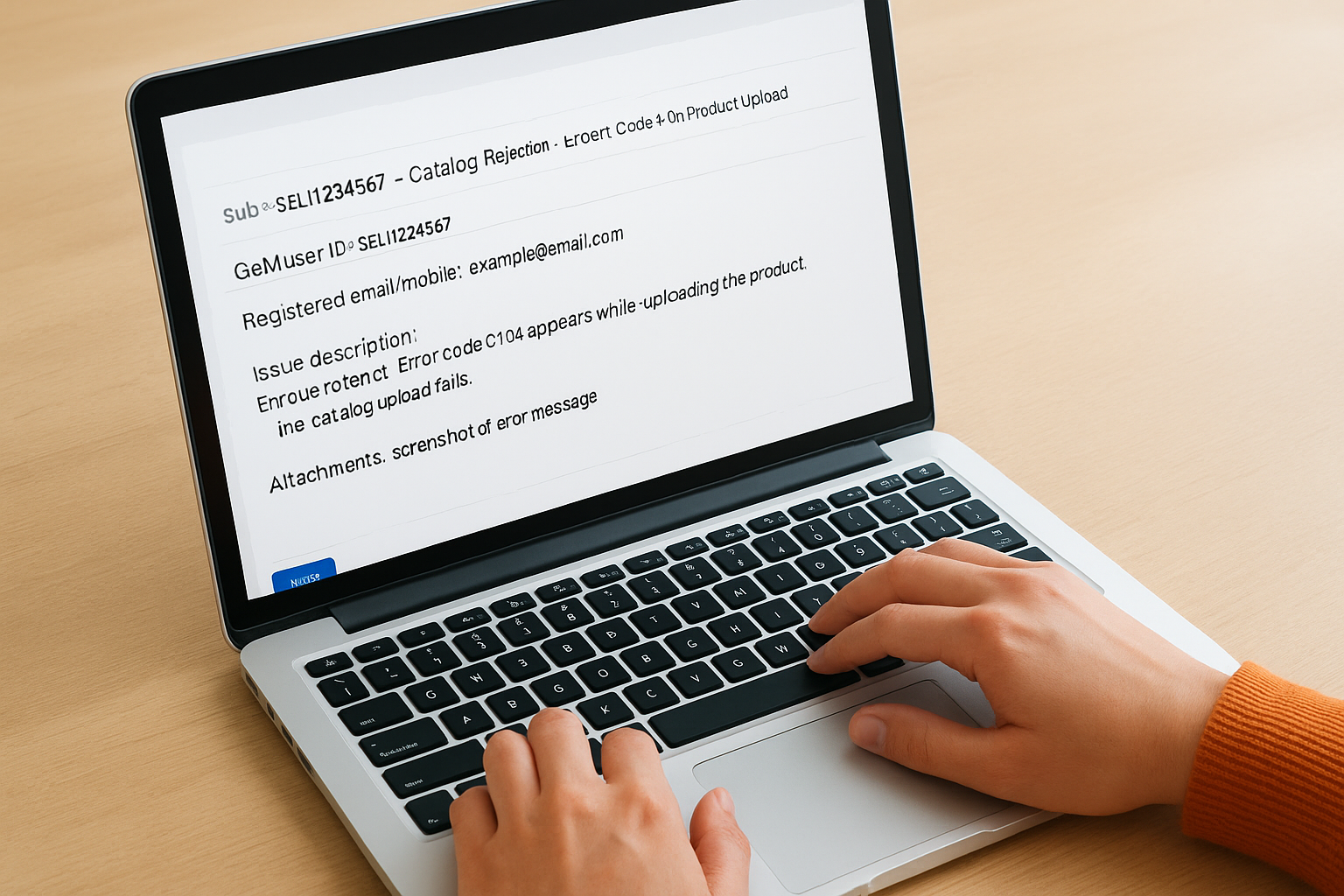
Use this template when writing to GeM support:
Subject: [User ID] - [Issue Type] - [Brief Description]
Example: SELI1234567 - Catalog Rejection - Error Code C-104 on Product Upload

Body:
GeM User ID: SELI1234567
Registered email/mobile: example@email.com / 9XXXXXXXXX
Issue description: [2-3 sentences describing what happened]
Order ID / Bid ID / Catalog ID: [if applicable]
Steps already tried: [cleared cache, re-uploaded, etc.]
Attachments: screenshot of error message or relevant document
Attach a screenshot of any error message directly in the email rather than describing it, since visual evidence speeds up the diagnosis on the support team's end.
Step 3. Raise and track a ticket on the GeM portal
The portal's built-in ticket system gives you a written record of your issue, which is useful for disputes that need documented follow-up. Log in to your account at gem.gov.in, navigate to Help and Support in the top menu, and select Raise a Ticket to open the submission form.
How to fill out the ticket form
When you submit a ticket through the gem helpdesk portal, the category you select routes your request to the correct internal team. Pick the category that most closely matches your problem, such as "Catalog Management" for upload errors or "Payment and Refund" for transaction issues.
Selecting the wrong category delays your ticket by at least one business day, as the system has to reassign it manually.
Fill in these fields precisely:
- Issue category: Match it to your exact problem type
- Description: State what happened, what error appeared, and what steps you already tried
- Attachments: Upload screenshots or supporting documents directly in the form
How to track your ticket status
After submission, your ticket ID appears on screen and in your registered email. Check progress under My Tickets in the Help section. If the ticket stays open beyond five working days without a response, reply directly to the ticket thread to escalate it to a senior agent.
If your issue still isn't resolved
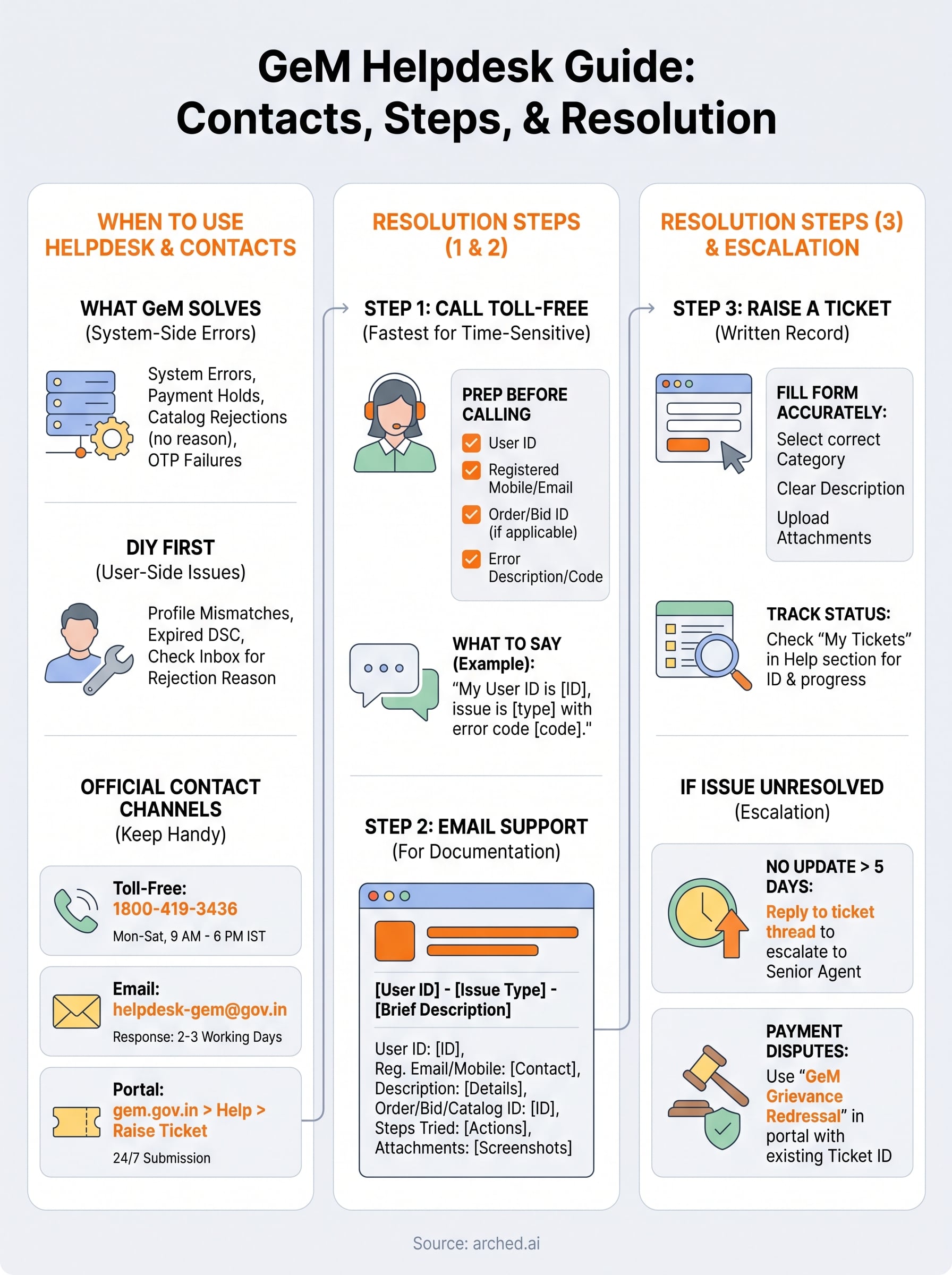
Some issues take longer than expected despite following every step correctly. If your ticket sits beyond five working days with no update, reply directly in the ticket thread and request escalation to a senior support agent. Include your original ticket ID in the reply so the team can pull up the full history without delay.
For payment disputes that the gem helpdesk cannot close at the support level, you can escalate through the GeM Grievance Redressal mechanism. Log in to your account, go to Help and Support, and look for the Grievance option. State the ticket ID you already raised so your complaint gets linked to existing documentation.
Beyond portal issues, if you spend hours each week manually tracking tenders across GeM and hundreds of other procurement portals, there is a faster way to work. See how Arched handles tender discovery for infrastructure firms so your team focuses on bids, not portal management.