Central Public Procurement Portal Tenders: How To Find & Bid
Every year, central government ministries and departments publish thousands of procurement notices worth lakhs of crores through the Central Public Procurement Portal tenders system. CPPP (eprocure.gov.in) is the single largest platform for central government e-procurement in India, covering everything from road construction and bridge rehabilitation to IT infrastructure and consulting services. If you're a contractor or consultant in the AEC space, this portal is non-negotiable.
But here's the problem most BD teams already know: finding the right tenders on CPPP is tedious. The search filters are basic, the document formats are inconsistent, and by the time you've manually reviewed a 60-page NIT to check eligibility, the submission deadline is already breathing down your neck. Multiply that across GeM, state portals, IREPS, and MSTC, and you're looking at a full-time job just to stay current.
This guide walks you through how CPPP works, how to search and bid on tenders listed there, and where the portal falls short. Whether you're new to central government procurement or looking to tighten your existing process, you'll leave with a clear, step-by-step path forward.
What CPPP covers and what it does not
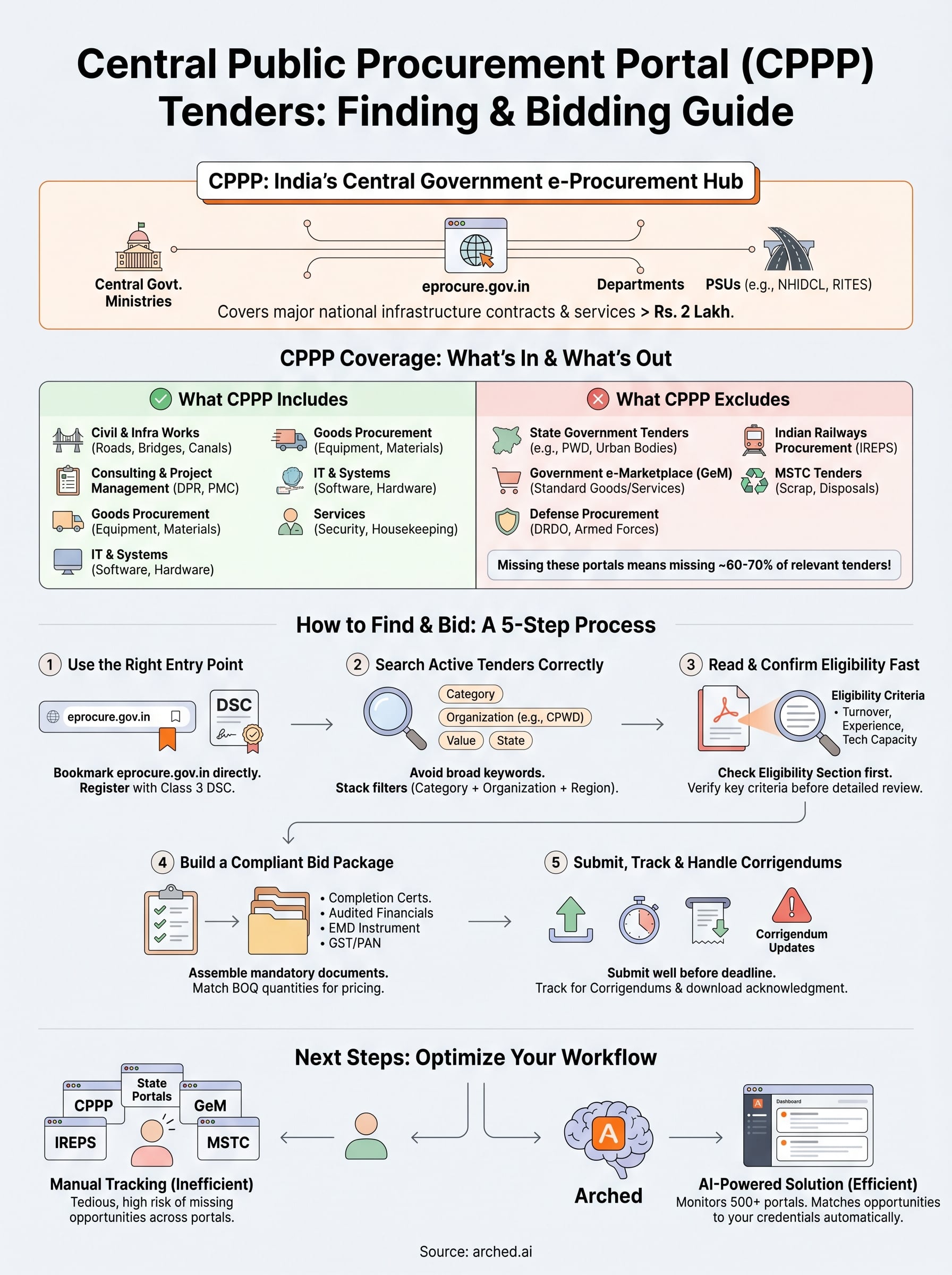
CPPP (eprocure.gov.in) is the mandatory e-procurement gateway for most central government ministries, departments, and public sector undertakings (PSUs) when procurement crosses thresholds set by the Ministry of Finance. Understanding what sits inside this portal and what falls outside it saves you from chasing tenders in the wrong place and missing the ones that actually match your firm's profile.
What CPPP actually includes
The portal hosts central government tenders from over 9,000 organizations, including the Ministry of Road Transport and Highways (MoRTH), the Ministry of Jal Shakti, the Central Public Works Department (CPWD), and major PSUs like NHIDCL and RITES. For AEC firms, this matters because most large-scale national infrastructure contracts above Rs. 2 lakh are mandated to appear here under the General Financial Rules (GFR) 2017.
If your firm bids on central government infrastructure work, CPPP is not optional reading. It is where the contracts are officially published.
Here is a breakdown of what you will typically find across the central public procurement portal tenders listings:
| Category | Common Examples |
|---|---|
| Civil and infrastructure works | Road widening, bridges, irrigation canals, flood control |
| Consulting and project management | DPR preparation, PMC assignments, quality audits |
| Goods procurement | Construction equipment, materials, vehicles |
| IT and systems | Software, hardware, networking for government offices |
| Services | Security, housekeeping, facility management |
Where CPPP falls short
Here is where many BD managers waste hours. CPPP does not include tenders published by state governments, even for centrally sponsored schemes where a state agency is the implementing body. If the Rajasthan PWD or Bihar's BUIDCO floats a tender, it goes on their respective state e-procurement portal, not on CPPP.
The portal also excludes procurement on the Government e-Marketplace (GeM), which handles standardized goods and services under a separate framework. Defense procurement through DRDO and the armed forces often moves through dedicated channels, bypassing CPPP entirely. IREPS handles Indian Railways procurement independently, and MSTC runs its own system for scrap, minerals, and certain asset disposals.
For your firm, this fragmentation creates a real operational gap. Tracking only CPPP means you see perhaps 30 to 40 percent of the total government tender universe relevant to your work. State-level contracts, which frequently include high-value urban infrastructure, smart city, and AMRUT projects, require you to monitor dozens of additional portals simultaneously. That blind spot is exactly where opportunities slip through and competitors gain first-mover advantage on contracts you were fully qualified to win.
Step 1. Use the right CPPP entry point
Most BD managers searching for central public procurement portal tenders end up on a mix of unofficial aggregator sites and outdated bookmark links. The only authoritative URL is eprocure.gov.in, maintained by the National Informatics Centre (NIC) on behalf of the Ministry of Finance. Starting anywhere else risks pulling stale data or incomplete listings.
Bookmark eprocure.gov.in directly and avoid clicking through to it from third-party sites, which may display cached or outdated tender information.
Navigate the homepage without getting lost
The CPPP homepage presents several distinct entry points that serve different purposes, and picking the wrong one adds unnecessary steps to your workflow. Use the table below to route yourself correctly based on what you need at any given moment:
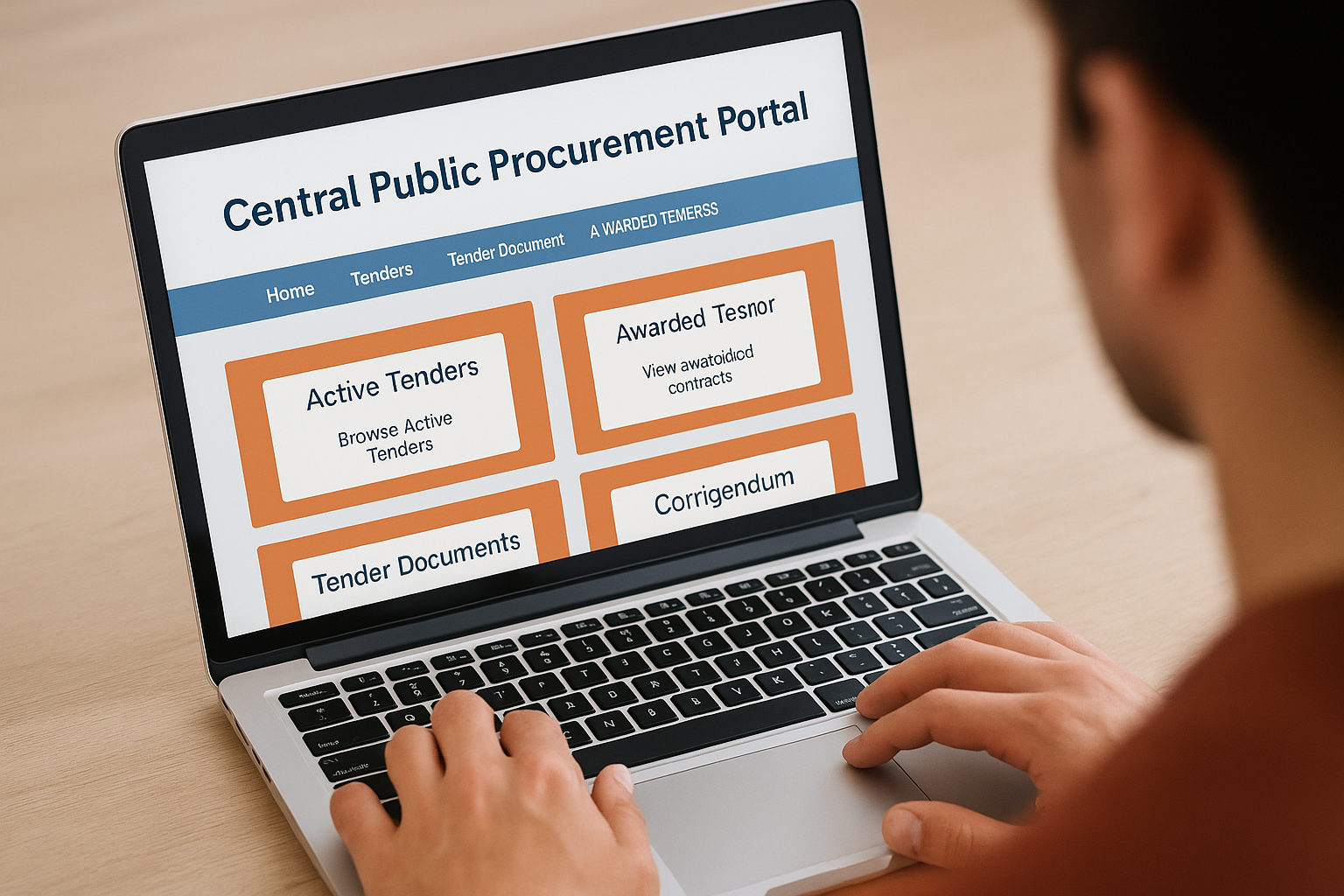
| Your goal | Where to go on eprocure.gov.in |
|---|---|
| Browse active tenders without logging in | Tenders > Active Tenders |
| Download NIT or tender documents | Tenders > Active Tenders > specific listing |
| View awarded contracts | Tenders > Awarded Tenders |
| Track updates on existing tenders | Tenders > Corrigendum |
| Submit a bid | Login > Bidder Dashboard |
Bookmarking the Active Tenders page directly removes three to four clicks from every session, which adds up fast when you are checking the portal daily across multiple project categories.
Register your firm before deadline pressure hits
Registration on CPPP is free, but the process requires a valid Digital Signature Certificate (DSC) and your firm's PAN or registration details. Class 3 DSC is mandatory for bid submission, and obtaining one through a licensed Certifying Authority takes two to five working days.
Do not wait until a tender you want closes in 48 hours to start this process. Set up your bidder account and confirm your DSC works end-to-end during a quiet period, then store your credentials securely. This one-time setup removes the single biggest reason firms miss submission windows they were otherwise fully prepared for.
Step 2. Search active tenders the right way
CPPP's default search is keyword-based, which means typing broad terms like "construction" or "road" returns hundreds of loosely related results. The Active Tenders search page gives you several filters that most users skip past entirely. Learning to stack those filters correctly cuts your review time significantly before you open a single document.
Use category and location filters together
The portal lets you filter by product category, tender value range, and publishing organization simultaneously. Start with the product category that matches your core work, such as "Civil Works" or "Consulting Services," then layer in a state or region filter if your firm targets geographically specific contracts. This combination eliminates the bulk of irrelevant listings before you scroll through a single result.
Filtering by organization name is one of the most underused features on CPPP. If you regularly bid on CPWD or NHIDCL tenders, set those as your primary organization filter and run that search as a standalone check every session.
Build a repeatable search template
Consistency matters more than speed when you are tracking central public procurement portal tenders on a daily basis. Create a reference card for your team that documents your firm's go-to filter combinations, so every BD team member runs the same search parameters each morning without variation.
Here is a starter template you can copy directly:
| Filter field | Your input |
|---|---|
| Tender category | Civil Works / Consulting Services |
| Organization | CPWD / NHIDCL / MoRTH (select your targets) |
| Tender value (minimum) | Set based on your minimum viable contract size |
| Closing date range | Next 14 days |
| State / Region | Your operational geography |
Running the same filter stack daily means you catch new listings within 24 hours of publication, which gives your team enough lead time to evaluate documents before submission deadlines tighten. Document this as a standard operating procedure so no team member improvises a search and misses a relevant listing.
Step 3. Read the tender and confirm eligibility fast
When you open a tender document from the central public procurement portal tenders listings, you're typically looking at a 40 to 80 page PDF that mixes legal boilerplate with the actual requirements you need to act on. Reading it cover to cover wastes time you don't have when a submission window runs 10 to 15 days. The goal is to extract the five critical data points that determine whether your firm qualifies before you invest hours in a detailed review.
Find the qualification criteria first
Skip to the Eligibility and Qualification Criteria section, which most NITs place in Section II or the Instructions to Bidders. This is where the document specifies minimum turnover thresholds, prior work experience requirements, and technical capacity conditions such as key personnel qualifications or equipment ownership. Read this section before anything else.
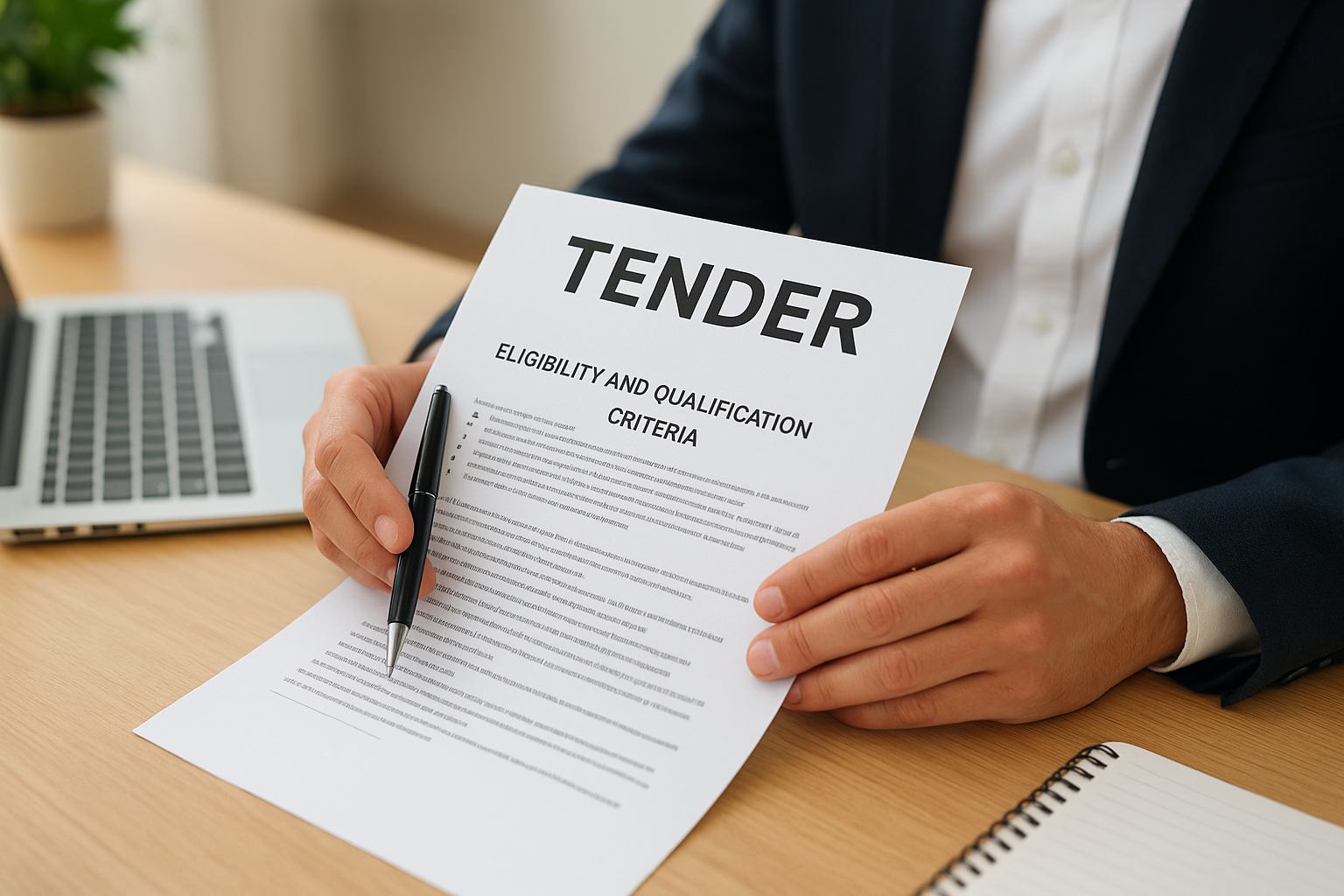
If your firm does not meet even one hard eligibility criterion, stop the review immediately and move to the next tender. Bidding on contracts you cannot qualify for wastes preparation time with zero upside.
Use this quick-read checklist every time you open a new tender document:
| Criteria to check | Where to find it |
|---|---|
| Minimum annual turnover | Section II / Eligibility Criteria |
| Similar work experience (value and type) | Section II / Technical Qualification |
| Completion certificates required | Section II / Documentary Evidence |
| EMD amount and format | Section III / Bid Security |
| Submission deadline and pre-bid meeting date | Section I / Key Dates |
Extract the BOQ and scope before reading terms
After confirming eligibility, pull the Bill of Quantities (BOQ) and the scope of work section. These two elements tell you the actual volume, complexity, and pricing structure of the contract, which determines whether the opportunity is financially viable for your firm given your current capacity and margins. Read the General and Special Conditions of Contract only after you have confirmed both eligibility and commercial fit, not before.
Step 4. Build a compliant bid package
Once you confirm eligibility and commercial fit, bid preparation becomes a document assembly exercise, not a creative one. CPPP follows a two-envelope or three-envelope system for most major contracts: one envelope for technical documents and credentials, and another for the financial bid. Mixing content between envelopes or omitting a single mandatory document triggers outright rejection, regardless of how strong your technical proposal is.
Assemble the mandatory documents first
Your first task is to build a master document checklist directly from the tender's checklist section, which most CPPP documents include near the end of the NIT. Cross-reference that checklist against the eligibility criteria you already confirmed in Step 3 and pull the corresponding certificates, completion documents, and financial statements before you write a single word of your technical proposal.
A rejected bid due to a missing completion certificate costs you the same preparation time as a submitted one. Build the checklist before you start, not after.
Here are the documents that appear most frequently in central public procurement portal tenders for AEC contracts:
| Document | What to verify before submission |
|---|---|
| Completion certificates | Value, date, and scope match the eligibility threshold |
| Audited financial statements | Last 3 years, signed by chartered accountant |
| EMD instrument (FDR, BG, or NEFT) | Drawn in favor of exact entity name in the NIT |
| Power of attorney | Authorizes signatory named in bid documents |
| GST and PAN registration | Current and active as of bid submission date |
Price your bid around the BOQ, not assumptions
Pull the BOQ schedule directly from the tender document and build your rate analysis item by item. CPPP financial bids are evaluated on the Schedule of Rates or percentage above and below, depending on the contract type. Entering a lump sum estimate without grounding it in the BOQ quantities is the fastest route to a non-responsive financial bid.
Confirm the currency of DSC and portal account credentials before the submission window opens. Technical and financial bids uploaded with an expired DSC are treated as not submitted, with no recourse after the closing timestamp.
Step 5. Submit, track, and handle corrigendums
Submission on CPPP is a time-stamped, portal-only process. There is no email fallback, no extension request that gets approved after the fact, and no grace period if your DSC fails at 4:58 PM on closing day. Treating the technical and financial upload as a single event you handle in one sitting reduces the risk of partial submission, which is treated the same as no submission.
Submit your bid before the clock runs out
Log into your CPPP bidder dashboard at least 48 hours before the submission deadline and upload your technical envelope first. After each document upload, confirm the system acknowledges the file with a successful upload status, not just a progress bar that disappears. Once your technical documents are verified, upload the financial bid and complete the submission by clicking the final confirmation button. Download the system-generated acknowledgment receipt immediately and store it with your bid file.
Submitting 24 hours early protects you from portal traffic spikes that commonly slow or crash CPPP in the final hours before high-value tender deadlines.
Here is a pre-submission checklist to run through before you hit confirm:
| Check item | Status |
|---|---|
| DSC valid and recognized by the portal | Confirm |
| All mandatory documents uploaded and acknowledged | Confirm |
| Financial bid figures match your BOQ rate analysis | Confirm |
| EMD instrument uploaded in correct format | Confirm |
| Acknowledgment receipt downloaded | Confirm |
Track your bid and watch for corrigendums
After submission, monitor the Corrigendum section on eprocure.gov.in for the specific tender reference number. Procuring organizations frequently issue corrigendums that extend deadlines, revise BOQ quantities, or amend qualification criteria. Missing a corrigendum on an active central public procurement portal tenders listing means your bid goes in against revised terms you never accounted for, which can render your financial figures non-competitive or your technical documents incomplete.
Set a daily calendar reminder to check the corrigendum tab until the bid opening date. This takes under two minutes and eliminates one of the most common reasons a well-prepared bid underperforms evaluation.
Wrap up and next steps
Working through central public procurement portal tenders requires more than a portal login. You need the right search filters, a fast eligibility review process, a compliant document package, and a submission routine that accounts for DSC failures and last-minute corrigendums. Each step in this guide gives you a repeatable process your team can run consistently, not a one-time fix.
The bigger challenge is coverage. CPPP shows you central government contracts, but state portals, GeM, IREPS, and MSTC each run independently. Manually tracking all of them is where most BD teams lose ground to competitors who catch opportunities earlier and prepare faster.
Arched can help you prepare faster: send us the drawings and we deliver a priced BOQ with rate build-ups, reviewed by an engineer. See how our estimating service works.
Have a package your team can’t get to? Send it to us. Our engineers check and sign off everything we deliver.