IREPS Tender Search: Find, Filter, And Track Active Tenders
Master the ireps tender search to find Indian Railways contracts. Learn to filter by zone, track corrigenda, and verify eligibility to win more bids.
IREPS (Indian Railways E-Procurement System) publishes thousands of tenders every month across categories like civil engineering, signaling, track maintenance, and rolling stock. If you've ever tried running an IREPS tender search manually, you know the frustration, clunky filters, vague descriptions, and results buried across multiple pages that force you to sift through notices one by one.
Most BD teams and bid managers end up refreshing the portal multiple times a day, copying tender details into spreadsheets, and still missing relevant opportunities because a keyword didn't match or a notice slipped through during off-hours. For infrastructure firms chasing Indian Railways contracts worth crores, that's lost revenue hiding in plain sight.
This guide walks you through how to search, filter, and track active tenders on the IREPS portal step by step, covering everything from basic search functions to advanced filtering by zone, department, and tender value. We'll also show you where IREPS falls short and how platforms like Arched use AI-driven monitoring across 500+ portals (IREPS included) to surface the opportunities that actually match your firm's credentials, so you stop chasing every listing and start bidding on the ones you can win.
What IREPS includes and how tender data is organized
IREPS is the official e-procurement platform for Indian Railways, managed by the Centre for Railway Information Systems (CRIS). It handles procurement across every major railway zone in India, which means the volume of notices published daily is significant. Before you run your first IREPS tender search, you need to understand what the platform actually contains and how its data is structured, because that knowledge directly affects how well your searches and filters will perform.
The main procurement categories
IREPS covers several distinct procurement types, and each one sits in a separate module within the portal. Knowing which category your firm operates in tells you exactly where to look.
| Procurement Type | What It Covers |
|---|---|
| Works Tenders | Civil, electrical, signaling, and track construction contracts |
| Stores Tenders | Supply of materials, equipment, and spare parts |
| Plant and Machinery | Procurement of machinery for maintenance or operations |
| Service Contracts | Outsourced services like housekeeping, catering, and IT |
| Consultancy | Design, project management, and technical advisory roles |
Works tenders are the most relevant category for infrastructure firms chasing railway construction and maintenance contracts. Stores tenders matter if you supply components or materials. Most AEC firms focus entirely on the Works section, but cross-checking the Consultancy category can reveal advisory contracts that require similar credentials without the same capital requirements.
How individual tender notices are structured
Each notice on IREPS follows a standard format, though the level of detail varies by zone and department. A typical tender record includes the tender number, issuing authority, estimated cost, bid submission deadline, and earnest money deposit (EMD) amount. Beyond that header information, the portal attaches supporting documents in PDF format, which usually contain the full scope of work, Bill of Quantities (BOQ), qualification criteria, and special conditions.
The qualification criteria buried inside the PDF documents are where most firms discover they are ineligible, often after spending hours preparing a bid.
Reading those PDFs carefully before committing any resources is critical. The portal itself won't flag mismatches between your credentials and the tender requirements. That responsibility falls entirely on you.
How zones and departments divide the data
Indian Railways operates across 18 railway zones, and each zone publishes tenders independently through IREPS. Within each zone, individual departments such as Civil, Electrical, Signal and Telecommunication, and Mechanical issue their own notices. This means a single search for "bridge construction" can return results from Southern Railway, Northern Railway, and Central Railway simultaneously, all with different issuing departments, deadlines, and contact officers.
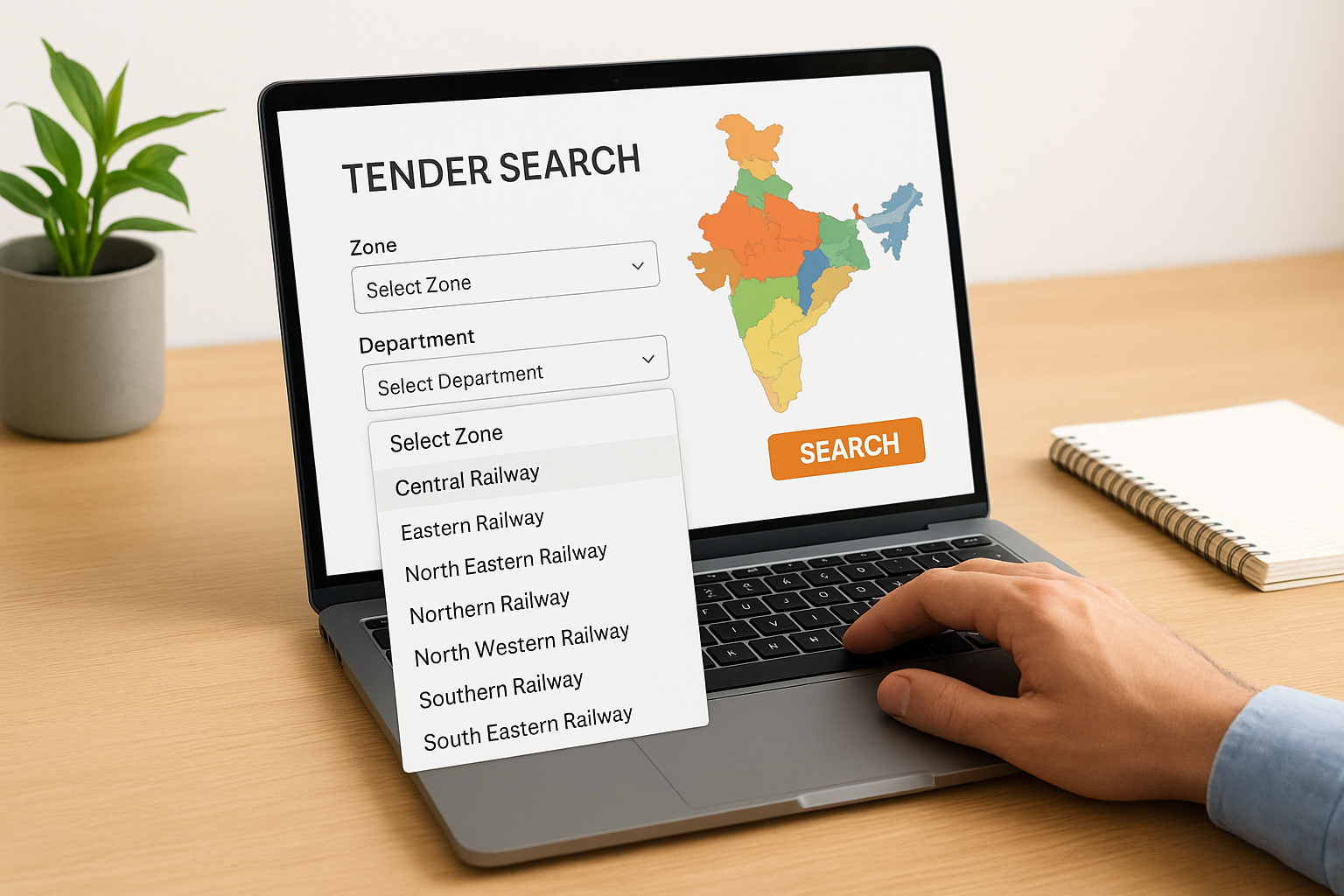
Filtering by zone and department is therefore not optional; it is the first step in making your results manageable. If your firm is registered or has prior project experience in a specific zone, narrowing the search to that geography immediately improves the quality of your results. Chasing tenders across all 18 zones without a geographic filter is one of the fastest ways to waste your team's time on opportunities you are unlikely to win.
What you need before you start
Running an IREPS tender search without the right setup wastes time and often leads to dead ends. Before you open the portal, get three things in place: active login credentials, your firm's registration details, and a clear picture of your eligibility profile. Skipping any one of these means you'll either hit access walls mid-search or spend time evaluating tenders you can't legally bid on.
Registration and login access
IREPS requires vendors to register on the portal before accessing most tender documents and bidding features. If your firm is not already registered, you'll need to complete the vendor enrollment process through the IREPS portal directly. You'll also need a Class 3 Digital Signature Certificate (DSC) issued by a licensed Certifying Authority in India, because IREPS mandates DSC-based authentication for submitting bids and accessing certain restricted documents.
Get your DSC renewed well before it expires. An expired certificate locks you out of active bids at the worst possible time.
Keep your login credentials stored securely, and make sure the DSC is installed and functional on the machine your team uses for portal access. If multiple team members run searches, each person needs their own login.
Your firm's eligibility profile
Before you filter a single result, write down the key details that determine what your firm can actually bid on. This reference list will save time every time you open a tender document.
- Annual turnover for the past three financial years (relevant to financial eligibility thresholds)
- Similar work experience: project types, value, and completion dates
- Active registrations: contractor class, CPWD empanelment, or railway-specific approvals
- EMD payment method: your bank's net banking or NEFT/RTGS readiness for deposit transfers
- Zone registrations: which railway zones have your firm on record
Having these numbers written down before you start searching means you can validate eligibility in minutes instead of hunting through old files every time a promising tender appears. It also helps you spot gaps quickly, for instance, if a tender requires a minimum single-work value your firm hasn't yet achieved.
Step 1. Choose the right IREPS module
Landing on the IREPS portal and typing a keyword immediately is the wrong starting point. The portal is divided into distinct procurement modules, and running your IREPS tender search from the wrong module will return results that have nothing to do with your firm's scope. Your first action should be selecting the correct module based on the type of work your firm delivers, because each module feeds a completely separate set of tender notices.
Works vs. other modules: pick your category first
For AEC firms and infrastructure contractors, the Works module is the primary destination. It contains civil, electrical, signaling, and track-related construction and maintenance contracts. The Stores module handles material supply, and the Consultancy module covers advisory and design roles. Before you type a single keyword, confirm which module matches your firm's registered business activity to avoid wasting time reviewing irrelevant notices.
| Module | Best for |
|---|---|
| Works | Construction, civil, electrical, track contracts |
| Stores | Equipment, materials, spare parts supply |
| Consultancy | Design, project management, technical advisory |
| Services | Housekeeping, catering, IT support |
Searching the Works module when your firm operates primarily in Consultancy will flood your screen with irrelevant results and slow down your entire review process.
Narrow by zone before you search
Once you have selected the correct module, choose a railway zone before running any keyword search. IREPS lists tenders across all 18 zones by default, which generates a high volume of results from regions where your firm has no registration, experience, or operational capacity. Filtering to one or two target zones where your firm has completed similar work dramatically improves the quality of what you see.
Apply the zone filter on the left-side panel before touching the keyword field. If your firm holds active registrations in Southern Railway and South Central Railway, start there. This single step cuts noise immediately and ensures the results you review reflect actual bidding opportunities, not a raw dump of every active notice on the platform.
Step 2. Run a targeted tender search
With the correct module selected and your zone filter applied, you're ready to run your IREPS tender search. The keyword field looks simple, but how you use it determines whether you get 800 noisy results or 20 highly relevant ones. IREPS uses basic keyword matching against tender titles and reference numbers, so your choice of search terms directly shapes the quality of what comes back.
Use specific technical terms, not broad categories
General keywords like "civil works" or "construction" return too many results to review efficiently. Instead, use the specific technical terminology that appears in railway tender documents. Think in terms of the actual work scope: "formation rehabilitation," "ballast cleaning," "prestressed concrete girder," or "catenary wire." These phrases match the language used in the tender title and description fields, which means your results are immediately more targeted.
Here are example keyword comparisons to guide your search:
| Broad keyword (avoid) | Targeted keyword (use instead) |
|---|---|
| Bridge work | PSC girder bridge construction |
| Electrical | OHE mast erection |
| Track work | Ballast tamping machine deployment |
| Civil | Retaining wall construction |
| Building | Staff quarters construction Railways |
Copying exact phrases from tender documents you have previously won is one of the fastest ways to build a reliable keyword list for future searches.
Combine keyword search with tender value range
Once you have your keyword set, add a tender value filter to avoid spending time on contracts outside your firm's financial eligibility. IREPS lets you set a minimum and maximum estimated cost in the search panel. If your firm qualifies for contracts above Rs. 5 crore based on turnover and similar work experience, set that floor in the value field before reviewing results. This combination of targeted keywords and a value range delivers a shortlist your bid team can act on rather than a long list that takes hours to triage.
Before submitting your search, run through this quick checklist:
- Module selected (Works, Stores, or Consultancy)
- Zone filter applied before any keyword entry
- Specific technical keyword entered, not a broad category
- Minimum tender value set based on your eligibility thresholds
- Submission deadline range set to exclude already-closed notices
Step 3. Filter and sort results like a bid team
A raw IREPS tender search result list, even after applying zone and keyword filters, still needs another pass before your bid team reviews individual notices. The portal provides secondary filter controls that most users ignore, and skipping them means your team manually reads through notices that were never relevant to begin with. Use the filter panel on the results page to remove noise before it reaches your review queue.
Apply secondary filters to cut down the list
After your initial results load, apply these additional filters in sequence. Each one removes a layer of irrelevant notices and leaves you with a shortlist your team can act on the same day.
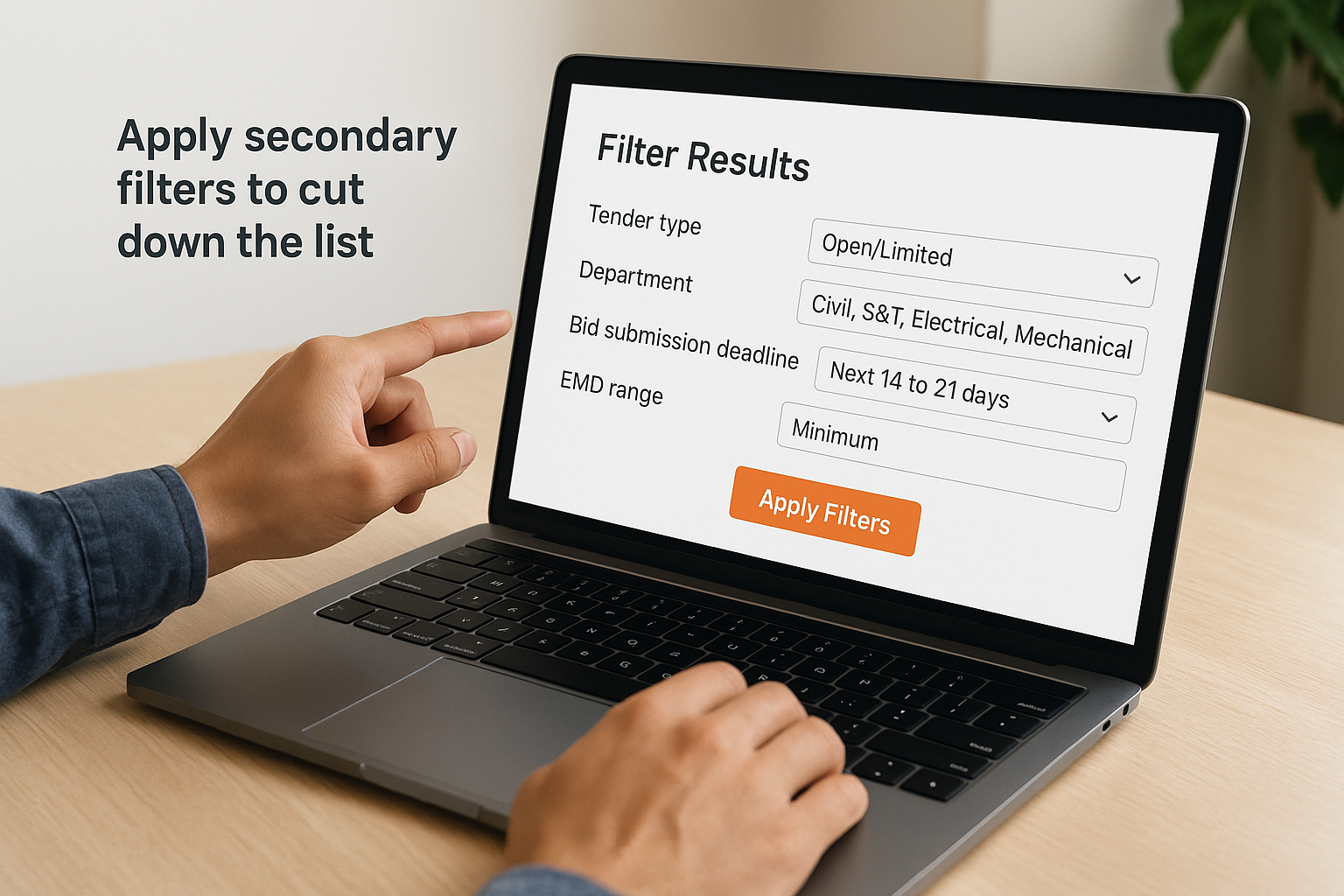
| Filter | What to set | Why it matters |
|---|---|---|
| Tender type | Open/Limited based on your registration class | Limits tenders prevent unregistered firms from bidding |
| Department | Civil, S&T, Electrical, Mechanical | Matches your firm's technical capability |
| Bid submission deadline | Next 14 to 21 days minimum | Removes notices where preparation time is too short |
| EMD range | Minimum set to match your liquidity | Filters out contracts your firm cannot deposit for |
Setting a submission deadline filter of at least 14 days is non-negotiable if you need time for document review, internal approvals, and bid preparation.
Sort by deadline and tender value to prioritize your review
Once your filters are applied, change the sort order from the default (usually date published) to submission deadline, ascending. This puts the most time-sensitive notices at the top, so your team tackles the highest-urgency tenders first instead of reviewing them in random order. After working through deadline-sensitive ones, switch the sort to estimated cost descending to identify high-value contracts that justify deeper document review.
Your final filtered and sorted shortlist should fit this structure before your team opens a single PDF:
- Fewer than 30 results per zone and department combination
- All notices showing a submission deadline at least 14 days out
- Tender values within your eligibility range based on turnover and similar work experience
- Department aligned with your firm's registered technical scope
Step 4. Open a tender and validate eligibility
Opening a tender document from your IREPS tender search shortlist should follow a strict sequence. Reading the full document from page one wastes time because the sections that determine your eligibility are buried deep inside, often past 20 or 30 pages of general conditions. Instead, jump directly to the qualification criteria section, which Indian Railways typically labels as "Eligibility Criteria," "Qualifying Requirements," or "Pre-Qualification Conditions" in tender documents.
Check qualification criteria before reading anything else
Your first pass through any tender document should focus on three numbers: minimum annual turnover, minimum similar work experience value, and the minimum single-work value from prior completed projects. Compare these immediately against your firm's eligibility profile from Step 1. If you fall short on any one of them, close the document and move to the next notice. Do not rationalize borderline cases at this stage.
Use this validation checklist before going further into any tender document:
| Criteria | Where to find it | Pass or fail |
|---|---|---|
| Minimum annual turnover | Qualifying requirements section | Match against last 3 years P&L |
| Similar work experience | Eligibility clause | Match project type and value |
| Single-work value threshold | Qualifying requirements section | Match against largest single project |
| Registration class required | Bidder eligibility section | Confirm your contractor class |
| EMD amount | Tender notice header | Confirm liquidity to deposit |
If you fail even one of these criteria, no amount of technical strength in your bid will overcome the disqualification.
Match the BOQ scope against your firm's work history
Once your firm clears the qualification criteria, open the Bill of Quantities (BOQ) and scan the line items against the work types your firm has successfully delivered. Look for items that fall outside your operational experience, such as specialized equipment requirements, specific material sourcing mandates, or third-party testing obligations. These represent execution risk, not just eligibility risk, and both matter before you commit resources to a bid preparation effort.
Step 5. Track corrigenda and tender status changes
After shortlisting tenders from your IREPS tender search, your job does not stop at the initial document review. Indian Railways issues corrigenda (formal amendments) regularly, changing submission deadlines, revising BOQ items, updating qualification criteria, and sometimes canceling a tender entirely. Missing a corrigendum means you could submit a bid based on outdated documents and get disqualified on technical grounds.
Why corrigenda matter for active bids
A corrigendum is not a minor administrative update. It can fundamentally change the scope of work, the financial eligibility threshold, or the deadline by days or weeks. IREPS publishes corrigenda against the original tender number, so you need to actively check the portal for amendments after you add a notice to your shortlist.
Firms that skip corrigendum checks often submit bids with wrong BOQ figures or miss deadline extensions that would have given them more preparation time.
The most common corrigendum types to watch for include:
- Deadline extensions: submission date pushed forward, giving your team more time to prepare
- BOQ revisions: quantities or line items changed after original publication
- Eligibility amendments: qualification thresholds revised up or down
- Cancellations: tender withdrawn entirely before submission closes
How to check status changes before the deadline
On IREPS, navigate to the tender detail page for each shortlisted notice and look for the "Corrigendum" tab or the amendments section below the main document links. IREPS lists all issued amendments in reverse chronological order, so the most recent change appears at the top. Download each corrigendum PDF and compare it against your working copy of the tender documents before finalizing any bid response.
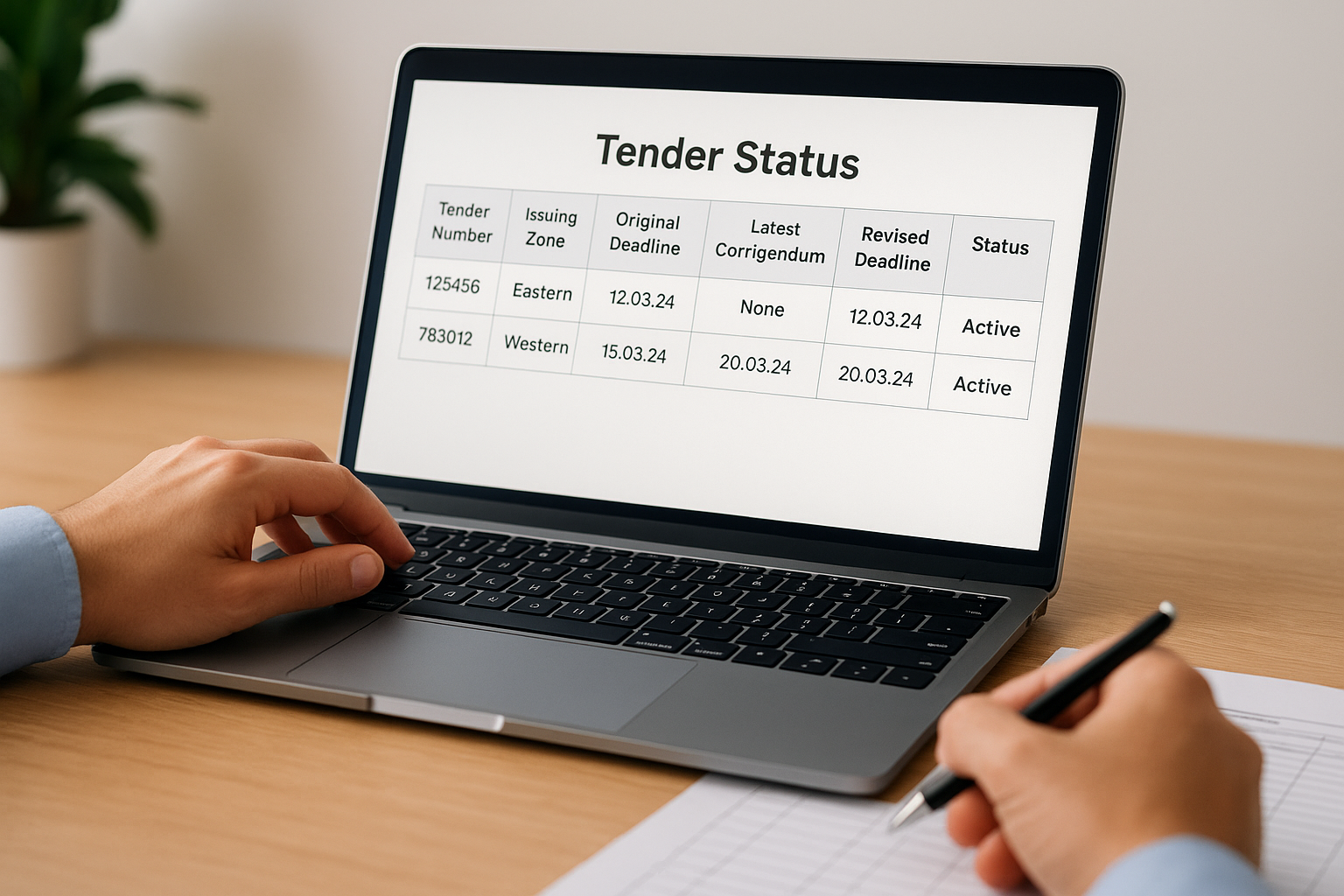
Build a simple tracking template in a shared spreadsheet to manage this across multiple active tenders:
| Tender Number | Issuing Zone | Original Deadline | Latest Corrigendum Date | Revised Deadline | Status |
|---|---|---|---|---|---|
| [Tender No.] | [Zone] | [Date] | [Date or None] | [Date if changed] | Active / Cancelled |
Check each row at least twice a week until the submission deadline closes. This takes under 10 minutes per tender and prevents costly submission errors.
Step 6. Build a watchlist and daily workflow
Treating your IREPS tender search as a one-time activity is how firms miss deadlines and lose ground to competitors who check the portal daily. What you need instead is a structured watchlist and a repeatable daily routine that takes under 20 minutes and keeps your entire team aligned on active opportunities without duplicating effort.
Create a simple watchlist structure
Your watchlist is a shared document, maintained in a spreadsheet, that gives every team member a single source of truth for all active tenders your firm is tracking. Each row represents one tender, and each column tracks a specific data point that drives your next action. Keep the structure minimal so the team actually maintains it rather than abandoning it after a week.
A watchlist only works if it is updated the same day a corrigendum or status change is spotted, not at the end of the week.
Use the following template as your starting point and add columns only when your team genuinely needs them:
| Tender Number | Zone | Department | Submission Deadline | Estimated Value (Rs.) | Eligibility Pass | Corrigendum Checked | Owner | Status |
|---|---|---|---|---|---|---|---|---|
| [No.] | [Zone] | [Civil/S&T/etc.] | [Date] | [Crore] | Yes/No | [Date checked] | [Name] | Active/Bid submitted/Cancelled |
Set a repeatable daily routine
A consistent 15-minute daily check prevents opportunities from slipping through and keeps the watchlist accurate. Assign one team member to own this each morning, rotating weekly so the responsibility does not fall on a single person indefinitely.
Follow this sequence every working day:
- Open IREPS and run your saved searches using your standard keyword and zone filters
- Check for new notices that match your target zones and departments, and add qualifying ones to the watchlist
- Pull up each active watchlist tender and check the corrigendum tab for any amendments issued in the last 24 hours
- Update the Corrigendum Checked date and revise the submission deadline column if a deadline extension was issued
- Flag any tender whose deadline falls within seven days and notify the bid team immediately
Running this sequence consistently is what separates firms that submit strong bids on time from those that scramble at the last minute.
Next steps
You now have a complete system for running an IREPS tender search, validating eligibility, tracking amendments, and maintaining a watchlist that keeps your team ahead of deadlines. The process works, but it still demands daily manual effort across a portal that was not built with bid teams in mind. Missed corrigenda, slow keyword matching, and cross-zone noise remain real problems no matter how disciplined your workflow becomes.
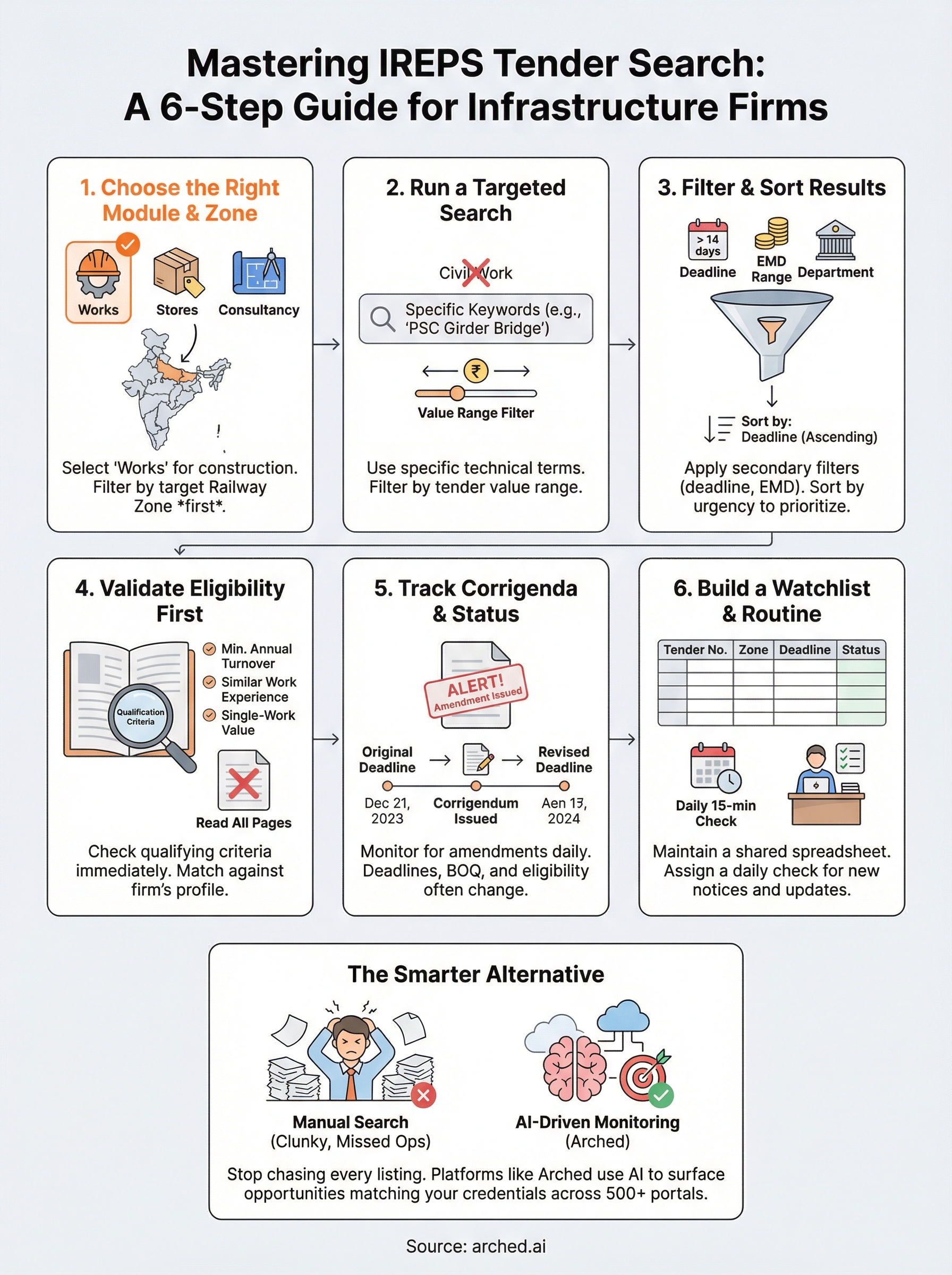
If your firm is serious about winning Indian Railways contracts and expanding into other government procurement channels, the smarter move is to stop monitoring portals manually and start using a platform built for exactly this. Arched monitors IREPS alongside 500+ other procurement portals, matches tenders against your firm's actual credentials, parses BOQ documents automatically, and alerts you to corrigenda the moment they publish. You get fewer irrelevant results, faster document review, and a clear view of which opportunities your firm can actually win.