10 Best Construction Cost Estimating Software Tools (2026)
10 Best Construction Cost Estimating Software Tools (2026)
Accurate estimates win contracts. Inaccurate ones drain profits before a single shovel hits the ground. The right construction cost estimating software can mean the difference between a bid that lands and one that leaves money on the table, or worse, commits you to a project that bleeds cash from day one. For structural engineers, pre-construction managers, and heavy civil contractors, choosing the right tool isn't optional; it's foundational to staying competitive.
At Arched, we prepare estimates and BOQs for firms bidding public infrastructure work, where the estimate has to reconcile against a government Schedule of Rates before it means anything. Whatever tool you use to calculate quantities, labour and plant costs needs to produce numbers you can defend line by line when margins are thin and the evaluation is a rate-by-rate comparison.
This guide breaks down 10 of the best construction cost estimating software options available in 2026. We've evaluated each based on features that matter to infrastructure professionals: takeoff accuracy, bid management capabilities, integration potential, and pricing transparency. Whether you are pricing a building BOQ against a state schedule or a commercial fit-out from first principles, you'll find options here that fit your team's workflow and budget.
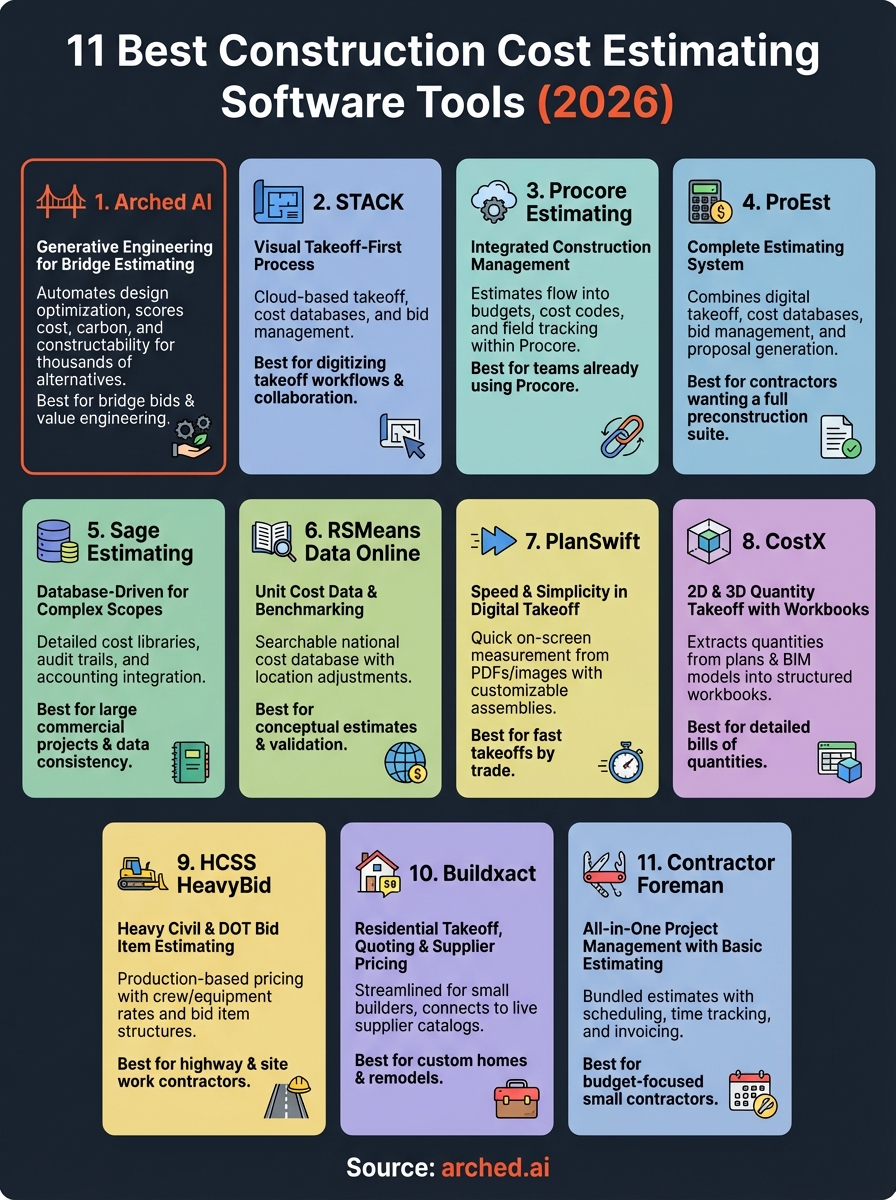
1. STACK
STACK centers on visual takeoff and puts plan measurement at the front of your estimating process. You work directly on digital plans to mark up quantities, and the platform converts those measurements into cost estimates without requiring you to jump between separate tools. Contractors who spend most of their time pulling quantities from drawings will find STACK's interface built around that specific workflow, with collaboration features that let multiple team members work on the same project simultaneously.
What STACK does
The platform combines on-screen takeoff with cost databases and bid management in one system. You upload construction drawings, use measurement tools to mark up quantities, and apply unit costs to create estimates. STACK handles multiple trades and work divisions, storing your historical pricing so you can reuse assemblies across similar projects. The system tracks revisions automatically, updating your quantities when plans change without forcing you to start from scratch.
Best fit for takeoff-first estimating teams
STACK works best for contractors who need to digitize their takeoff process and want cloud-based access for their estimating team. If you're moving away from printed plans and manual counts, this tool delivers a straightforward path to digital measurement without overwhelming your workflow with features you won't use. General contractors and specialty subcontractors working on commercial and residential projects typically see the fastest adoption because the interface focuses on core estimating tasks rather than trying to be an all-in-one project management suite.
"STACK converts visual plan measurements into construction cost estimating software outputs that multiple team members can access and update from any location."
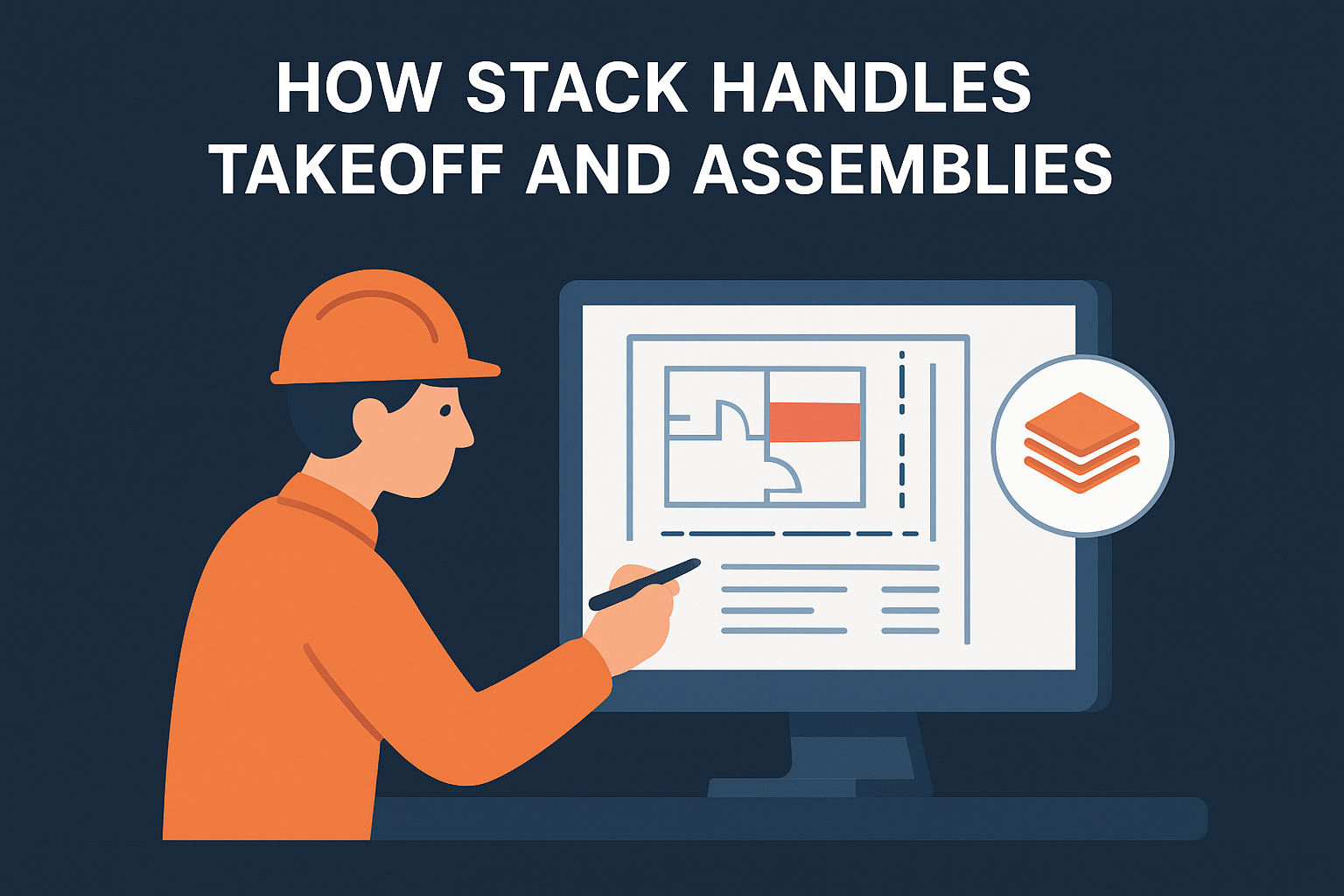
How STACK handles takeoff and assemblies
You select measurement types (linear, area, count, volume) and mark directly on plans using your mouse or touchscreen. STACK calculates quantities as you measure and lets you group items into assemblies that bundle materials, labor, and equipment costs. When you need to estimate concrete pours or framing packages repeatedly, you build an assembly once and apply it across multiple projects. The platform supports custom cost databases, so you're not locked into generic pricing that doesn't match your region or supplier relationships.
How STACK supports collaboration and bid workflows
Multiple users can access the same project file simultaneously, which eliminates version control headaches when your team splits up scope packages. You assign takeoff sections to different estimators, track who measured what, and review their work before finalizing bids. STACK includes proposal templates that pull quantities and costs into client-ready documents, and you can compare multiple bid scenarios side by side to evaluate different approaches or alternates.
STACK pricing
STACK offers tiered subscription plans starting around $1,999 per year for a single user. Team plans scale based on the number of seats and projects you need to manage concurrently. You'll pay more for advanced features like integration with accounting systems or access to expanded cost databases. Contact STACK directly for accurate pricing based on your team size and annual project volume.
2. Procore Estimating
Procore Estimating lives inside the broader Procore construction management platform, which means your estimates flow directly into project budgets, cost codes, and field tracking without manual data entry. If your team already uses Procore for project management, this tool eliminates the friction of exporting estimates from one system and importing them into another. You're working in a unified environment where preconstruction decisions carry through to job costing and change order management.
What Procore Estimating does
The platform handles quantity takeoff, cost assembly, and bid package creation while maintaining tight integration with Procore's financial modules. You build estimates using digital plans, apply unit costs from your company database or integrated pricing sources, and organize scope by cost code structure. Procore tracks every version of your estimate, logs who made changes, and lets you compare scenarios before locking in your final bid. The system supports both detailed itemized estimates and high-level conceptual budgets depending on where you are in the preconstruction phase.
Best fit for teams already on Procore
You'll get the most value from Procore Estimating if your organization has already committed to the Procore ecosystem. Contractors managing multiple concurrent projects who need their estimating data to sync automatically with project financials will find the platform's integrated approach worth the investment. The tool fits general contractors and design-build teams who want a single source of truth from bid to closeout, but smaller specialty contractors might find the platform more complex than their workflow requires.
How Procore ties estimates to budgets and cost codes
Once you finalize an estimate, Procore converts it into a project budget mapped to your company's cost code structure. This mapping happens inside the platform, so your field team tracks costs against the same line items your estimators priced. When you receive invoices or log field labor, those transactions hit the budget categories that originated in your estimate. You're not reconciling data between disconnected systems or wondering why your actual costs don't match your bid breakdown.
"Procore Estimating eliminates the manual handoff between preconstruction and project execution by converting estimates directly into trackable budgets."
How Procore supports change management and handoff
The platform handles change orders by letting you create alternate estimates tied to the original project budget. You price changes using the same cost database and assemblies you used for the base bid, which keeps your markup consistent and speeds up turnaround time. Procore logs the approval chain for each change, tracks revised budgets automatically, and maintains an audit trail that shows how the project scope evolved from initial estimate to final cost.
Procore Estimating pricing
Procore structures pricing as part of its overall platform subscription rather than offering standalone estimating software. Expect to pay based on project volume and the specific modules you activate across the Procore suite. Most contractors report annual costs in the range of $10,000 to $30,000 or more depending on company size and feature access. Contact Procore directly for a quote that reflects your construction cost estimating software needs and existing platform usage.
3. ProEst
ProEst delivers a complete estimating system that handles everything from initial takeoff through final bid submission. The platform combines digital takeoff tools with robust cost databases and bid management workflows, giving you a centralized hub for all preconstruction activities. Contractors who need more than basic spreadsheet estimating but want to avoid over-engineered enterprise platforms will find ProEst hits the middle ground between functionality and usability.
What ProEst does
The platform manages quantity takeoff, cost estimation, vendor bid collection, and proposal generation in one system. You work from digital plans to measure quantities, apply labor and material costs from built-in databases, and assemble detailed estimates organized by CSI division or your company's cost structure. ProEst tracks historical project data to improve future estimates and supports multiple estimate versions so you can price design alternates or value engineering options without duplicating work.
Best fit for contractors who want a full estimating system
ProEst fits commercial contractors and specialty trades who need construction cost estimating software that covers the full preconstruction workflow. If you're managing estimates across multiple projects simultaneously and coordinating with subcontractors during bid assembly, this tool provides the structure to keep everything organized. General contractors handling mixed project types will appreciate the flexibility to customize cost databases and templates for different scopes.
How ProEst handles cost databases and templates
The platform includes access to national cost databases that you can customize with your actual pricing. You build reusable templates for recurring scope items, storing assemblies that bundle materials, labor rates, equipment costs, and subcontractor markups. ProEst lets you maintain multiple cost databases segmented by region, project type, or trade, which means your estimates reflect real market conditions instead of generic pricing that doesn't match your suppliers.
"ProEst combines digital takeoff with customizable cost databases to eliminate the manual data entry that slows down traditional estimating workflows."
How ProEst supports takeoff, bidding, and job costing
You perform on-screen takeoffs directly in ProEst using measurement tools calibrated to plan scale. The system organizes bid invitations to subcontractors, tracks responses, and lets you compare quotes side by side before selecting final numbers. ProEst exports estimates to popular accounting and project management systems, connecting your preconstruction work to job cost tracking once projects start.
ProEst pricing
ProEst uses subscription pricing based on the number of users and features you need. Expect annual costs starting around $5,000 for single-user access with basic features, scaling up for team licenses and advanced integrations. Contact ProEst directly for pricing that matches your company size and project volume.
4. Sage Estimating
Sage Estimating gives you a database-driven approach to preconstruction that scales with project complexity. The platform stores detailed cost libraries, tracks every estimate decision through audit trails, and connects directly to Sage's accounting ecosystem. You're working with construction cost estimating software designed for contractors who need to justify every line item and maintain consistency across multiple estimators building bids simultaneously.
What Sage Estimating does
The system manages detailed cost estimation by pulling from customizable databases that contain labor rates, material costs, equipment pricing, and subcontractor markups. You build estimates by selecting items from these databases rather than entering costs manually each time. Sage tracks your estimate history, logs changes made by different team members, and maintains version control so you can trace how your final number evolved from initial budget to submitted bid.
Best fit for database-driven estimators with complex scopes
Sage Estimating works best for established contractors managing large commercial projects where estimate accuracy directly impacts profit margins. If you're bidding on hospitals, schools, or industrial facilities with thousands of line items, this platform provides the structure to keep everything organized. Contractors who need multiple estimators working on different bid packages simultaneously will appreciate the database consistency that prevents pricing conflicts.
How Sage Estimating handles assemblies and audit trails
You build reusable assemblies that bundle related costs into single line items, which speeds up estimating for repetitive scope elements. Sage logs every change made to an estimate, recording who edited what and when modifications occurred. This audit trail becomes critical during post-bid reviews or when clients question specific pricing decisions.
"Sage Estimating maintains complete audit trails that document every estimate decision from initial takeoff through final bid submission."
How Sage Estimating connects to accounting and ops
The platform exports estimates directly to Sage 300 Construction and Real Estate or other Sage accounting modules. Your project budgets flow into job costing systems without manual re-entry, and cost codes align automatically between preconstruction and field tracking. Integration with Sage's operational tools means your estimates become the foundation for change order pricing and budget forecasting throughout project execution.
Sage Estimating pricing
Sage structures pricing based on the number of users and specific modules you activate within their construction suite. Annual costs typically start around $7,000 to $10,000 for single-user licenses with basic features, increasing for multi-user teams and advanced database access. Contact Sage directly for accurate pricing that reflects your company's size and integration requirements.
5. RSMeans Data Online
RSMeans Data Online provides unit cost data that contractors use for conceptual estimates and project benchmarking rather than detailed bid preparation. You access a database of construction costs organized by CSI division, with pricing adjusted for geographic location and market conditions. The platform serves estimators who need quick ballpark numbers during early project phases or want to validate their detailed takeoffs against industry-standard costs before finalizing proposals.
What RSMeans Data Online does
The platform delivers searchable cost data for thousands of construction items, from foundation work through finish trades. You look up unit costs for specific materials, labor rates, and equipment charges based on your project location. RSMeans updates pricing quarterly to reflect current market conditions, and you can export cost data to integrate with your estimating spreadsheets or other construction cost estimating software tools your team already uses.
Best fit for conceptual estimating and benchmarking
RSMeans works best when you need high-level budget numbers before receiving detailed plans or when validating your bid assumptions against national averages. Owners' representatives, architects, and developers use it during feasibility studies to understand probable construction costs. Contractors refer to RSMeans for sanity-checking their detailed estimates or pricing scope items they don't regularly encounter.
How RSMeans supports unit costs and location factors
You select construction items from the database and apply location multipliers that adjust base costs for your specific city or region. The platform breaks down each unit cost into material, labor, and equipment components so you understand what drives the total price. RSMeans factors in crew productivity rates and typical installation methods when calculating labor costs.
"RSMeans Data Online converts national average construction costs into location-specific pricing through geographic multipliers that reflect regional market conditions."
How RSMeans fits into a modern estimating workflow
You use RSMeans as a reference library rather than your primary estimating engine. The data helps you spot-check unusual costs in your detailed takeoffs or price items outside your core expertise. Most contractors pull RSMeans numbers into their main estimating platform rather than building entire bids inside the RSMeans interface.
RSMeans pricing
RSMeans offers annual subscriptions starting around $2,000 for basic online access. Pricing increases for premium features like advanced cost analysis tools or expanded regional data. Contact RSMeans directly for pricing that matches your specific data needs and usage frequency.
6. PlanSwift
PlanSwift focuses on speed and simplicity for digital takeoff work. You open a PDF or image file of your construction plans and start measuring immediately without wrestling with complicated setup processes. The software calculates quantities as you mark up drawings, applies your unit costs, and generates estimates organized by trade or scope package. Contractors who need to turn around bids quickly will find PlanSwift built around that specific pressure.
What PlanSwift does
The platform handles on-screen measurement for linear, area, count, and volume takeoffs directly on digital plans. You calibrate the scale once per drawing sheet, select your measurement type, and click to trace elements like walls, slabs, or ductwork. PlanSwift calculates totals automatically and lets you assign material costs, labor rates, and waste factors to each measured item. The software exports your quantities and costs to Excel or other formats when you need to hand off data to accounting or project management systems.
Best fit for fast on-screen takeoffs by trade
PlanSwift works best for specialty contractors and smaller general contractors who need straightforward takeoff tools without enterprise-level complexity. If you're estimating electrical, plumbing, drywall, or framing packages repeatedly, this construction cost estimating software delivers quick results. Estimators working alone or in small teams will appreciate the minimal learning curve compared to platforms designed for multi-user workflows across large organizations.
How PlanSwift handles takeoff, formulas, and assemblies
You create custom assemblies that bundle multiple cost components into single clickable items. PlanSwift supports conditional formulas that adjust quantities based on measurement context, like automatically adding waste percentages for different material types. The platform stores your assemblies and pricing in a local database that you can reuse across projects.
"PlanSwift calculates construction quantities in real time as you trace plan elements, eliminating the lag between measurement and cost calculation."
What you need to plan for with integrations and handoff
PlanSwift requires manual export steps to move estimates into other systems. You'll export to spreadsheet formats rather than pushing data directly to accounting or ERP platforms through native integrations. Plan extra time for formatting and cleanup when your downstream systems need specific data structures.
PlanSwift pricing
PlanSwift offers perpetual licenses starting around $1,700 for basic features. You pay more for advanced measurement tools and expanded assembly capabilities. Contact PlanSwift directly for current pricing and available feature tiers.
7. CostX
CostX specializes in quantity takeoff from both 2D plans and 3D models, organizing measurements into workbook-style spreadsheets that mirror traditional estimating formats. The platform bridges digital measurement with the structured cost breakdowns that quantity surveyors and estimators expect, handling everything from simple area calculations to complex bill of quantities assemblies. You're working with construction cost estimating software that prioritizes measurement accuracy and maintains detailed audit trails for every quantity decision.
What CostX does
The platform extracts quantities from PDF drawings and BIM models using measurement tools that snap to plan elements. CostX organizes your takeoffs into hierarchical workbooks that break down project scope by trade, location, or cost code structure. You apply unit rates to measured quantities, build up composite items from multiple measurements, and generate detailed cost reports that show how every number connects back to specific plan elements.
Best fit for 2D and 3D quantity takeoff with workbooks
CostX fits quantity surveyors and estimating teams who need to produce detailed bills of quantities for commercial and infrastructure projects. If you're working on projects where clients expect itemized breakdowns with full measurement justification, this tool provides the structure to document every calculation. Contractors bidding on design-build work or managing quantity verification for owners will find the platform's workbook approach matches traditional estimating practices.
How CostX manages measurement, rates, and revisions
You measure plan elements once and reference those quantities across multiple cost items without duplicating measurement work. CostX tracks changes between plan revisions, highlighting areas where scope shifted and updating affected quantities automatically. The platform stores your rate libraries so you apply consistent pricing across similar items.
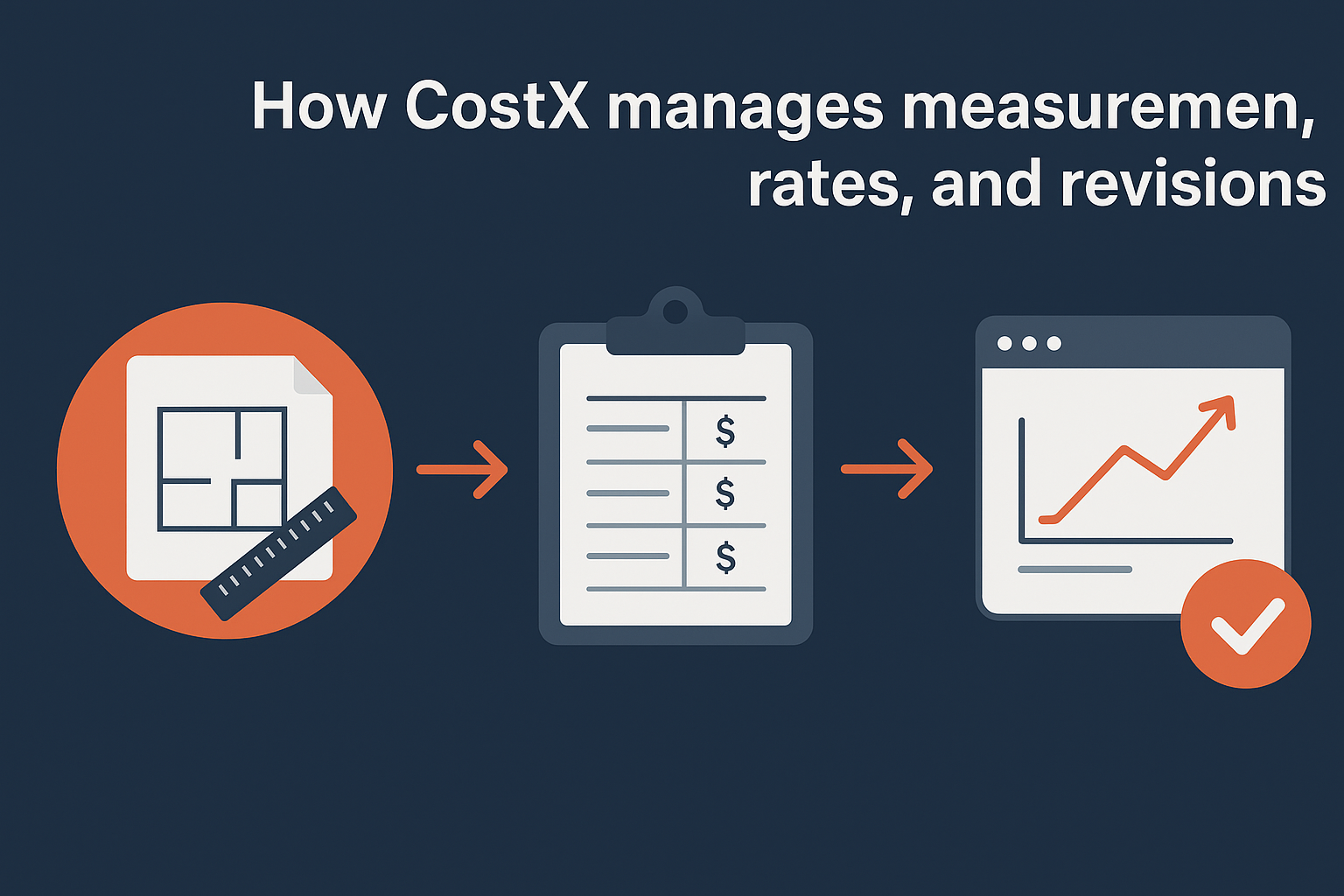
"CostX organizes construction measurements into workbook structures that maintain complete traceability from plan markup through final cost calculation."
What teams should know about setup and complexity
The platform requires upfront investment to configure workbook templates and establish your measurement standards. You'll need training time for estimators unfamiliar with quantity surveying methodologies. CostX delivers powerful measurement capabilities but demands more structured processes than simpler takeoff tools.
CostX pricing
CostX uses perpetual licensing starting around $3,000 per seat for 2D capabilities, with additional costs for 3D measurement modules. Contact CostX directly for pricing based on your feature requirements and team size.
8. HCSS HeavyBid
HCSS HeavyBid targets heavy civil contractors bidding on highway projects, site work, and DOT contracts where you price by bid item rather than traditional trade divisions. The platform structures estimates around crew production rates, equipment costs, and subcontractor quotes organized by the line items that appear in government bid schedules. You're working with construction cost estimating software that matches how heavy civil projects actually get priced and tracked rather than forcing you into commercial construction workflows.
What HCSS HeavyBid does
The platform builds estimates from the ground up using production-based pricing. You define crew compositions, assign equipment to each activity, and calculate costs based on how long each bid item takes to complete. HeavyBid handles complex earthwork calculations, paving quantities, and utility installations using production rates that reflect your actual field experience. The system stores historical project data so you price future work based on what similar jobs actually cost you rather than relying on generic industry averages.
Best fit for heavy civil and DOT bid item estimating
HeavyBid fits contractors bidding on state highway projects, municipal infrastructure, and other work priced using standardized bid item formats. If you regularly estimate excavation by cubic yard, paving by square yard, or concrete barriers by linear foot, this tool organizes your estimates exactly how DOT bid forms expect to receive them. Contractors managing fleets of heavy equipment and tracking production rates across multiple crews will find the platform built around their specific workflow requirements.
How HeavyBid builds estimates from crews, production, and quotes
You assemble virtual crews by combining labor classifications with equipment and calculate how long each crew takes to complete specific quantities. HeavyBid applies your hourly equipment costs, fuel consumption rates, and labor burden to generate total prices per bid item. The platform tracks subcontractor quotes by item number and lets you compare multiple subs before selecting final numbers for your bid.
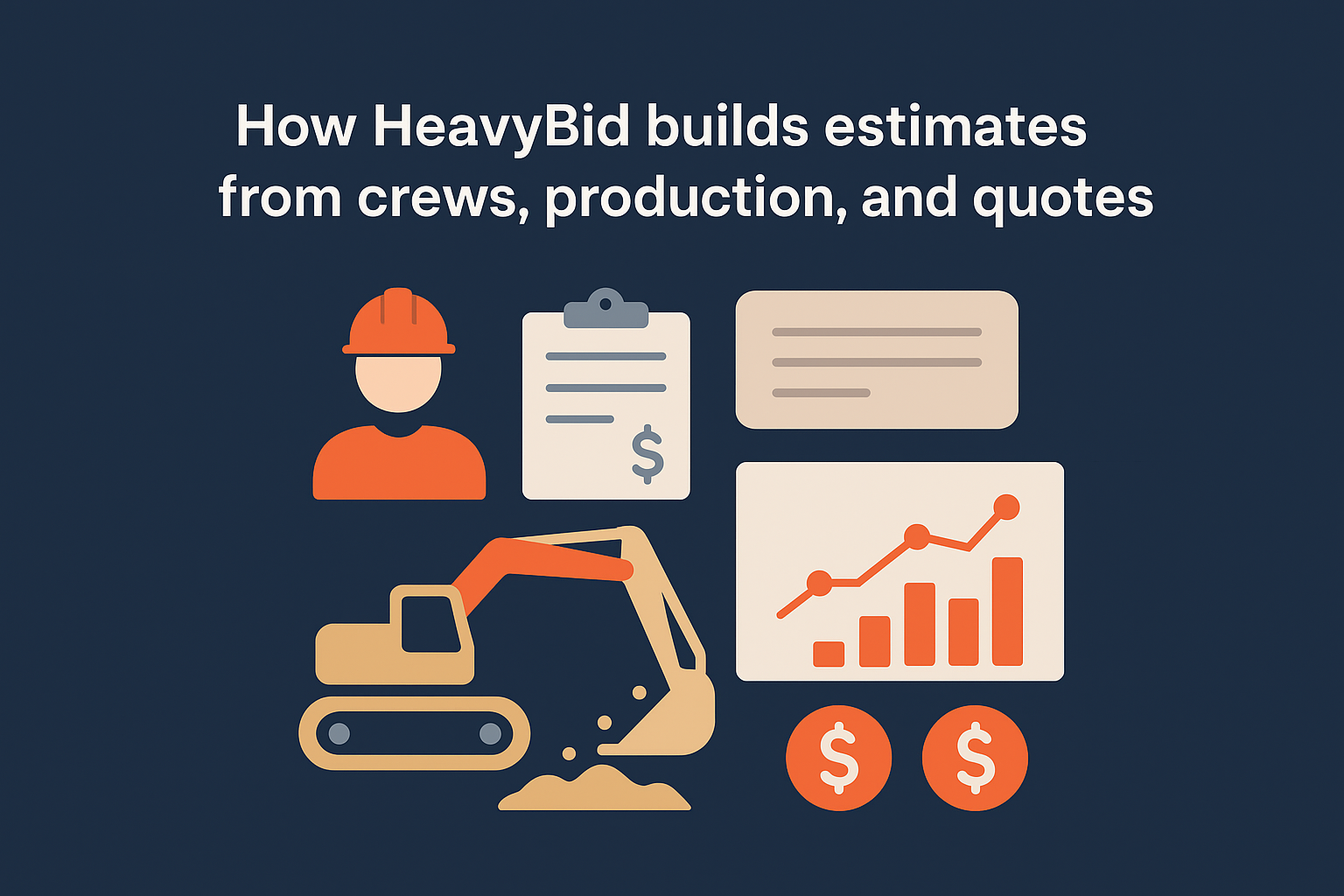
"HeavyBid calculates construction costs using production-based methods that mirror how heavy civil contractors actually price and execute field work."
How HeavyBid connects estimating to cost tracking systems
The platform exports estimates to HCSS HeavyJob for field tracking once you win projects. Your bid items flow directly into job cost modules where foremen log quantities installed and equipment hours used. Integration between estimating and operations means you compare actual production rates against what you estimated, which improves accuracy on future bids.
HeavyBid pricing
HCSS structures pricing based on annual subscription with costs varying by company size and module selection. Expect to invest several thousand dollars annually for single-user access with basic features, scaling up for multi-user licenses and advanced integration capabilities. Contact HCSS directly for pricing that reflects your bidding volume and equipment tracking needs.
9. Buildxact
Buildxact packages takeoff, estimating, and supplier pricing into a streamlined platform designed for small residential builders and remodeling contractors. The software skips the complexity of enterprise systems and focuses on the specific workflow residential contractors actually use: measuring plans, requesting quotes from suppliers, and converting estimates into client proposals that close deals. You're working with construction cost estimating software that prioritizes speed over exhaustive feature sets.
What Buildxact does
The platform combines digital takeoff with cost estimation and proposal generation in a single interface. You upload plans, measure quantities using on-screen tools, and the system organizes materials into categories that match how suppliers quote residential work. Buildxact connects directly to supplier catalogs in supported regions, pulling current pricing for lumber, fixtures, and other materials rather than forcing you to maintain cost databases manually. The software generates professional proposals that include scope descriptions, pricing breakdowns, and payment schedules formatted for homeowner clients.
Best fit for small builders and remodelers
Buildxact targets residential contractors managing custom homes, additions, and renovation projects where you need accurate material takeoffs and professional client-facing proposals. If you're bidding on projects under $2 million and working directly with homeowners rather than commercial clients, this tool delivers the features you need without burying you in unnecessary complexity. Small contracting teams who want cloud access and mobile capabilities will find the platform easier to adopt than systems built for large commercial contractors.
How Buildxact handles takeoff, quoting, and supplier pricing
You perform takeoffs by measuring directly on PDF plans and assign material specifications to each measured element. Buildxact organizes your materials into request-for-quote packages that you send to suppliers through the platform. When suppliers respond with pricing, the system updates your estimate automatically. You're pulling live supplier data instead of guessing at current market prices or manually updating spreadsheets every time material costs shift.
"Buildxact connects residential contractors directly to supplier pricing systems, eliminating manual cost database maintenance for frequently ordered materials."
What to watch for with plan tiers and add-ons
The platform limits features based on subscription tier, restricting advanced takeoff tools and integration capabilities to higher-priced plans. You'll need to evaluate whether the base tier handles your project complexity or if you need to upgrade for custom assemblies and detailed reporting. Supplier integrations work best in specific geographic markets, so confirm your region has active supplier connections before committing.
Buildxact pricing
Buildxact uses tiered subscription pricing starting around $299 per month for basic access. Higher tiers unlock advanced features and increased project limits, with pricing reaching $600 or more monthly for full functionality. Contact Buildxact directly for accurate pricing based on your company size and feature requirements.
10. Contractor Foreman
Contractor Foreman delivers all-in-one project management with basic estimating capabilities built in rather than serving as dedicated construction cost estimating software. The platform bundles estimates with scheduling, time tracking, and invoicing at a price point that makes sense for contractors who need multiple functions without committing to specialized tools for each workflow. You're getting simplicity and affordability instead of deep estimating features.
What Contractor Foreman does
The platform handles basic cost estimation alongside broader project management tasks. You create estimates by entering line items manually, assigning quantities and unit costs, and organizing scope by project phase or trade. Contractor Foreman generates proposal documents from your estimates and converts approved proposals into project budgets for tracking. The system stores your pricing history so you can reference past projects when building new estimates.
Best fit for budget-focused contractors who need basics
Contractor Foreman works for small contractors and one-person operations who need straightforward estimating without paying for features they won't use. If you're managing residential remodels, small commercial projects, or service work where estimates stay under 100 line items, this tool covers your needs. Contractors who want scheduling and time tracking in the same system as their estimates will appreciate the bundled approach.
How Contractor Foreman handles estimates and proposals
You build estimates by typing in scope items and costs rather than measuring from digital plans. The platform applies markup percentages to your direct costs and formats everything into client proposals with payment schedules. Contractor Foreman lacks automated takeoff tools, so you'll calculate quantities separately before entering them into estimates.
"Contractor Foreman bundles basic estimating with project management at a budget price point rather than delivering specialized takeoff and costing features."
Where Contractor Foreman can fall short for advanced estimating
The platform skips digital takeoff capabilities that other tools provide. You won't find plan markup features, automated quantity calculations, or integration with cost databases. Contractors bidding on complex projects with detailed scope breakdowns will outgrow the platform's basic estimating functions quickly.
Contractor Foreman pricing
Contractor Foreman charges around $49 per month for unlimited users, making it one of the most affordable options available. The flat monthly rate includes all features without tiered restrictions or per-seat fees.
Next steps to pick the right tool
Your choice of construction cost estimating software depends on what you actually estimate and how your team works. Bridge contractors bidding on DOT projects need different capabilities than residential builders pricing kitchen remodels. Start by matching tool features to your project types, then evaluate whether the platform integrates with your existing systems for accounting and project tracking.
Budget matters, but cheap software that forces manual workarounds costs more than premium tools that automate repetitive tasks. Calculate your time investment against subscription fees to identify real value. Most platforms offer demos or trial periods, so test the interface with actual project files before committing to annual contracts.
Most of these tools price a fresh plan set from scratch, on a database of generic rates. If you would rather have the estimate done for you, Arched prices the tender on the rate basis you choose, whether a state SOR, CPWD DSR or your own market rates, flags anything it is unsure about, and an engineer reviews it before it reaches you. See how our estimating service works.
Have a package your team can’t get to? Send it to us. Our engineers check and sign off everything we deliver.